Welcome to the Inedo Forums! Check out the Forums Guide for help getting started.
If you are experiencing any issues with the forum software, please visit the Contact Form on our website and let us know!
Project-scoped permissions not working as expected
-
Hello again,
Assigning tasks with Projects scoped permissions do not seem to be functioning as expected.
I can not assign a group my "Manage" task for a feed/project group, The task includes only privileges marked as scopable
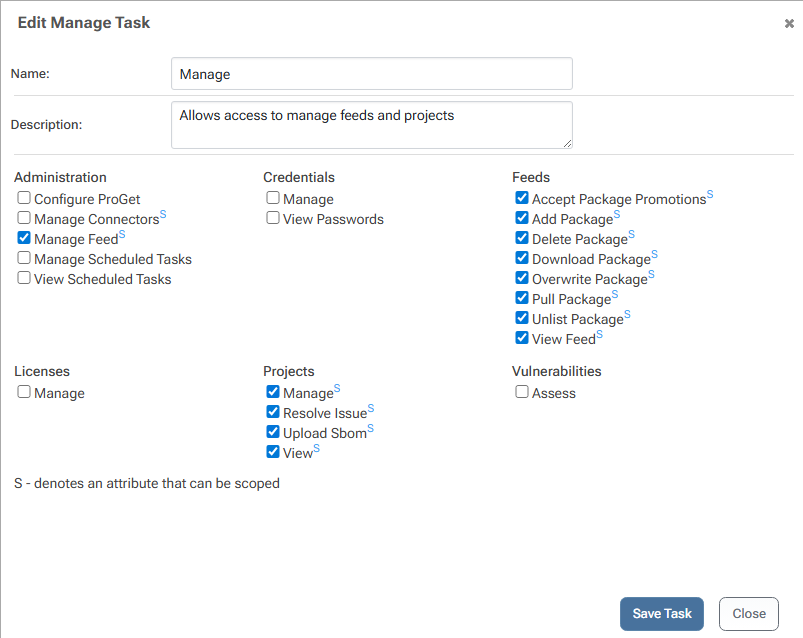
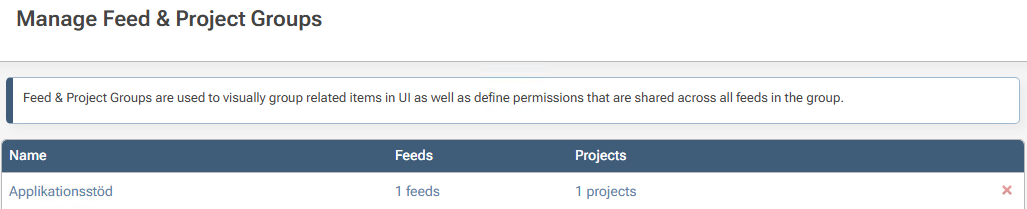
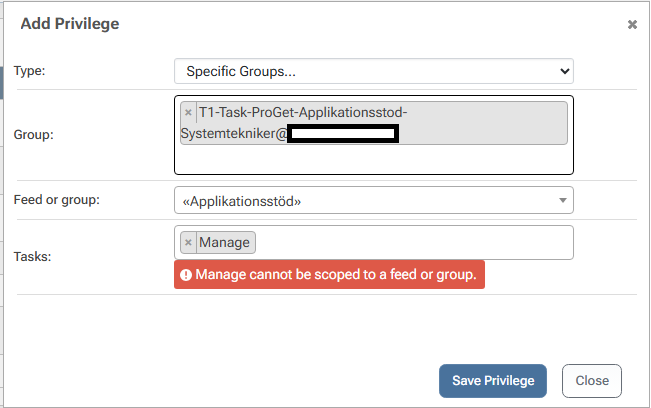
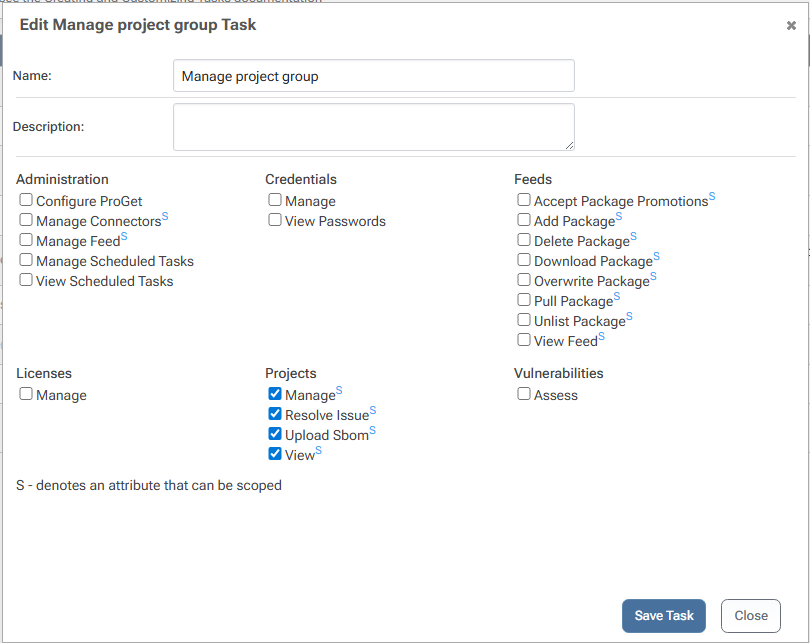
Creating a new task with only Projects privileges experiences the same issue
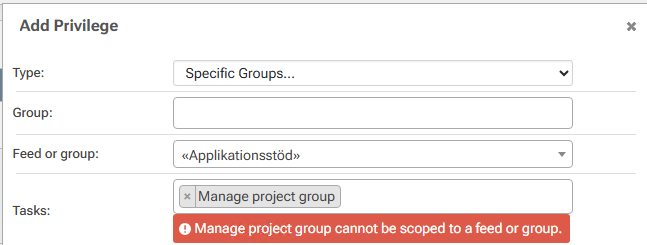
If I restrict a task to only privileges that were scopable in 2025 it again allows me to assign scoped permissions
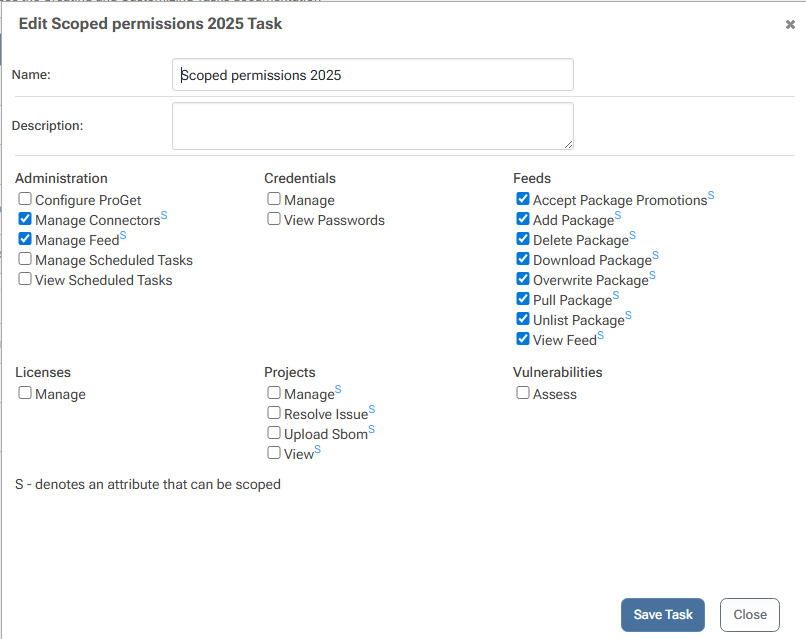

I've also tested individually the 4 privileges under the Projects category [Manage, Resolve Issue, Upload Sbom, View] and the issue is the same for all/any combination.
This is running 2026.1 (Build 14) from the Prerelease Feed, although the issue seemed consistent in earlier Release Candidate 12, as well as 2026.1 in the Production Feed
Best Regards
Nils Nilsson -
Hi @Nils-Nilsson,
Thanks for bringing this to our attention. This looks to be a regression that happened right before release. I have created a ticket, PG-3289, to track the fix and we will release it this Friday in ProGet 2026.2.
Thanks,
Rich

Hello! It looks like you're interested in this conversation, but you don't have an account yet.
Getting fed up of having to scroll through the same posts each visit? When you register for an account, you'll always come back to exactly where you were before, and choose to be notified of new replies (either via email, or push notification). You'll also be able to save bookmarks and upvote posts to show your appreciation to other community members.
With your input, this post could be even better 💗
Register Login