Welcome to the Inedo Forums! Check out the Forums Guide for help getting started.
If you are experiencing any issues with the forum software, please visit the Contact Form on our website and let us know!
[BUG] ProGet 2026 no longer able to find Active Directory Users/Groups when configuring Task/Permissions
-
Hi!
I have a breaking issue in ProGet 2026, upgraded from 2025.27
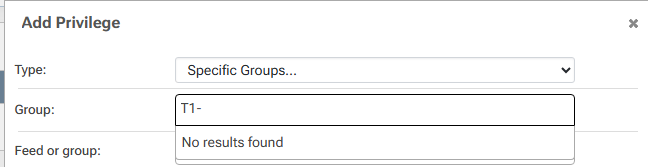
The issue is that when I try to add a new permission/restriction for ["Specific User...", "Specific Groups..."] it no longer manages to search for those defined in my Active Directory and synced through LDAP.
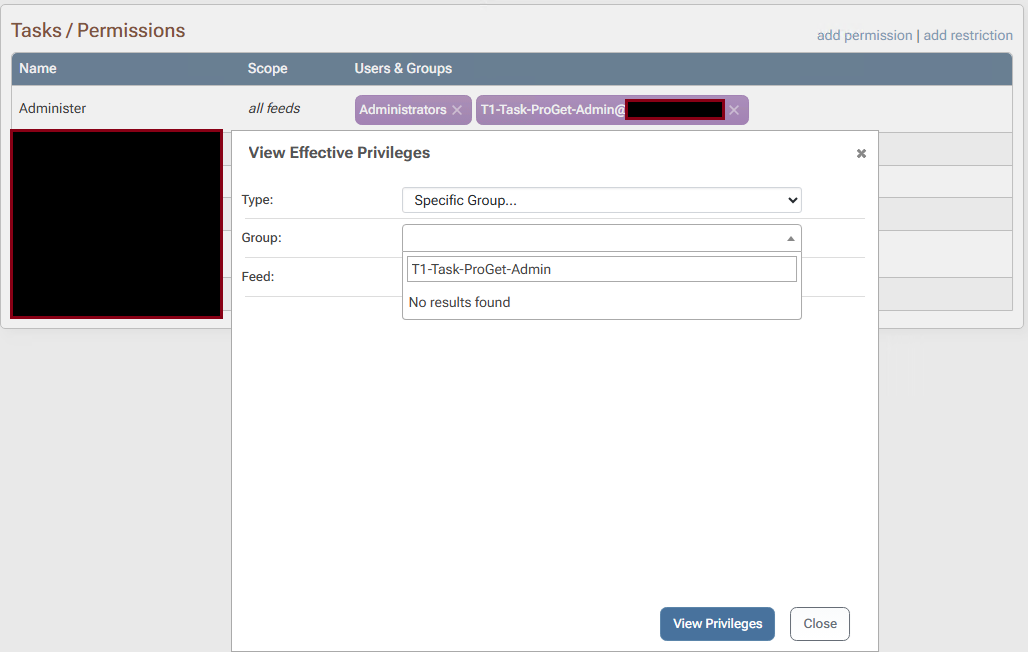
Attempting to Test Privileges of a group that is assigned(and still seems to be in effect as I'm able to log in and administer using my domain account) it is also unable to search for users/groups.
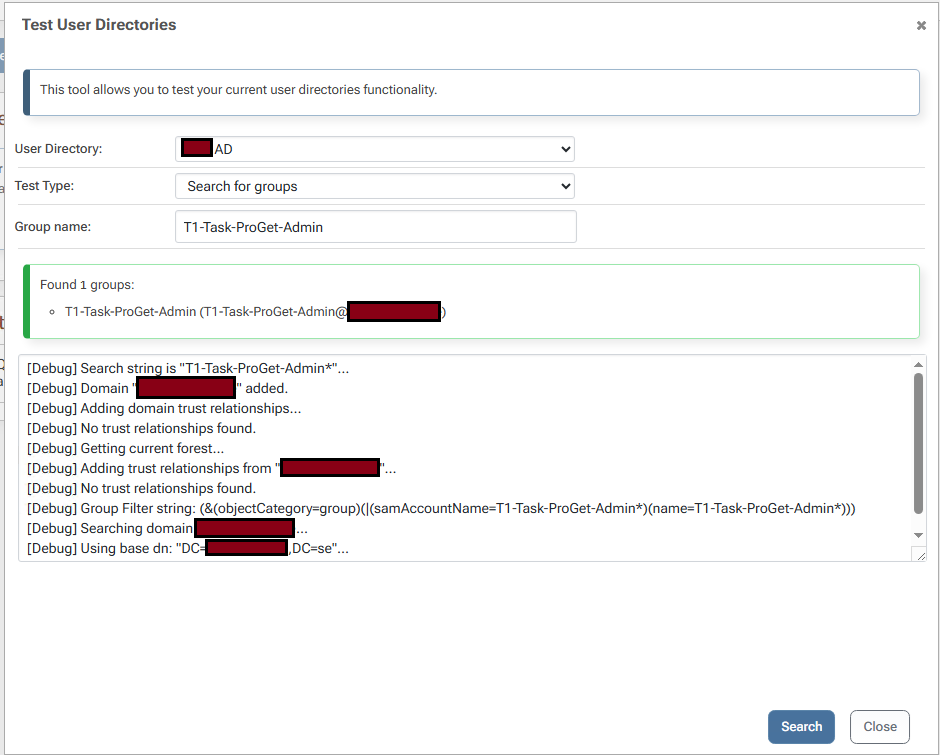
I've verified that the LDAP connection is still healthy through the 'Test User Directories' dialog
This issue was found because after upgrading all my existing permissions that were scoped to a feed group no longer had an association to the migrated "Feed & Project Groups" that replaced them, thus leading to having to reconfigure all permissions.
Regards
Nils Nilsson -
Additionally after doing a rollback to 2025.27 ProGet can not start the web service, with this error in event viewer
Exception: Inedo.ProGet.Web.Security.UserNotFoundException: Exception of type 'Inedo.ProGet.Web.Security.UserNotFoundException' was thrown. at Inedo.ProGet.WebApplication.ProGetHttpModule.AuthorizeRequestAsync(AhHttpApplication app) at Inedo.Web.InedoHttpModule.Inedo.Web.IAhWebModule.AuthorizeRequestAsync(AhHttpApplication app) at Inedo.Web.AhWebMiddleware.InvokeAsync(HttpContext context) at Inedo.Web.AhWebMiddleware.InvokeAsync(HttpContext context) at Inedo.Web.AhWebMiddleware.InvokeAsync(HttpContext context) at Inedo.Web.AhWebHost.<>c.<<Configure>b__22_0>d.MoveNext() --- End of stack trace from previous location --- at Microsoft.AspNetCore.Server.Kestrel.Core.Internal.Http.HttpProtocol.ProcessRequest[TContext](IHttpApplication`1 application) -
Service came online a few hours after the rollback, the error above persists though and LDAP integration for Task/Permissions still isn't working.
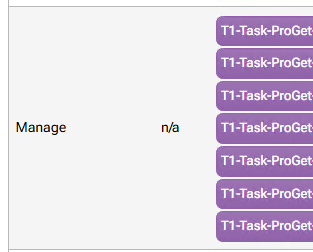
Rollback also didn't restore my scoped permissions, all of those groups used to have different scopes.
-
Hi @Nils-Nilsson,
Aside from library/dependency upgrades, I'm not aware of any changes to AD/LDAP that would yield this change. So it's definitely possible a dependency update caused that, we'll keep our eyes out... but things did pass our ordinary LDAP/AD testing, so any other info would be really helpful ... like if it's easy to do a new testing instance so you can upgrade/downgrade to find if that's definitely the issue.
As for permissions/tasks, there were definitely no changes here. The tasks/permissions data were not touched as part of the upgrade, nor was the data/schema changed; the renaming of "Feed Groups" to "Feed & Project Groups" is entirely cosmetic.
Behind the scenes (in the database), it's still
FeedGroup_Id. The only schema changes were related to creating new tables for vulnerability data and adding a column to projects table to support grouping. There were no data updates.Thanks,
Steve -
@Nils-Nilsson FYI quick update, but it does look like LDAP searching is having issues in the UI.. so perhaps it's some kind of UI//library upgrade regression. Anyway we'll update once we have a fix.
-
Hi @Nils-Nilsson,
We identified the issue with the UI and have fixed it in PG-3277. This will be released next week in ProGet 2026.1.
As for the UserNotFoundException after the rollback, that is most likely related to your cookies. Once the cookie expired, it then let you login again. You can verify that by using an private/incognito window and logging in or clearing your cookies and logging in again.
Thanks,
Rich -
Hi,
Thanks for investigating.
You're right that UserNotFoundException turned out to be a cache issue.
Eagerly awaiting the fix.
Regards
Nils Nilsson -
Hi @Nils-Nilsson ,
FYI this is available in
inedo/proget:26.0.1-ci.7should you want to give it a shot!Cheers,
Alana -
Thanks,
I deployed 2026.1-rc.12 in my lower environment and it seems to resolve the issues I was facing.
best regards
Nils Nilsson -
Post moved to Project-scoped permissions not working as expected



Hello! It looks like you're interested in this conversation, but you don't have an account yet.
Getting fed up of having to scroll through the same posts each visit? When you register for an account, you'll always come back to exactly where you were before, and choose to be notified of new replies (either via email, or push notification). You'll also be able to save bookmarks and upvote posts to show your appreciation to other community members.
With your input, this post could be even better 💗
Register Login