Welcome to the Inedo Forums! Check out the Forums Guide for help getting started.
If you are experiencing any issues with the forum software, please visit the Contact Form on our website and let us know!
Missing of Creating Legacy plans
-
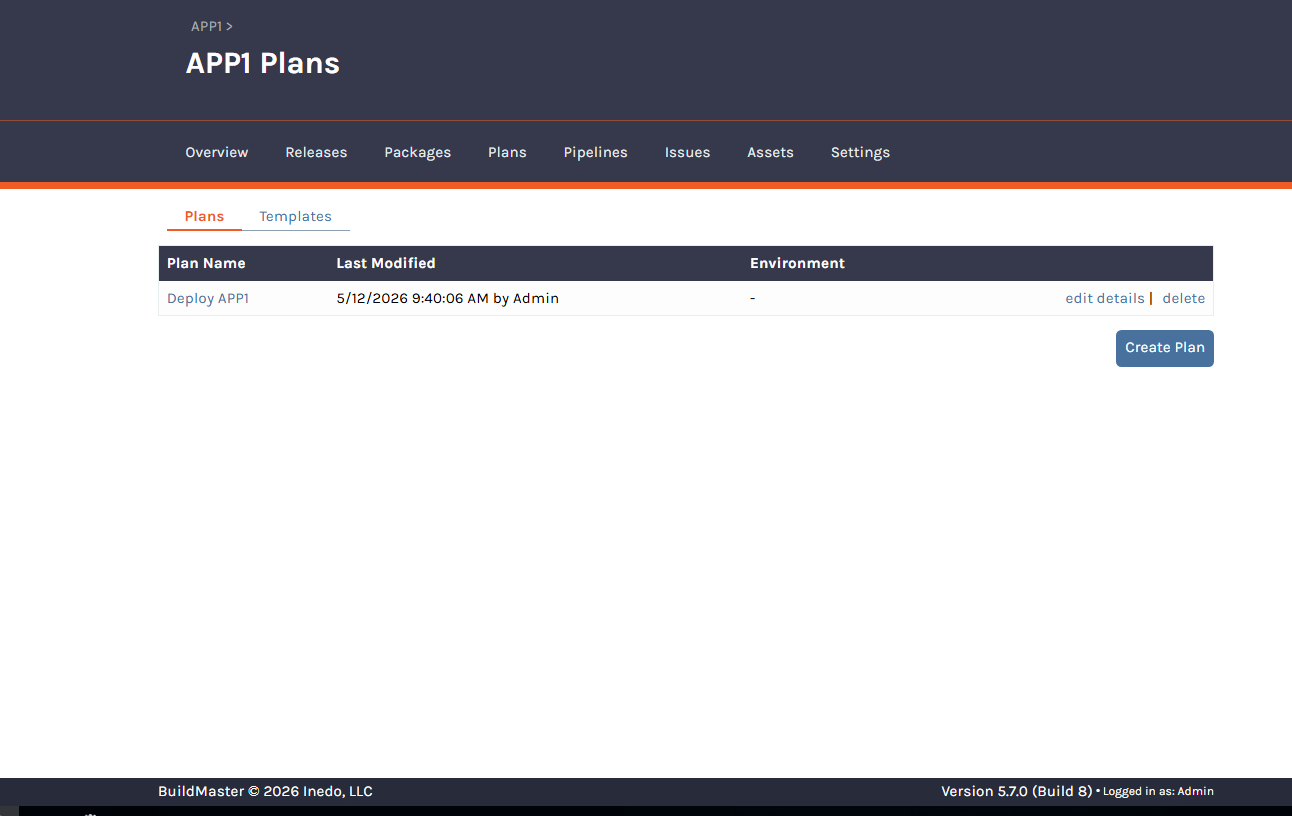
I am currently using BuildMaster 5.7, and under the Plans section, I am unable to see the “Create Legacy Plan” option.
I would like to understand:
What could be causing the Legacy Plan creation option to be unavailable?
Are there any specific configurations, extensions, feature settings, or application types that need to be enabled or modified to restore this functionality?For reference:
The installation is a fresh BuildMaster 5.7 setup
An Enterprise license is being used
Standard extensions such as InedoCore, Windows, Windows SDK, Linux, and SQL Server are already installedPlease advise on what changes or validations are required to enable Legacy Plan creation.
-
Hi @ybaskar-temp_3339,
Going off of memory here (this was like 10 years ago), but I believe that BuildMaster v5 would hide legacy options unless there was already legacy data. Since there's no legacy plans there's no button.
However, it still should be possible if you can find the url of the page to navigate to. I would check other apps for that option, inspect the url, and just replace it with your applications Id.
Let us know if that works!
-- Dean

Hello! It looks like you're interested in this conversation, but you don't have an account yet.
Getting fed up of having to scroll through the same posts each visit? When you register for an account, you'll always come back to exactly where you were before, and choose to be notified of new replies (either via email, or push notification). You'll also be able to save bookmarks and upvote posts to show your appreciation to other community members.
With your input, this post could be even better 💗
Register Login