Welcome to the Inedo Forums! Check out the Forums Guide for help getting started.
If you are experiencing any issues with the forum software, please visit the Contact Form on our website and let us know!
Pulling dependencies from ProGet in gradle
-
I'm trying to use my maven feed on ProGet on gradle for dependency resolution. My feed has connectors for remote repos such has maven central, gradle plugins, etc.
My problem now is that whenever I'm building my project I get the error for a couple dependencies but this is one example
Could not find hamcrest-core-1.3.jar (org.hamcrest:hamcrest-core:1.3).
     Searched in the following locations:
         http://my.server.local:8624/maven2/my-feed/org/hamcrest/hamcrest-core/1.3/hamcrest-core-1.3.jar
When I check the feed it has the artifacts but when I click on the jar files it gives me a page.
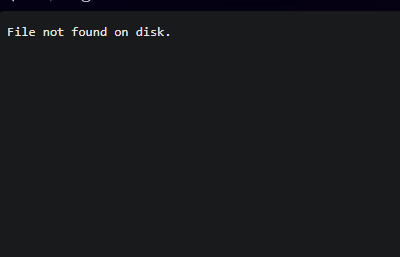
This doesn't make sense since I'm using the maven central repo. Would I need to download each artifact manually from the maven central repo?
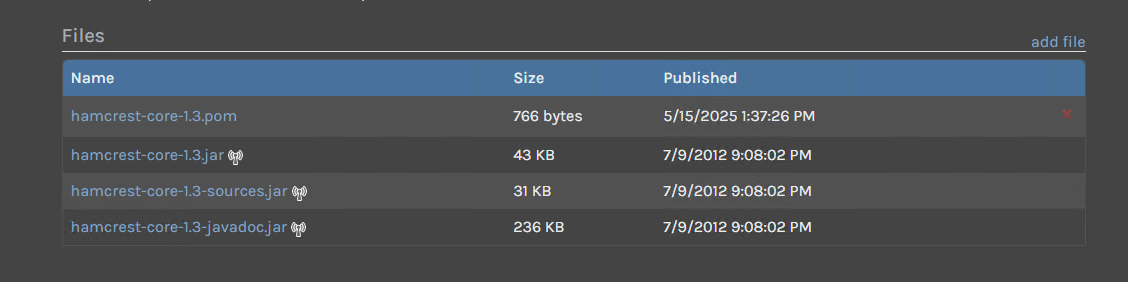
I feel like I'm missing something or fetching the feed wrong.
-
Hi @misael-esperanzate_5668 ,
The "File not found on disk" message means that the file was indexed in the database but it's not on disk. This can happen when files are directly deleted from the packagestore, removed by a quarantine tool, disk paths changed (common on Docker, if you mount wrong directory), etc.
Hopefully that makes sense and will help you troubleshoot from here. You can try to clear the cached files, run a feed-reindex, etc. But if all of your files are missing then that's probably not what you want to do.
Thanks,
Alana -
@atripp So I have been testing other dependencies and it's giving the same result. For example, I'm trying to pull this dependency
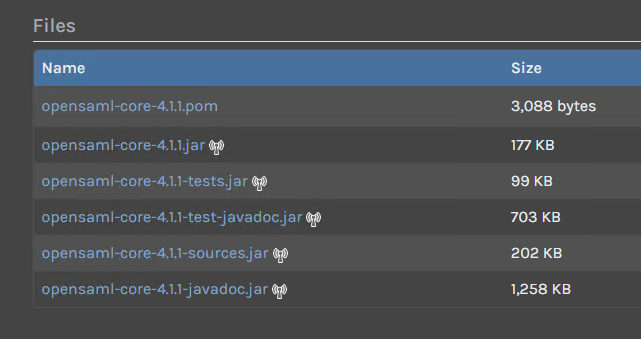
I noticed that it only downloads the .pom file. The other artifacts show up but when I click on the .jar it still says File not found on disk. The weird thing is when I delete the .pom artifact only then I can click on the .jar since it can be found now.
I have tried clearing cache and also re-indexing but it always does this. This only happens when I use connectors. Whether it be a remote repo connector or a connector a proget feed. I also made sure the global settings allow invalid version/non standard files to be deployed to the feed. I also set the block settings to allow download for noncompliant packages.
Is there anything else I can try to resolve this?
-
Hi @misael-esperanzate_5668 ,
I'm not really sure, but I'll explain how things work so it might help troubleshoot.
First, the Maven API does not provide a file listing. While you (as a user) can often "see" via an HTML page (like this listing at jboss.org), it's simply not available for listing in the API. The only required file in an artifact is the
.pomfile, so when you "pull" an artifact to ProGet, that's all you'll get.Next, the "remote" icons next to the files indicate that they were cached (i.e. added to the feed) via a connector. That means the files were successfully written to disk, recorded in the database... but now they are gone. Hence, why you keep getting the "file not found" message.
The most likely culprit for this is something deleting the files from a packagestore. We often see security tools doing that for "safety" reasons, since they are
.jarfiles that may be dangerous I guess.Overall, the maven API is a very simple series of GETs. So perhaps, you can just experiment with this? First, start with a brand new feed and a connector.
Then, run the command:;
curl http://my.server.local:8624/maven2/my-new-feed/org/hamcrest/hamcrest-core/1.3/hamcrest-core-1.3.jar --output hamcrest-core-1.3.jarYou should see the file download via CURL. Afterwards, you should see the artifact as a cached package (Top Navigation > Packages > Select Cached). You should also see that
.jarfile on disk, written to the package store location (Manage Feed > Storage).If you don't see a .jar file downloaded to that location on disk, then it means something is "blocking" the file being written. If it's there, then it means something is deleting it after.
Thanks,
Alana -
@atripp said in Pulling dependencies from ProGet in gradle:
Next, the "remote" icons next to the files indicate that they were cached (i.e. added to the feed) via a connector. That means the files were successfully written to disk, recorded in the database... but now they are gone. Hence, why you keep getting the "file not found" message.
Hi,
Strange. I thought that this "Antena" Icon is a indicator that file was indexed (weekly Indexer) and not present on repository and you have to manually or remotely download artifact to "remove" this icon.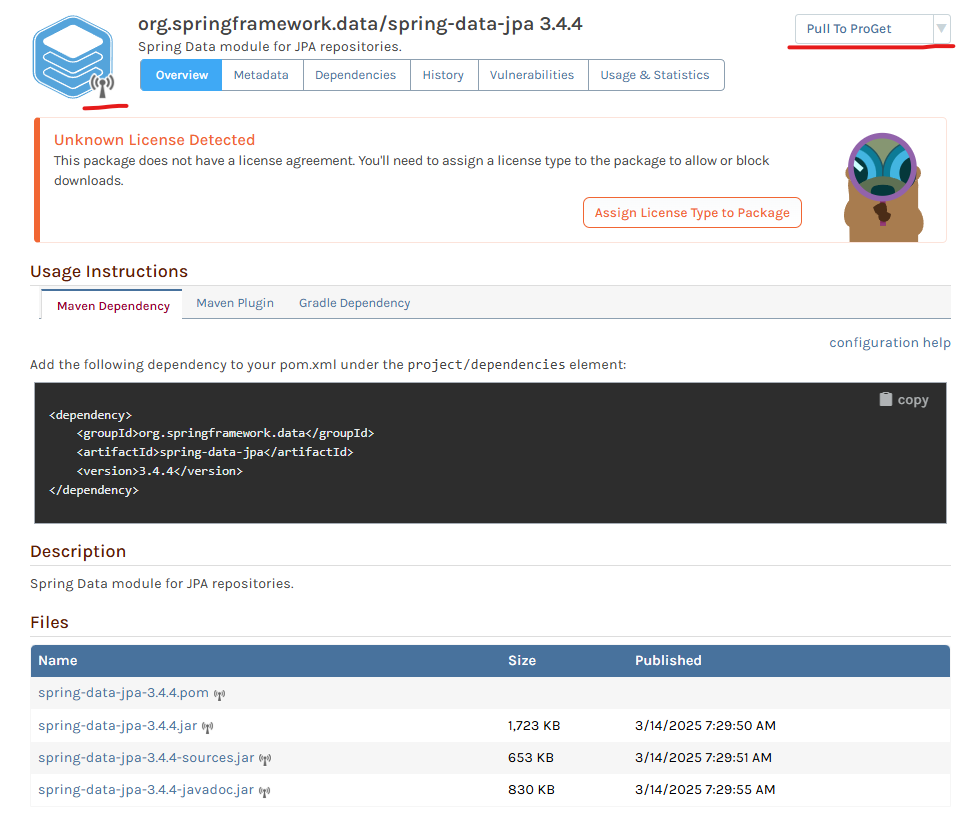
And after that:
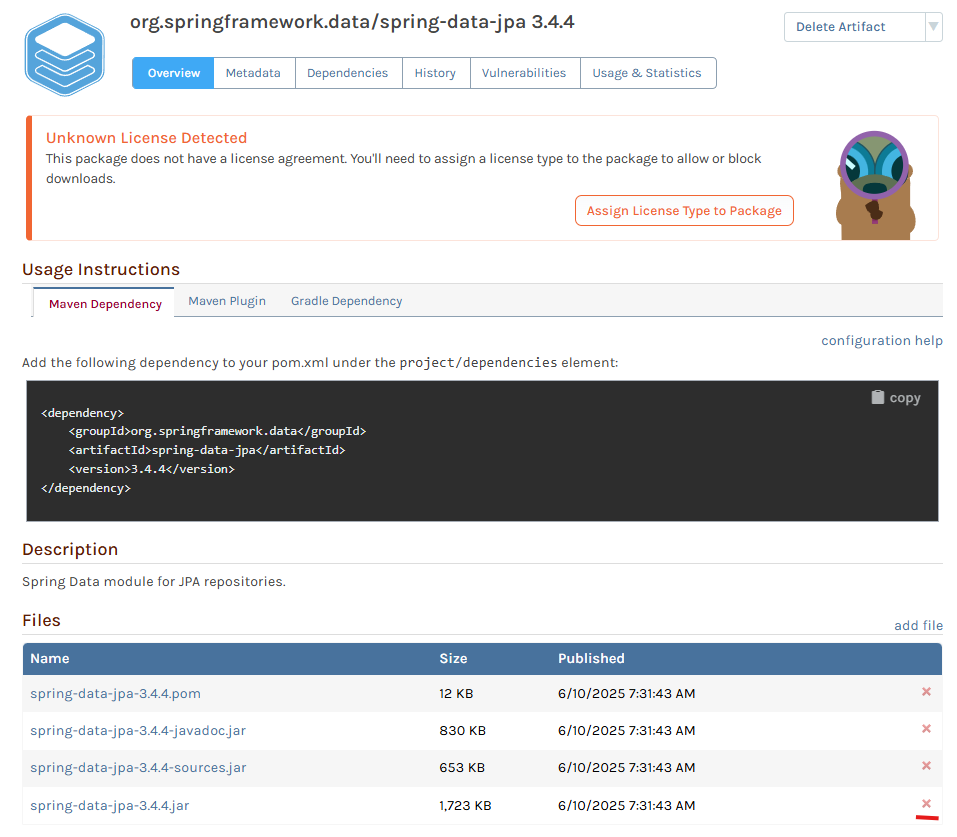
Then, you can delete file from repository using "X" on the right.
It "becomes" Remote again.
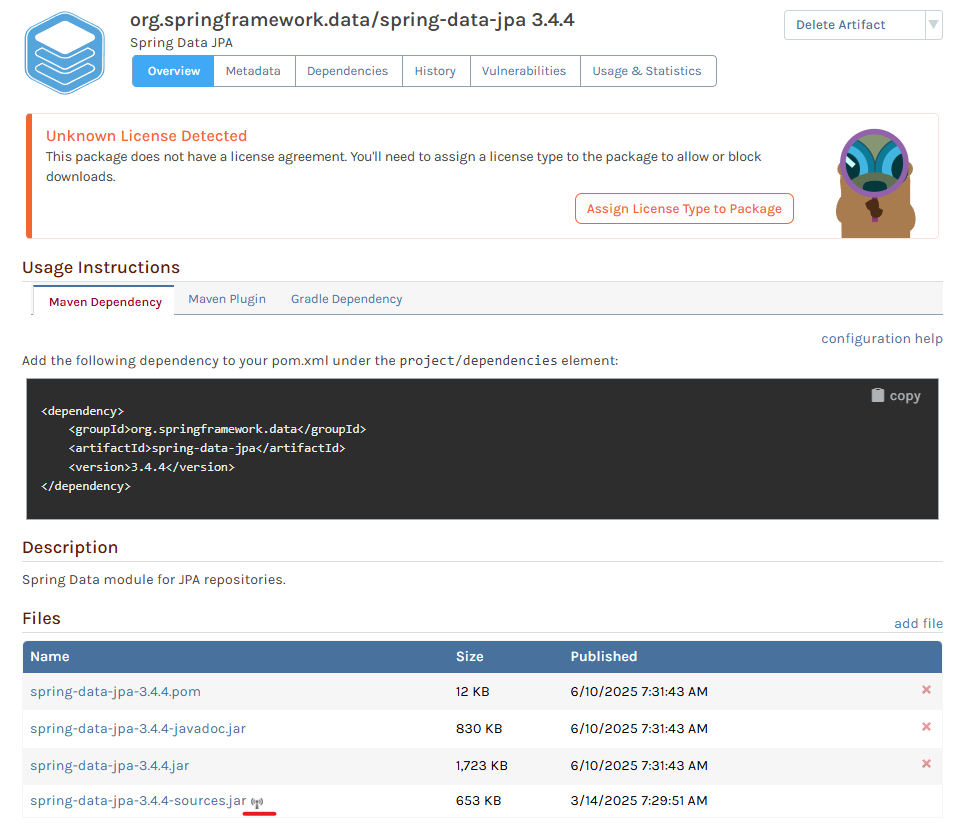
Notice how "Published" date changes.
Files on disk:
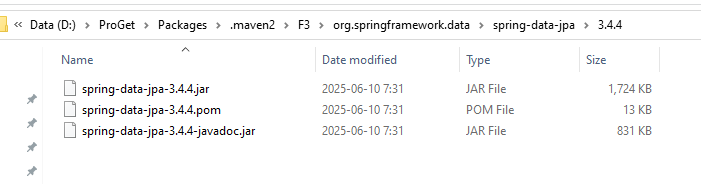
Cheers,
Michal -
@michal-roszak_0767 just a heads up we're a bit slammed with ProGet 2025 release but will respond soon!
-
Hi @michal-roszak_0767,
That icon indicates it's a remote package. That means it can be remote or cached. If you use the Pull to ProGet feature, then it will pull all the files locally and converts them to an internal/local package and those icons go away. If you combine that icon with the error "File not found on disk", this means the artifact was cached, but something deleted the file from disk. That is what Dean was trying to explain.
@misael-esperanzate_5668,
I think the next step from here is to navigate to Manage Feed -> Storage & Retention, and then run the re-index feed job (found to the right of storage) with the "Remove database entries for missing package files" option selected. That will remove any Maven artifacts from the database that are missing local files and allow them to be re-cached again. If you want to review the Maven artifacts that would be removed, run the re-index without selecting the remove database entries option. This will warn you of any Maven artifacts that a missing first, then you can run it again to remove them. Hope this helps!
Thanks,
Dan -
@Dan_Woolf Hmm so I tried re-indexing the feed and the debug showed that there were no orphaned packages. When I try to build my package with gradle it still says it could not find the .jar files. When I check proget to see if it caches it I see that it manages to fetch the .pom but not the .jar.
The strange thing is when I use the curl command for example,
curl http://my.server.local:8624/maven2/my-new-feed/org/hamcrest/hamcrest-core/1.3/hamcrest-core-1.3.jar --output hamcrest-core-1.3.jarto check if it's available I get a 404 not found error. But when I delete the .pom making remote icon show up again, running that same command makes the .jar available? -
Hi @misael-esperanzate_7550,
What version of ProGet do you have installed? This may be an issue that we have already fixed. I remember this happening in some older versions of ProGet.
Thanks,
Dan -
@Dan_Woolf I have the 2024.38 version of Proget
-
Hi @misael-esperanzate_5668 ,
I'm afraid we simply can't reproduce this. Here is what we do:
- New Maven feed w/ Maven Central Connection
- Download Index
- Navigate to
/feeds/marvin/org.hamcrest/hamcrest-core/1.3
All files will show up in the list because the index file is downloaded; if the index file was not downloaded, only the
pomfile will show. But the behavior is the same either way.The artifacts download with no issue, as expected:
curl http://localhost:8624/maven2/marvin/org/hamcrest/hamcrest-core/1.3/hamcrest-core-1.3.jar

curl http://localhost:8624/maven2/marvin/org/hamcrest/hamcrest-core/1.3/hamcrest-core-1.3.pom
They download in any order just fine, and I can delete them from the ProGet UI. There is no case that we can have a "file vanish" as is happening to you.
The
404error you keep getting is expected if there is a cached entry without a file. There is really no other way we can imagine to get that error. It's very common on Windows for files to "suddenly vanish" when you have anti-virus tools running --- a.jarfiles suddenly being written to disk will often trigger a quarantine action.ProGet obviously cannot detect nor prevent this interference. You may be able to use a tool called ProcMon to monitor for interference: https://learn.microsoft.com/en-us/sysinternals/downloads/procmon
Otherwise, you may wish to just set up a AWS Lightsail sandbox, which can be done for pennies: https://docs.inedo.com/docs/proget/installation/proget-how-to-install-on-aws-lightsail
That will allow you to compare/contrast behavior.
Thanks,
Steve -
Hi @stevedennis
After a couple weeks of some testing, I've come to the conclusion that whenever I have the Connector Package Caching enabled on the feed level I run into the issue mentioned above.
Disabling the caching built my project successfully but I still want to have caching enabled. Is there a reason why this could be happening?
-
Hi @misael-esperanzate_5668 ,
That makes perfect sense; when package caching is enabled, the package files are added to the feed and stored on disk. When it's not enabled, they are simply streamed from the server.
Something is interfering with your disk storage that is deleting (quarantining) files on disk. You will need to follow the troubleshooting I identified above - it's probably a security tool.
Suggest using AWS Lightsail to get a test box in an environment you can control.
Thanks,
Steve




Hello! It looks like you're interested in this conversation, but you don't have an account yet.
Getting fed up of having to scroll through the same posts each visit? When you register for an account, you'll always come back to exactly where you were before, and choose to be notified of new replies (either via email, or push notification). You'll also be able to save bookmarks and upvote posts to show your appreciation to other community members.
With your input, this post could be even better 💗
Register Login