Welcome to the Inedo Forums! Check out the Forums Guide for help getting started.
If you are experiencing any issues with the forum software, please visit the Contact Form on our website and let us know!
ProGet: Different behavior for build creation
-
Hi,
there are two possibilities to create a build in a project in ProGet 2024.
I can select between "Create Build" and "Import SBOM".
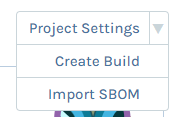
I was interested in what would happen if I create a build with the same version twice.
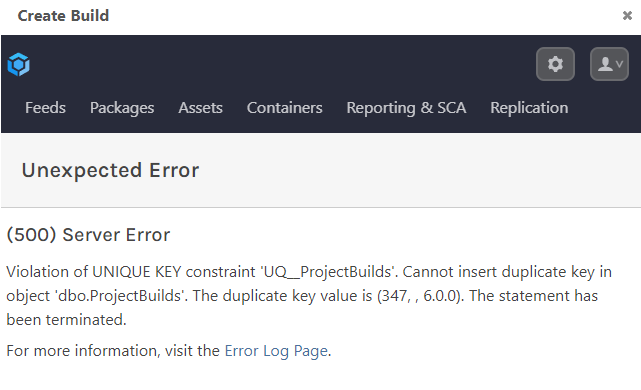
Both of those options create a new build but with a different behavior.If I select "Create Build" to create e.g. build 1.0.0 and I do this a second time I get an error:
If I select "Import SBOM" to create build 2.0.0 and I do this a second time, the first build gets deleted and overwritten I think. Because if build 2.0.0 is in another stage and I try to import the SBOM to my default stage, the build is available in the default stage and no longer in the other stage.
Shouldn't these two options behave the same?
If we use pgutil to import a SBOM we would prefer that previous builds would not be overwritten. It should no happen that a build with the same version gets created twice, but sometimes mistakes happen. In this case the previous build should not be deleted without a warning.
Can you please have a look into this szenario? Maybe we can also discuss what would be the best behavior for pgutil in this case.
Thanks
Caterina -
Edit:
If I first use "Create Build" to create build 3.0.0 and afterwards "Import SBOM" to create build 3.0.0 I have two builds with version 3.0.0 in my project.
The same happens if I do it vice versa. -
Hi @caterina ,
Sorry on the slow reply, I swear I replied to this.... but clearly not.
As you can see from the 500/crash error (which we should obviously not do), there is a data constraint that prevents two builds within the same project and release from having the same number. Specifically, the constraint is
<Project_Id, Release_Number, Build_Number>; so it's not possible to have build3.0.0twice -- but maybe it's in a different project or release.As far as "Import SBOM" vs "Create Build", the Import SBOM will create a Project (based on the
Componentname) and a Build (based on theVersion) if it does not exist. Then, it adds the packages within the SBOM Document to the build's list of packages, and then adds the SBOM document itself to the build's SBOM documents.When importing an SBOM, nothing is deleted; it's always added. As you've seen, Create Build will definitely error out if the build already exists.
Hope that helps clarify,
Alana
-
Hi @atripp,
to be honest, I am still confused. Let me explain my approach in more detail:
So I created a test project which does not contain any builds yet:
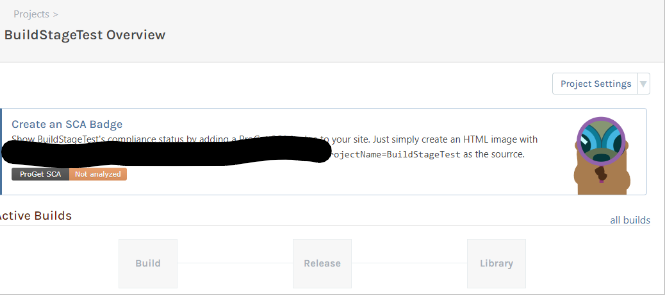
I want to add build 1.0.0 to this project. To do so, I upload an SBOM file containing the information about version 1.0.0. I also promote this version to the stage "Release":
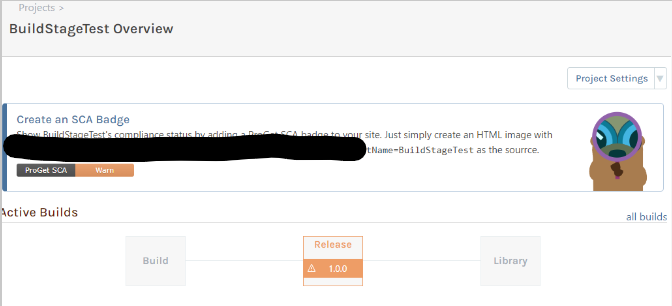
Now the worst case scenario happens. After months someone uploads a different sbom with version 1.0.0 to this project. I can confirm that the information from the "new" sbom gets added. But the build is also moved back to the stage "Build":
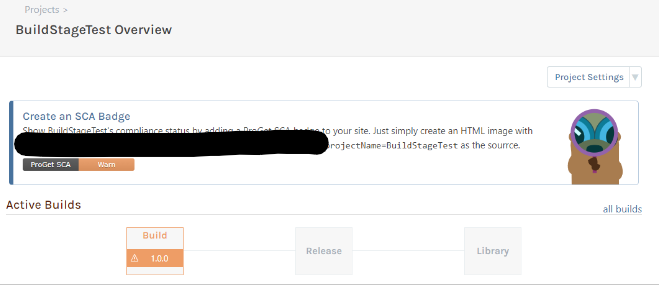
I would expect that the build remains in its stage. But maybe you have a valid reason to do it like this?So now I used "Create Build" from the dropdown to manually create version 1.0.0 again, which leads to two versions 1.0.0:
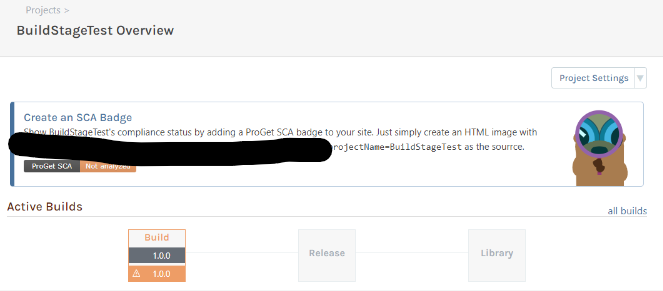
If I now upload a SBOM for version 1.0.0 only the first version 1.0.0 gets modified. The second, manually created version 1.0.0 remains unchanged.Further, I created a version 2.0.0 manually using "Create Build". Then I uploaded a SBOM for version 2.0.0, which again results in two builds with version 2.0.0:
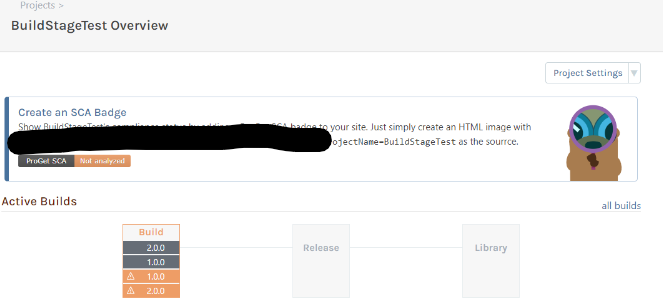
As far as I understood your explanation, uploading a SBOM should have added the information to the already existing build 2.0.0 instead of creating a new build?You also said that the constraint for duplicates is
<Project_Id, Release_Number, Build_Number>.
So for versions 1.0.0 the Project_Id as well as the Build_Number are the same. The Release_Number is empty for both builds (or not set):

Maybe that's a problem leading to having a build twice? But this seems to be the default when using pgutil to create and upload a SBOM. I am not really sure how this Release_Number property should be used and how it is set using pgutil.But if this behavior is on purpose maybe you can again explain to me why?
Thanks
Caterina -
Hi @caterina ,
Thanks for the additional detail.
So I investigated this a little further, and now I see there's a bug in the method that imports the SBOM file - basically it's just overwriting the Stage Name with "Build". That's not intentional.
It looks like the BuildStatus_Code is also reset to Active. I'm not sure if that should be the case; maybe an inactive build should not allow a new sbom added... what do you think

As for the duplicates, we know it's not possible to enter a row in the table with a constraint, so it means there's either whitespace in the buildnumber (two different builds) or there's an incorrect join (build displayed twice).
Just take a look at the
projectBuildIdquerystring parameter for the "2.0.0" builds -- that will clue us in to which case it is.If it's whitespace, we'll have to figure out where it could be added -- and just trim before adding to database
Thanks,
Alana -
Hi @atripp,
I think uploading a SBOM should not modify other metadata of a build (e.g. Build Stage, BuildStatus). I also can't see a usecase where it would be necessary to updoad a SBOM for an inactive build. Even if you do not prevent it, it should not change the BuildStatus I guess
.For the duplicates: those are indeed two different builds. I can also see it in the database:

The difference here is Release_Number. If a build gets created via SBOM the Release_Number is NULL. If I use "Create Build" the Release_Number is empty. Both Build_Number are the same. None of it containes a whitespace.Best,
Caterina -
Hi @caterina ,
Thanks for investigating this! I just made the following changes via PG-2818:
- do not update Stage, Status upon import of SBOM
- set Release Null when editing build (not empty string)
- validate build number is unique
This will go in the next maintenance release, shipping next Friday
Thanks,
Alana -
Hi @atripp,
I was able to test the new version of ProGet and there still seems to be a weird behavior.
Again I am using my test-project 'BuildStageTest'. I deleted all existing builds to give it a "fresh start".
Creating a build via SBOM upload seems to be working fine. This way I created build 1.0.0:

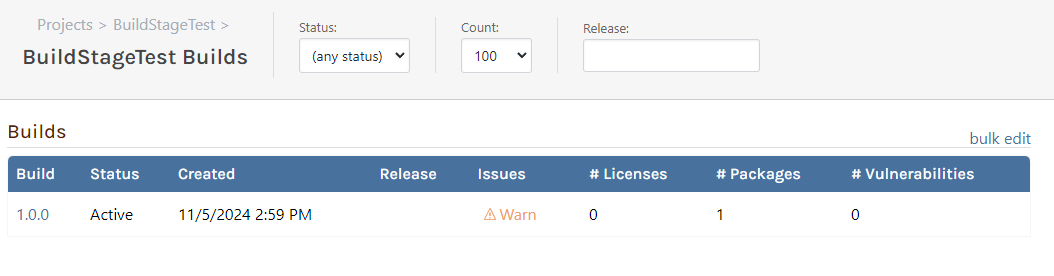
As you can see, there are no other builds in my project.If I try to create the same version via "Create Build" you display an error (which is great):
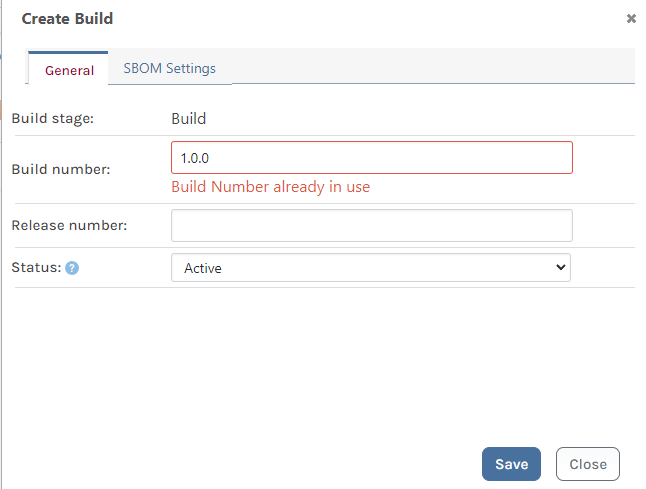
But if I try to manually create build 2.0.0 I get the same error even if the build is not existing:
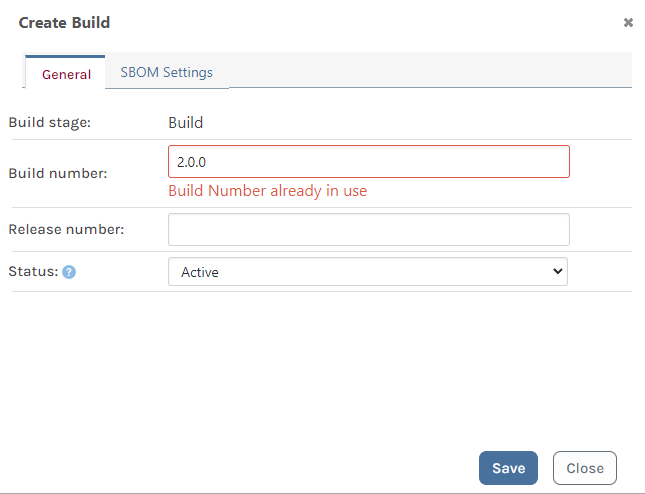
I thought that there might be an issue because build 2.0.0 already existed in previous tests. But I deleted all builds as you can see from the ui and the database screenshots above.
So I also created a completely new project and tried to manually create builds. But for some versions i do get the error message (I was not able to manually create 1.0.0, 2.0.0, 4.0.0, but some other versions were working just fine):
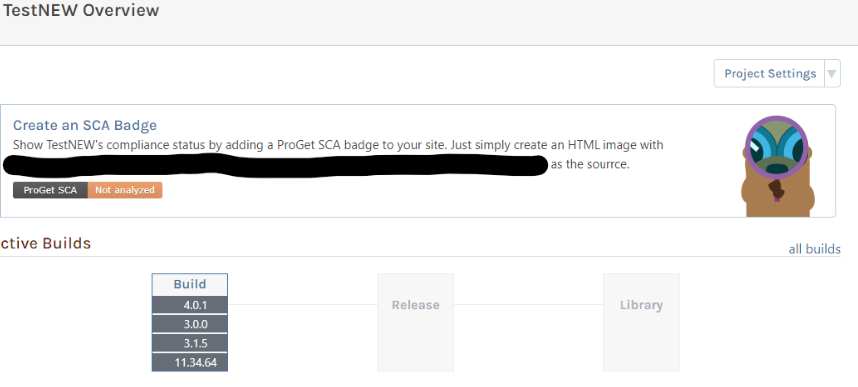
Are you able to reproduce this behavior?Thanks,
Caterina -
Hi @caterina ,
This will be fixed in the next maintenance release via PG-2829. I just checked in the change.
I made a mistake when making the original change, and used the ProjectBuildId instead of the ProjectId when validating the if other builds exists. So it works if the Ids match perfectly (like when I tested it).
Note this only impacts the UI, and we don't really expect users to create builds via the UI.
Thanks,
Alana

Hello! It looks like you're interested in this conversation, but you don't have an account yet.
Getting fed up of having to scroll through the same posts each visit? When you register for an account, you'll always come back to exactly where you were before, and choose to be notified of new replies (either via email, or push notification). You'll also be able to save bookmarks and upvote posts to show your appreciation to other community members.
With your input, this post could be even better 💗
Register Login