Welcome to the Inedo Forums! Check out the Forums Guide for help getting started.
If you are experiencing any issues with the forum software, please visit the Contact Form on our website and let us know!
Build execution failure for .Net projects
-
I am connecting to a GITHUB repo that has multiple applications' code and I am setting up build and Deploy for one particular application code. In the Build execution process, execution is failing for the following error. How to skip or avoid this.
error group

Error Detail

In the Script, following is the setting.
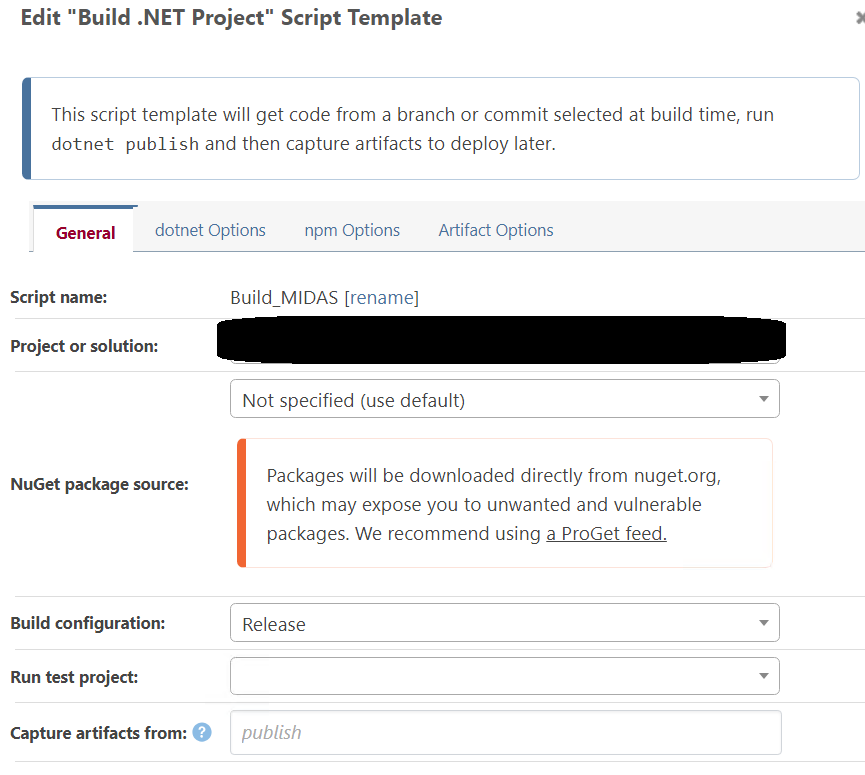
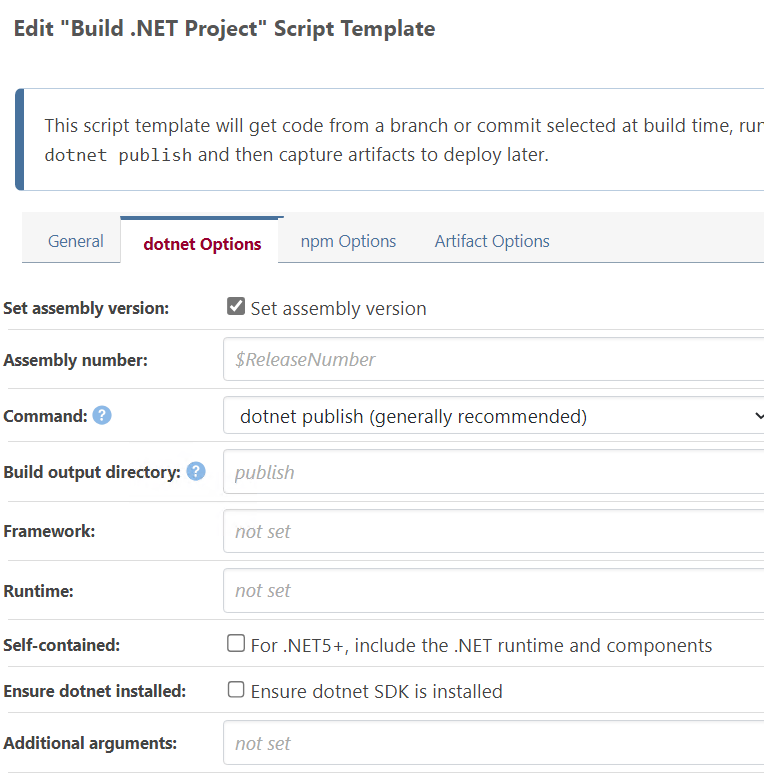
Can anyone guide to skip/avoid this error ? -
Only few projects are facing this issue, many other projects are building with no issues.
Setting Version in C:\ProgramData\BuildMaster\Temp\Service_E14\ID-master\W.Directory.Source\W.Directory.Business\W.Directory.Business.csproj to 0.0.0...
Setting Version in C:\ProgramData\BuildMaster\Temp\Service_E14\ID-master\WID\W.Common.csproj to 0.0.0... -
Hi @bbalavikram ,
This error message is coming from the
dotnetcommand-line tool, and I think it has something to with an old/legacy project file format. If you were to run the same command on your workstation, you would get the same rror.From here, I would compare/contrast the .csproj files in the broken projects, and see if you can figure out what's the difference.
Note that if you search "root element is visualstudioproject expected project", you'll see a lot of people have a similar error, but their solution is also to do similar things - i.e. edit the file and fix the format.
Once you fix the project file, if you check the code back into Git, it shoudl work the next time.
Best,
Steve -
Thank you Steve. Will look into fixing the issues. Strange that these come up only when compiled with MSBuild and not on VS...
-
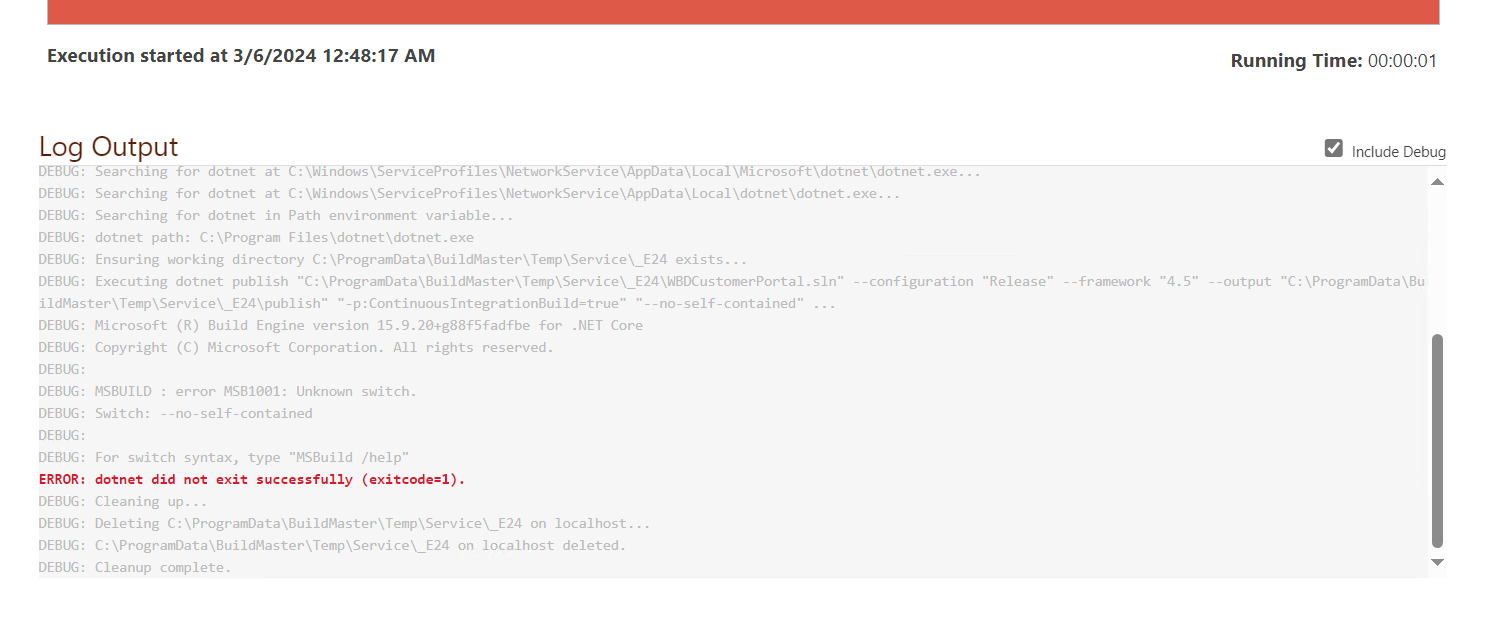
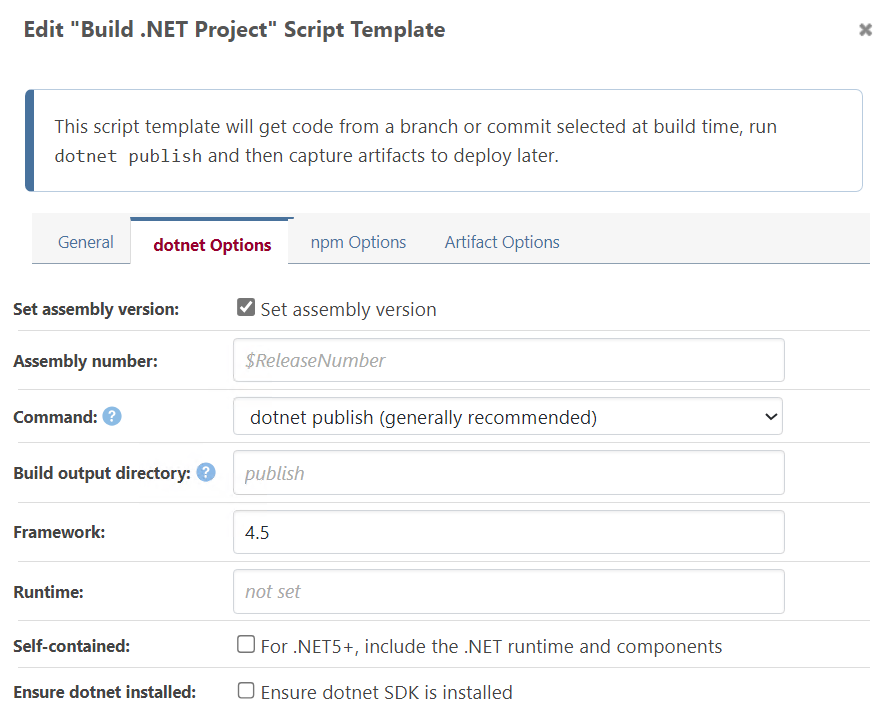
@stevedennis Now I am facing an issue where the .Net Framework application is getting compiled in .Net core framework. I have mentioned the setting to compile in .Net 4.5
-
Hi @bbalavikram ,
The
frameworkoption may not do what you think; first and foremost,4.5is not a valid option for framework. You need to use a "framework monifier" that's defined here:
https://learn.microsoft.com/en-us/dotnet/standard/frameworksBut keep in mind that framework monifier must also be in your project file. The
frameworkargument fordotnetsimply selects which of the frameworks in your project file to build. It's really only useful for multi-targeted builds, which you probably don't have.It's possible that
dotnetsimply will not work with your project. This is unfortunately the case with many old projects. You can continue to try to "play" with your csproj files to try get it to work (note: you can run the samedotnetcommands on your workstation).If you can't get it to work, then you'll need to use
MSBuild:Build-ProjectorDevEnv::Build. We do not have script templates from these, but you can convert your script template to OtterScript and then try modifying the script that way.Here is some information on build scripts:
https://docs.inedo.com/docs/buildmaster-platforms-dotnet#creating-build-scriptsBest,
Steve

Hello! It looks like you're interested in this conversation, but you don't have an account yet.
Getting fed up of having to scroll through the same posts each visit? When you register for an account, you'll always come back to exactly where you were before, and choose to be notified of new replies (either via email, or push notification). You'll also be able to save bookmarks and upvote posts to show your appreciation to other community members.
With your input, this post could be even better 💗
Register Login