Welcome to the Inedo Forums! Check out the Forums Guide for help getting started.
If you are experiencing any issues with the forum software, please visit the Contact Form on our website and let us know!
Tile View partially working in RPM feed, not at all in Assets
-
Hi, I like the idea of Tile View, but it doesn't seem to work in my install. I am on Version 2023.22 (Build 6).
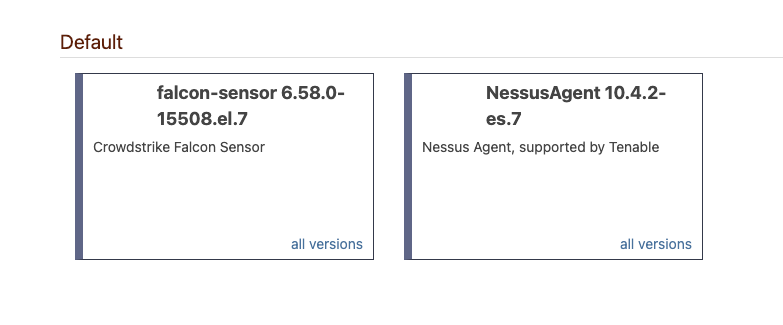
In an RPM feed, it shows tiles, but no icon, just text.
In an Asset feed, it has no effect - the Asset directory is always shown in List view.
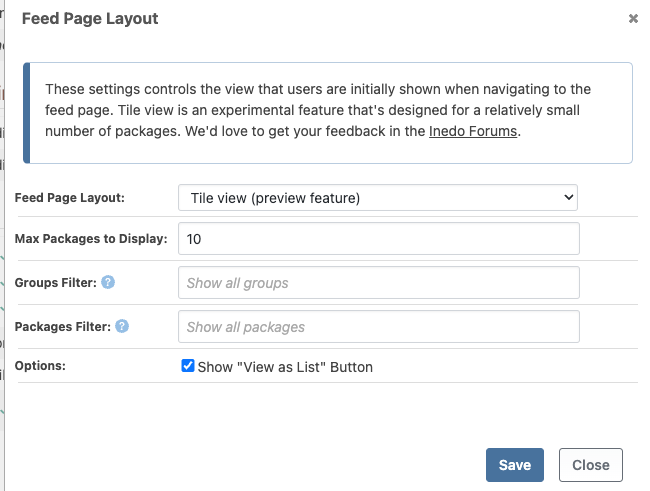
Settings:
RPM Feed:
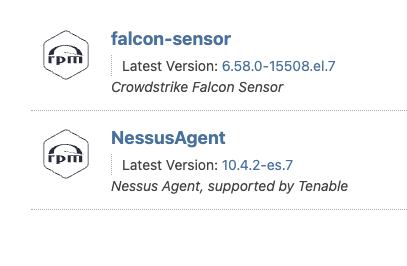
List view has an icon:
Asset dir:

-
Hi @MaxCascone ,
Thanks for pointing these out; we will get the RPM icon fixed (probably a minor CSS thing), and then then hide the option on the Manage Asset Directory page (via PG-2540).
This view is intended mostly for ProGet ISV Edition use cases, and we likely won't expand on this in ProGet 2024, since you're probably first person who commented on it

Cheers,
Dean


Hello! It looks like you're interested in this conversation, but you don't have an account yet.
Getting fed up of having to scroll through the same posts each visit? When you register for an account, you'll always come back to exactly where you were before, and choose to be notified of new replies (either via email, or push notification). You'll also be able to save bookmarks and upvote posts to show your appreciation to other community members.
With your input, this post could be even better 💗
Register Login