Welcome to the Inedo Forums! Check out the Forums Guide for help getting started.
If you are experiencing any issues with the forum software, please visit the Contact Form on our website and let us know!
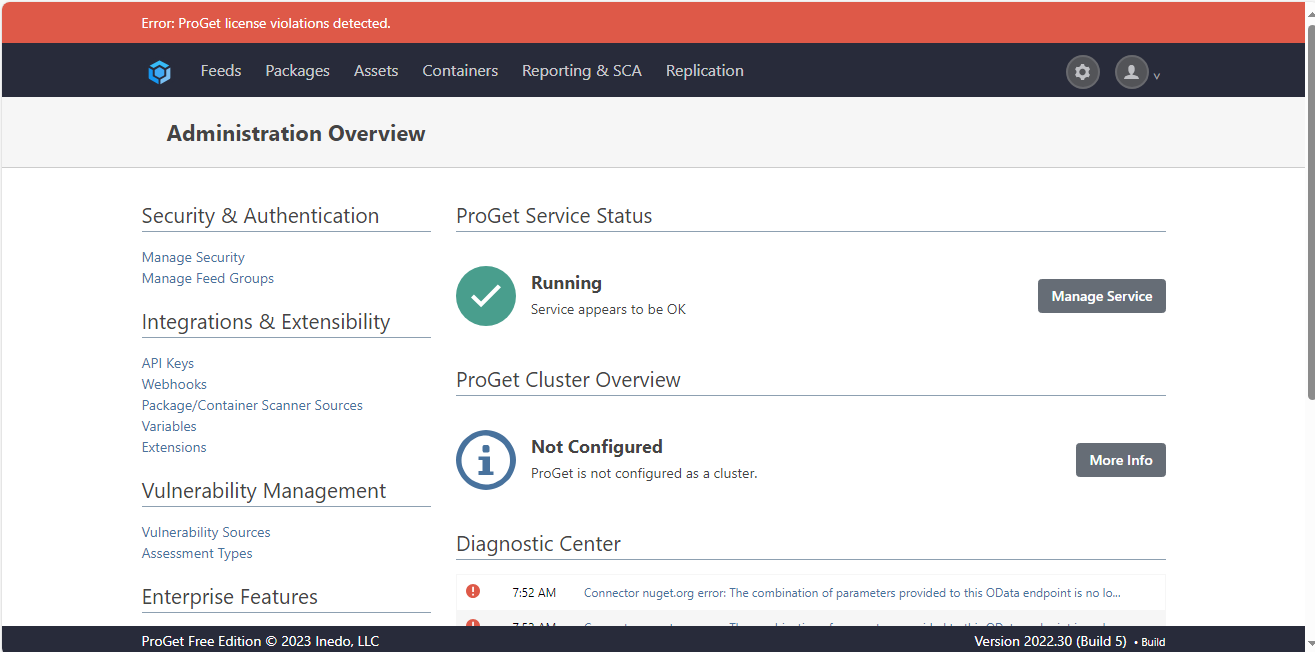
"Error: ProGet license violations detected." on the UI of the PRoGet admin page.
-
We have upgraded ProGet Free Edition
 2023 Inedo from 5.2.8 to 22.30 build 5. After upgrade we received an error message for the "Error: ProGet license violations detected." on the UI of the PRoGet admin page.
We would like to resolve this issue for that we need your help.Appreciate if you can provide guidance at your earliest time as possible.
1.We already tried to reactivate the License but it didn't help.
2.Also, tried the restarting the proget Server, it didn't help.
-
Hi @pallavi-tarigonda_9617,
Note that replied to the ticket you submitted (EDO-9822), but I'll provide a partial reply ...
I can't find a paid license key associated with ProGet for your company
All I can see is a free license and a really old license -- however support was never renewed so it's not eligible for free upgrades to ProGet 2023. If you're using that, you'll need to purchase a license.
Happy to help with that of course!
Thanks,
Alana -
Hi, Please provide the information to remove the error " ProGet license violations detected" from the UI of Proget, also please confirm to remove this error- do we need to get the paid License, please confirm
-
Hi @pallavi-tarigonda_9617 ,
If you upgrade to ProGet Basic edition, you will no longer have those warnings.
One of the License Restrictions is how you've configured your connectors in ProGet (free edition cannot connect to ProGet) feeds, so that's what's triggering the warning.
Thanks,
Alana -
Hi,
We have only one ProGet Server, we are not connecting from one Proget to another ProGet.
We are using the single instance of ProGet Server.
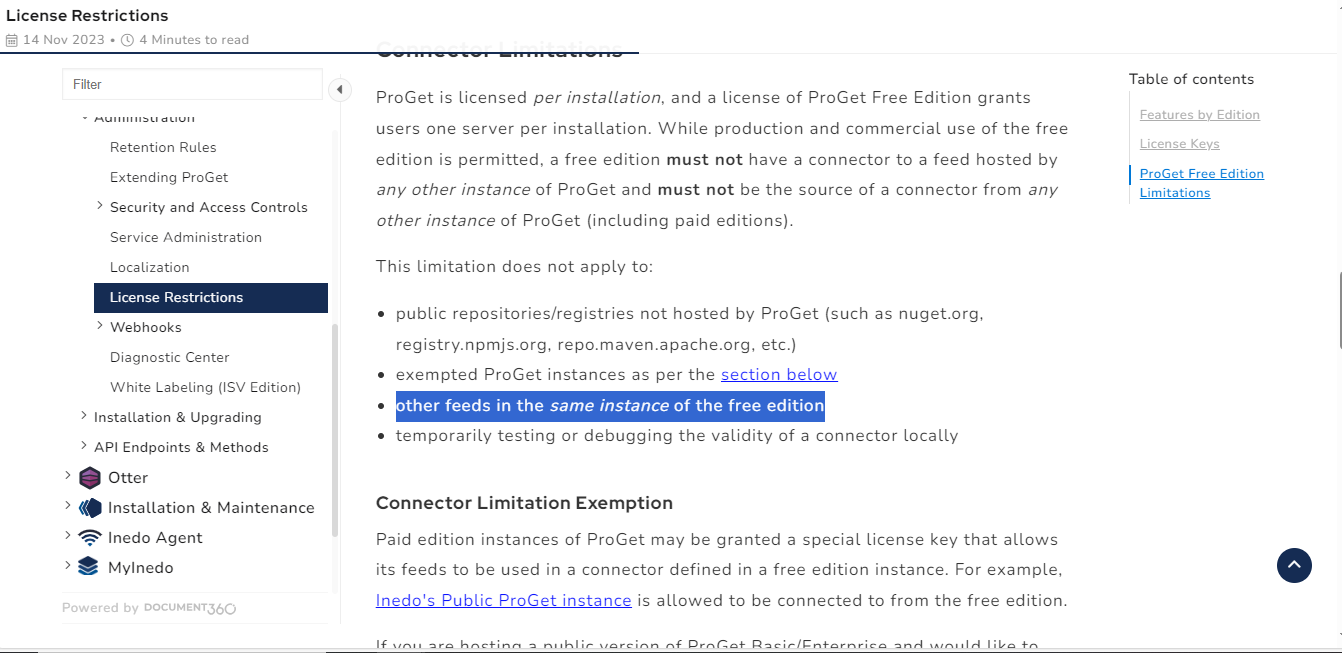
I verfiied the License Restrictions, it's mentioned as -this limitation doesnot apply to the "other feeds in the same instance of the free edition".
-
Hello,
That makes sense; there's a few threads with this similar issue, so you may want to search and follow some of the troubleshooting steps.
But basically, ProGet checks for local requests using
HttpRequest.IsLocal, which basically just looks for127.0.0.1. If it's not local, then a license violation is recorded.Try using 127.0.0.1 for your connectors, or if that's not possible, and your server doesn't resolve
proget.xxxx.comas127.0.0.1, you may need to add a/etc/hostsentry forproget.xxxx.com 127.0.0.1so that it will come across as a local.Cheers,
Steve -
Hi Steve,
we have tried the above troubleshooting step to remove the error" Error: ProGet license violations detected" as replacing the 127.0.0.1 for our connectors didn't resolve the issue, also when we editing of Host file didn't help and blocked the connection.
Please provide any workaround for this issue.Thank you.
-
Hi @pallavi-tarigonda_9617,
Adding an entry to the hosts file should not cause a "blocked" connection, so it sounds like there's definitely something strange going with your machine's configuration. I'm not sure how to troubleshoot this further. Self-connectors work fine in testing Free edition, and other users don't have an issue.
If it helps, here's the code that ProGet uses to determine if a connection is local:
public bool IsLocal
{
    get
    {
        var connection = this.NativeRequest.HttpContext.Connection;
        if (connection.RemoteIpAddress != null)
        {
            if (connection.LocalIpAddress != null)
                return connection.RemoteIpAddress.Equals(connection.LocalIpAddress);
            else
                return IPAddress.IsLoopback(connection.RemoteIpAddress);
        }

        if (connection.RemoteIpAddress == null && connection.LocalIpAddress == null)
            return true;

        return false;
    }
}
I would explore the hosts file issue; the fact that a loopback (127.0.0.1) entry wouldn't work sounds like there was some kind of data entry error/typo in your hosts error, but hard to say.
Best,
Steve


Hello! It looks like you're interested in this conversation, but you don't have an account yet.
Getting fed up of having to scroll through the same posts each visit? When you register for an account, you'll always come back to exactly where you were before, and choose to be notified of new replies (either via email, or push notification). You'll also be able to save bookmarks and upvote posts to show your appreciation to other community members.
With your input, this post could be even better 💗
Register Login