Welcome to the Inedo Forums! Check out the Forums Guide for help getting started.
If you are experiencing any issues with the forum software, please visit the Contact Form on our website and let us know!
Issues with Proget PyPI Index Package Promotion and Functionality
-
Hello,
I am trying to test the functionality of a package approval workflow for PyPI packages. I've setup an unapproved and approved feed (via the setup wizard "Yes, Create Two Feeds") which has generated both feeds, along with the underlying connector to PyPI.org.
The feeds created are;
unapproved-pypi (set to source packages from PyPI public index)
public-pypi (promoted packages only)The connector is showing healthy and has detected ~486k packages on the public index.
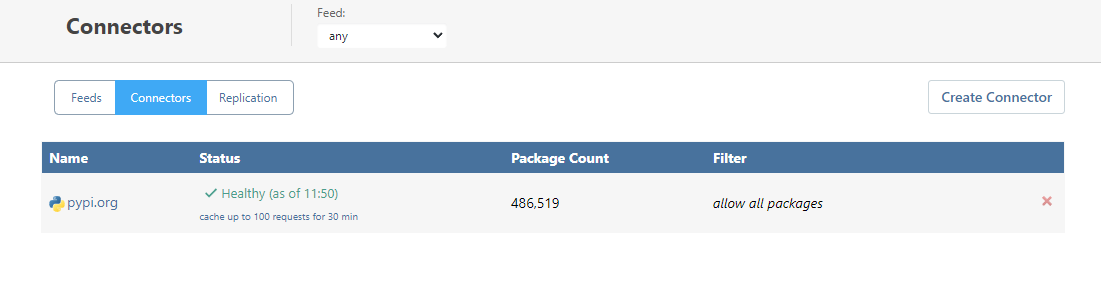
I am trying to work out the process on how to promote packages from the unapproved feed (unapproved-pypi) to the approved feed (public-pypi) - the problem I have at the moment is that if a package is not pulled from this feed, it is seemingly unavailable in the UI, which means I cannot promote it without first pulling it via pip. Please see below my example of this behavior;
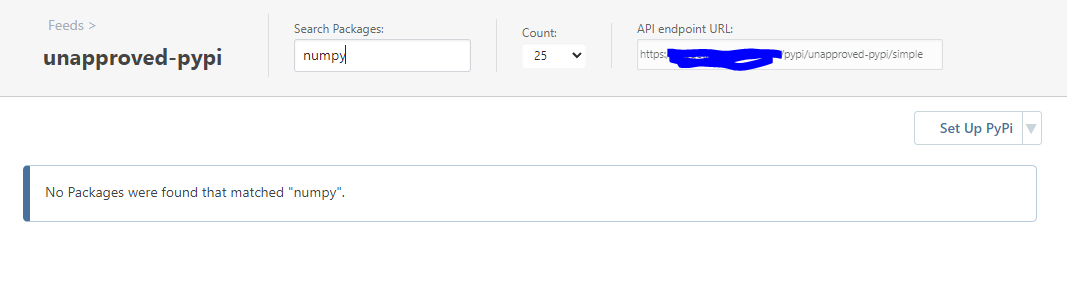
- Attempting to search for the package
numpyunder the feed "unapproved-pypi" returns no results;
- Running a pip install against the feed unapproved-pypi will pull
numpyfrom PyPI public index via the connector.
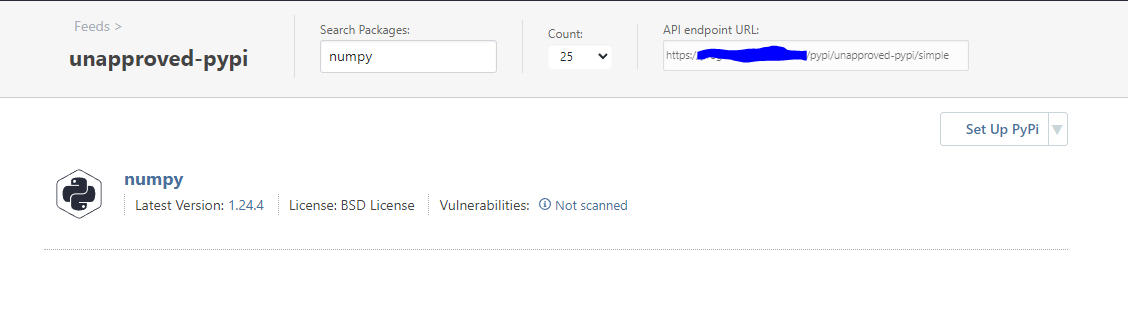
pip install numpy --index-url=https://{Redacted_URL}/pypi/unapproved-pypi/simple Looking in indexes: https://{Redacted_URL}/pypi/unapproved-pypi/simple Collecting numpy Downloading https://{Redacted_URL}/pypi/unapproved-pypi/download/numpy/1.24.4/numpy-1.24.4-cp38-cp38-win_amd64.whl (14.9 MB) |████████████████████████████████| 14.9 MB ... Installing collected packages: numpy Successfully installed numpy-1.24.4- I am now able to search the unapproved-pypi feed and can see
numpyas an available package.
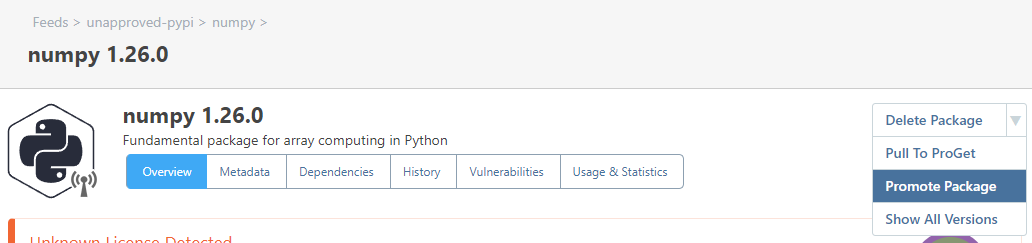
- Only after doing the above, am I able to successfully promote the package from the unapproved feed to an approved feed
I wanted to check is this the intended method of using approval feeds for this use case, it seems a bit cumbersome and counterintuitive, am I missing something here?
Thanks
- Attempting to search for the package
-
Hi @itops_6398 ,
That's definitely not right; searching for "numpy" should return results basically the same as this: https://pypi.org/search/?q=numpy
However, I just tried it, and I'm not seeing any packages come up. This used to work, so I think there must be some outage or issue with pypis' search api.
Let's give this a day and see if it resolves itself, then we can investigate further.
Thanks,
Alana -
@atripp Hi Alana, thanks for your response - I'll give this a try again tomorrow and let you know how it looks!
-
Morning @atripp,
I've updated to the latest available version of Proget, recreated the PyPI connector and setup a new feed. It still seems to be an issues - Proget will seemingly index a handful of packages from PyPI (see the below screenshot) which are visible straight away;
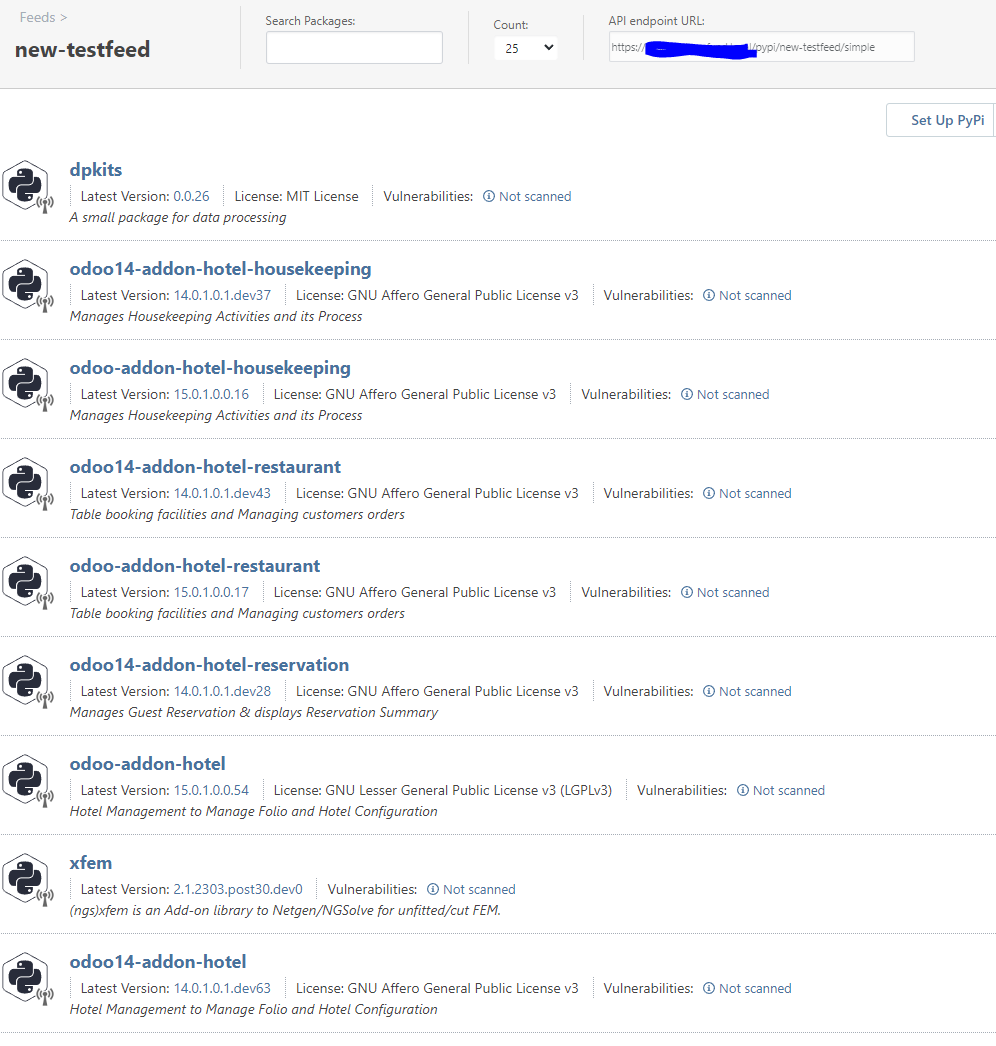
But when attempting to search for any other common public packages that exist on PyPI, they are not displayed;
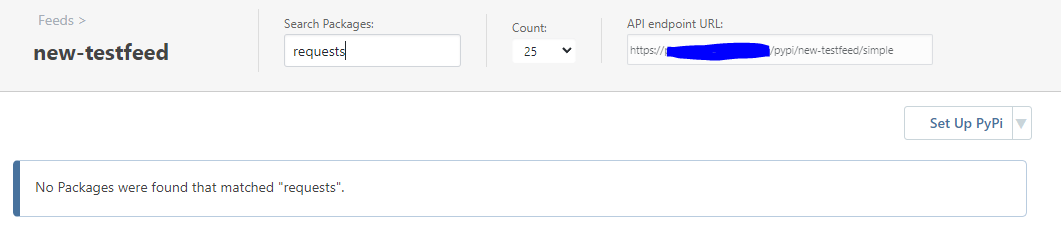
As with before, a pip install against the index will work successfully, and then the installed package will be correctly populated in the Proget feed.
I'd appreciate if you'd be able to take a closer look on what's going on in the background, as I suspect something might not be working as intended! Please let me know if you need any further details from me
Thanks
-
Hi @itops_6398 ,
It doesn't work for me either, and when I looked closer I realized what the issue was

PyPi.org doesn't support searching, and the "New Feed Wizard" doesn't check of the "Use Exact Match" on the connector by default. So to work-around this issue, simply edit the connector, make sure box is checked (on the "Advanced" tab), then hit save.
After you do that, you can find
numpy. But you won't be able to "search" packages unfortunately due to API limitations.I forgot about that. We'll fix the Wizard via PG-2512 in the next maintenance release, but the work-around will do the trick.
Cheers,
Alana -
Hi @atripp,
Thanks for the clarification! That has resolved the issue :)
Strangely, the connector already had the box ticked for exact matching;
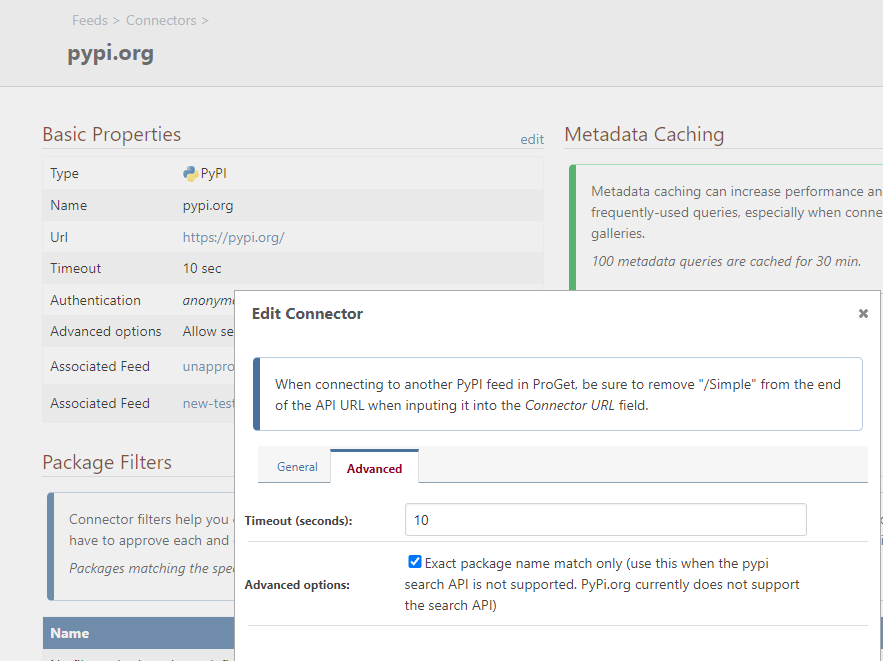
However, after unticking it, saving, then re-ticking it - I am now able to correctly identify packages when searching for their names from attached feeds
Thanks!
-
@itops_6398 glad that worked! I noticed same quirk in the UI and fixed it :)
Probably why we/no one noticed before... editing the connector just happened to fix it once the value was saved.

Hello! It looks like you're interested in this conversation, but you don't have an account yet.
Getting fed up of having to scroll through the same posts each visit? When you register for an account, you'll always come back to exactly where you were before, and choose to be notified of new replies (either via email, or push notification). You'll also be able to save bookmarks and upvote posts to show your appreciation to other community members.
With your input, this post could be even better 💗
Register Login