Welcome to the Inedo Forums! Check out the Forums Guide for help getting started.
If you are experiencing any issues with the forum software, please visit the Contact Form on our website and let us know!
FeedCleanup deleted way more than expected
-
Hi,
This is our setup, we force build all our products once a week and delete the nuget cache on the build server the night before. We had the default retention rule to delete packages that have not been requested in the last 90 days and that have been downloaded fewer than 1 times.
This works fine but packages that where downloaded once by a developer and later replaced by newer versions started to accumelate so I changed downloaded fewer that 1 times to 2 times. Reasening that every really used package is downloaded at least 12 times in the last 90 days because of the cleaned cache and the forced build.
Somehow this week packages that are clearly used are missing and I can see in the retention log that they have been deleted and i'm sure that they where downloaded more than twice in the last 90 days.
-
I uploaded the missing packages again by dropping everything I had in my local cache to the DropFolder en got my builds working again.
But when I look at one of the missing packages its shows up with all the download history when seen from the package itself but when I look at usage from the specific version its shows no recent downloads but only downloads fromn last month.
From build logs
NU1101: Unable to find package Neuron.Tenant.Monitor. No packages exist with this id in source(s): Vicrea, VicreaNuGetSeen from package
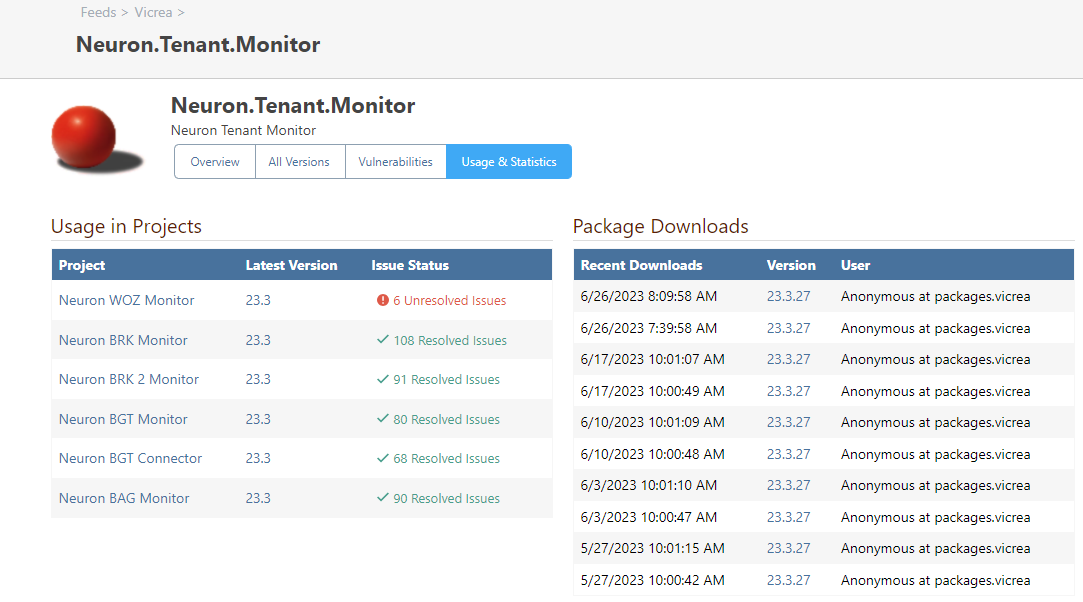
Seen from specific version
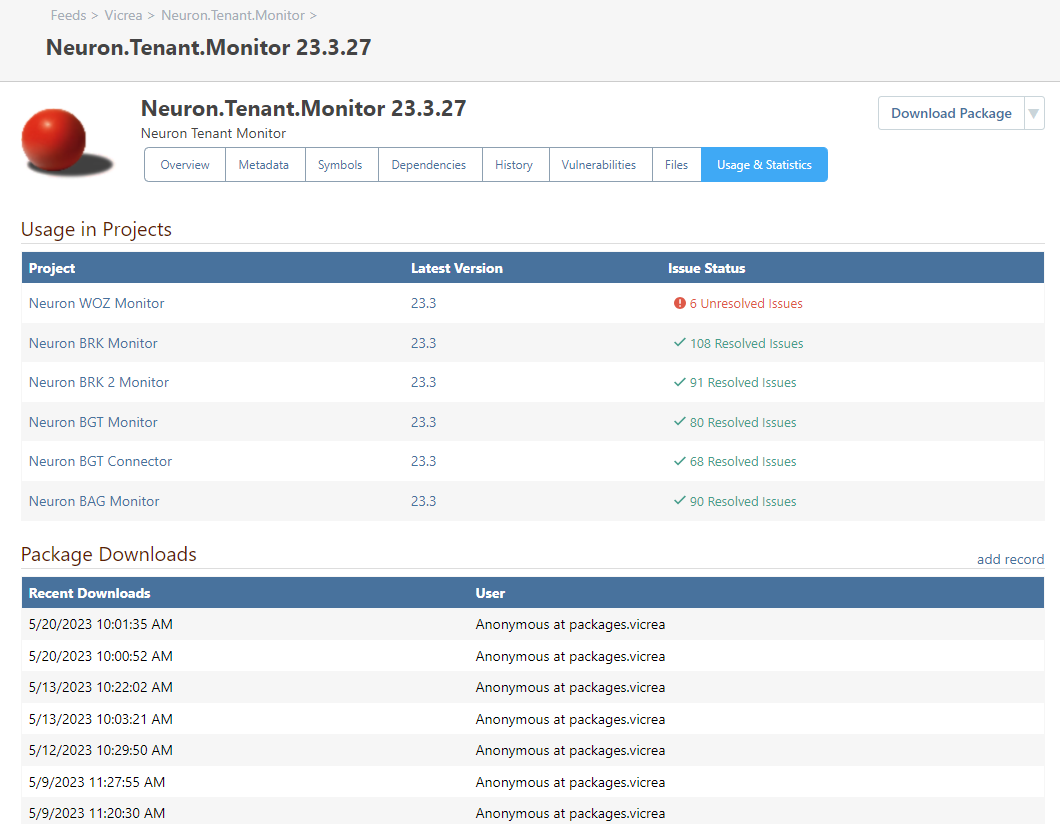
-
Hi @v-makkenze_6348 ,
Unfortunately it's a bit difficult to troubleshoot what happened with the information provided...
The best way to troubleshoot retention rules deleting unexpected packages is to use the "dry run" feature. This will let you tweak the rules, and find which setting is behaving unexpectedly.
FYI, retention rules do not consider package statistics ("download history".. i.e. records of individual downloads) but instead use "last download date" and "download count" (metadata fields on the package version). If you delete a package, and then re-add it, the "download count" would effectively reset to zero, but the "download history" records would still remain.
Hope that helps,
Steve -
Faced with the same issue after the update to 2023.9 (
-
Hi @aivanov_3749 ,
I'm afraid the reply is the same :(
ProGet 2023 is effectively a new database architecture entirely, and while we tested every possible scenario we could imagine (as well as dozens of customer databases), some regressions are to be expected. It's also possible that there was a bug or edge case in the old retention rules, and the packages that should have been deleted weren't/
Upgrading to ProGet 2023 will automatically disable all retention rules on all feeds, and you'll be prompted to attempt a dry run before re-enabling them. The best way to troubleshoot retention rules deleting unexpected packages is to use the "dry run" feature. This will let you tweak the rules, and find which setting is behaving unexpectedly.
If you can let us know specifics or provide those execution logs, we will definitely do our best to identify the underlying cause.
Thanks,
Steve


Hello! It looks like you're interested in this conversation, but you don't have an account yet.
Getting fed up of having to scroll through the same posts each visit? When you register for an account, you'll always come back to exactly where you were before, and choose to be notified of new replies (either via email, or push notification). You'll also be able to save bookmarks and upvote posts to show your appreciation to other community members.
With your input, this post could be even better 💗
Register Login