Welcome to the Inedo Forums! Check out the Forums Guide for help getting started.
If you are experiencing any issues with the forum software, please visit the Contact Form on our website and let us know!
Unable to access admin page with admin user
-
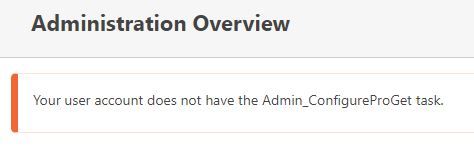
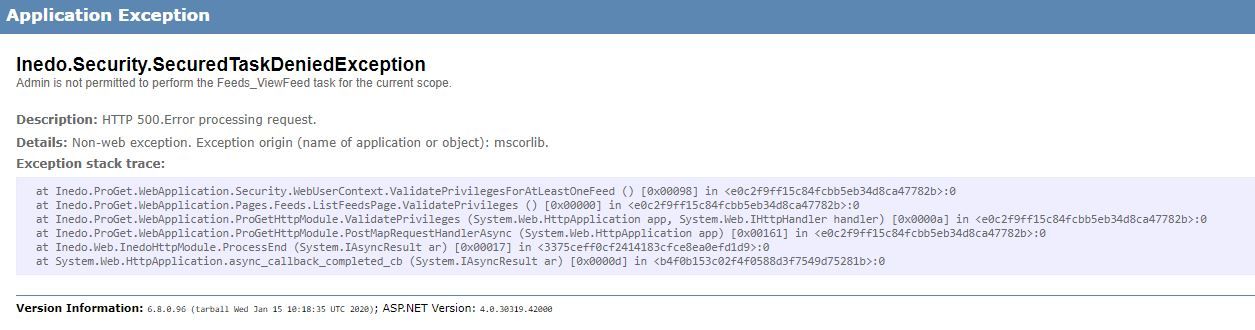
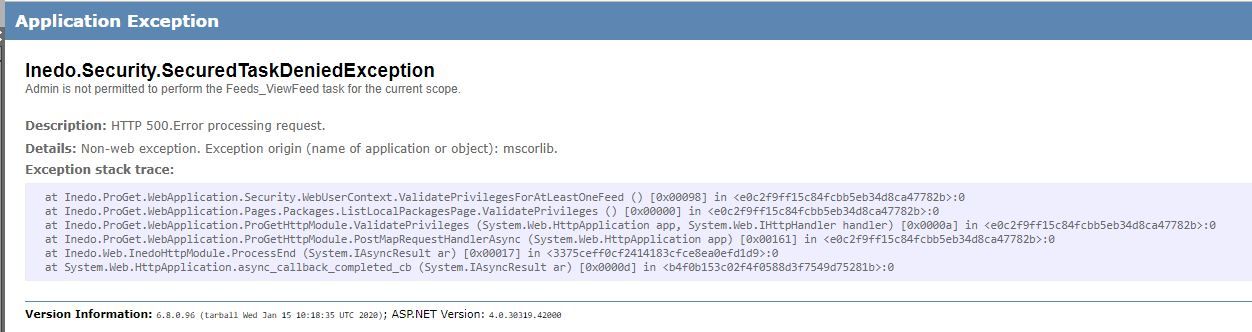
Site is set up so anonymous users can access all feed and packages. I inherited support for this site and when I try an login with the admin account provided, it has no permissions at all. Is there a default user or a way we can reset the system without losing the feeds?
I have also tried clearing cache and cookies and it makes no difference.
I am using Proget Version 5.3.6 (Build 5) Docker running on linux.
-
Hi @chris-f_7319 ,
If you follow the instructions to use the reset tool, it should reset and solve the problem:
https://docs.inedo.com/docs/various-ldap-troubleshooting(proget-installation-directory)\Service> .\ProGet.Service.exe resetadminpasswordCheers,
Alana -
@atripp Thanks for this. Any idea how I can execute this is my docker container?? I have tried via docker exec running the command (docker exec -it proget ./usr/local/proget/service/ProGet.Service.exe resetadminpassword) or logging on to a shell and running the command but that results in a Exec format error.
-
Hi @chris-f_7319,
Can you please give this a try?
docker exec -it proget dotnet /usr/local/proget/service/ProGet.Service.dll resetadminpasswordI may be off on the folder path, but that should allow you to run resetadminpassword on the container.
Thanks,
Dan -
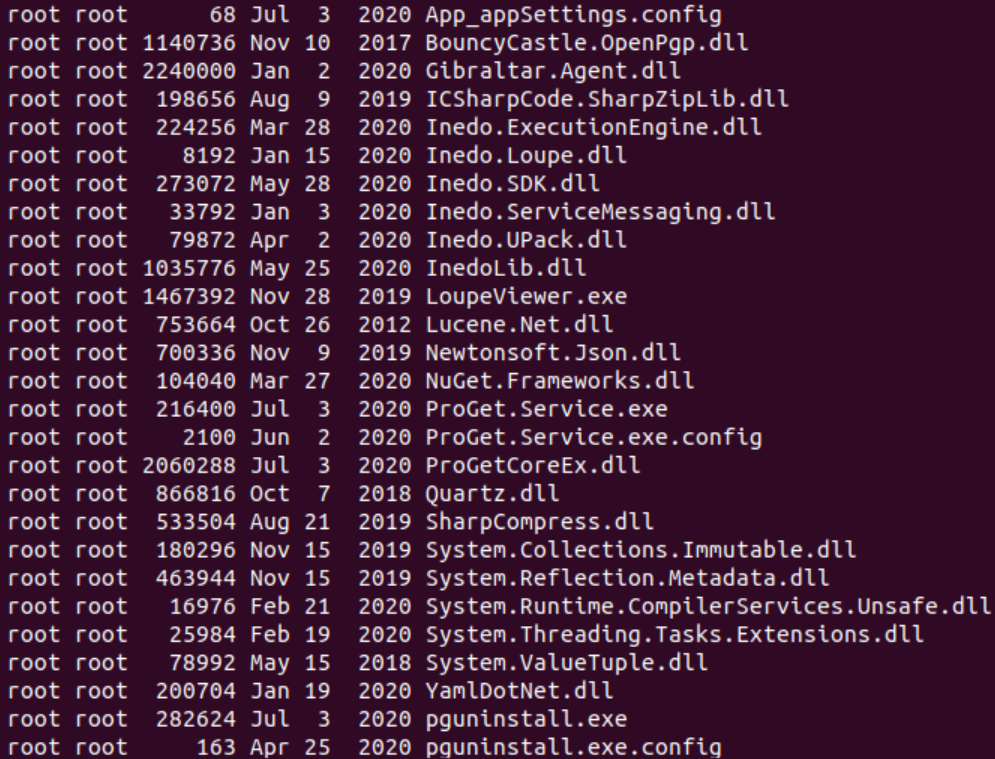
@Dan_Woolf Thnaks for the reply. Unfortunately I do not have a dll named like that . These are the only files I have :
Thanks in advance for any help you can provide! -
Hi @chris-f_7319,
I think Dan was looking at the upcoming ProGet v2022 file structure. Can you please try:
docker exec -it proget exec /usr/local/proget/service/ProGet.Service resetadminpasswordThanks,
Rich -
@rhessinger said in Unable to access admin page with admin user:
/usr/local/proget/service/ProGet.Service resetadminpassword
Error I get running
sudo docker exec proget /usr/local/proget/service/ProGet.Service.exe resetadminpassword
is
OCI runtime exec failed: exec failed: container_linux.go:380: starting container process caused: exec format error: unknown
-
Hi @chris-f_7319,
The command that you show is different than the command I sent. Can you confirm you tried:
docker exec -it proget exec /usr/local/proget/service/ProGet.Service resetadminpasswordIt has a slightly different syntax than you provided. Also, what Docker host are you running?
Thanks,
Rich -
Hi @rhessinger,
Yes I tried with and without the -it as well as adding the --privileged. All to no avail! As for docker host info, please see below.NAME="Amazon Linux"
VERSION="2"
ID="amzn"
ID_LIKE="centos rhel fedora"
VERSION_ID="2"
PRETTY_NAME="Amazon Linux 2"
ANSI_COLOR="0;33"
CPE_NAME="cpe:2.3:o:amazon:amazon_linux:2"
HOME_URL="https://amazonlinux.com/"Server is obviously hosted in AWS.
Docker version info is
Client:
Version: 20.10.7
API version: 1.41
Go version: go1.15.14
Git commit: f0df350
Built: Wed Nov 17 03:05:36 2021
OS/Arch: linux/amd64
Context: default
Experimental: true
Server:
Engine:
Version: 20.10.7
API version: 1.41 (minimum version 1.12)
Go version: go1.15.14
Git commit: b0f5bc3
Built: Wed Nov 17 03:06:14 2021
OS/Arch: linux/amd64
Experimental: false
containerd:
Version: 1.4.6
GitCommit: d71fcd7d8303cbf684402823e425e9dd2e99285d
runc:
Version: 1.0.0
GitCommit: 84113eef6fc27af1b01b3181f31bbaf708715301
docker-init:
Version: 0.19.0
GitCommit: de40ad0
As always, any help is appreciated.
Chris
-
Just jumping in here, but I think you need the
.exe
docker exec -it proget exec /usr/local/proget/service/ProGet.Service.exe resetadminpasswordIt's not needed on Windows to run an executable, but I think it's required for Linux.
-
@atripp full name with exe was used! If I did not I got the no such file or folder found.
sudo docker exec -it proget /usr/local/proget/service/ProGet.Service.exe resetadminpassword -
Hi @chris-f_7319,
I'm sorry about that, I didn't realize the version of ProGet you are running was based on mono (we switched to .net 5 later in the lifecycle of ProGet 5.3). The command you will want to use is:
sudo docker exec -it proget mono /usr/local/proget/service/ProGet.Service.exe resetadminpasswordIf mono doesn't work, try using
/usr/bin/monoinstead ofmono.Thanks,
Rich -
@rhessinger Thank you for this, it worked. I was able to successfully login and setup new users and privileges etc.



Hello! It looks like you're interested in this conversation, but you don't have an account yet.
Getting fed up of having to scroll through the same posts each visit? When you register for an account, you'll always come back to exactly where you were before, and choose to be notified of new replies (either via email, or push notification). You'll also be able to save bookmarks and upvote posts to show your appreciation to other community members.
With your input, this post could be even better 💗
Register Login