Welcome to the Inedo Forums! Check out the Forums Guide for help getting started.
If you are experiencing any issues with the forum software, please visit the Contact Form on our website and let us know!
Licensing Violations on 6.0.2
-
Hi,
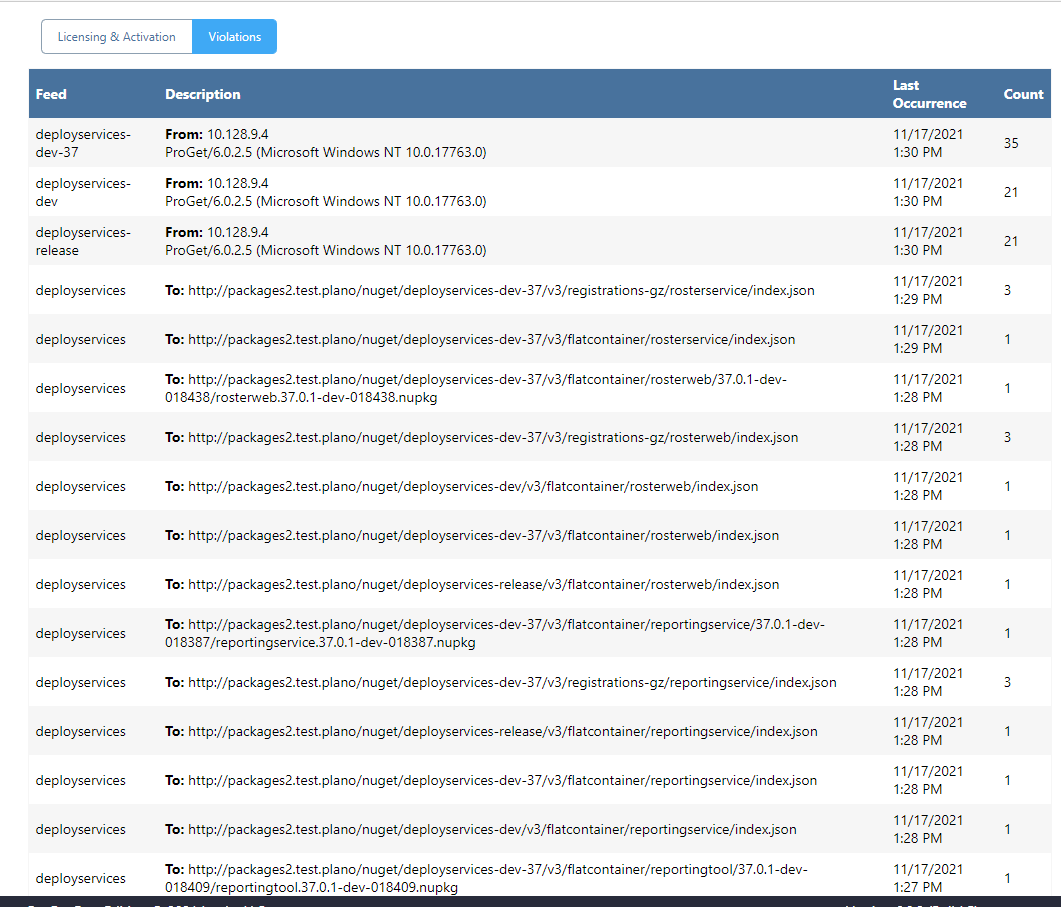
we using Proget 6.0.2 Windows in a Windows Container based 'mcr.microsoft.com/dotnet/framework/aspnet:4.8-windowsservercore-ltsc2019' with Traefik as reverse proxy. We having many 'Licensing Violations' on the Self Connetor'. This is the same with the original Linux Docker Container with a Jwilder-nginx-proxy.
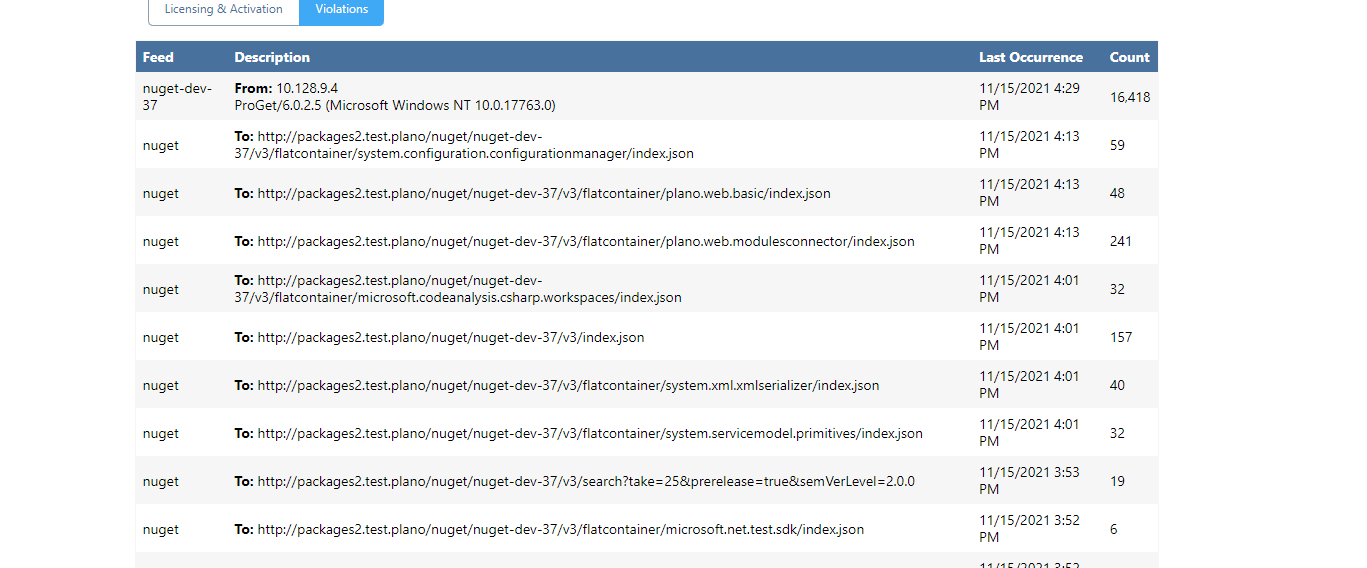
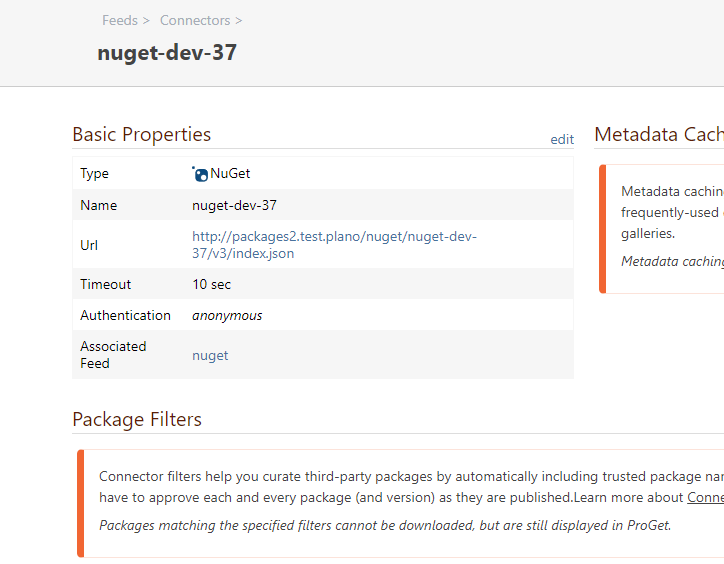
How we can fixing that?
-
Hi @falk-winkler_2111,
ProGet free edition only supports self-connectors when they connect directly to ProGet. If you bypass the proxy, that should resolve the license violations for you.
To do this, just use http://localhost or http://<PROGET_IP_ADDRESS> in your connector without issue. Please give that a try and let me know if you run into any issues.
Cheers,
Alana -
-
Hi @falk-winkler_2111,
Can you please try setting the
Web.BaseUrlin Administration -> Advanced Settings tohttp://packages2.test.planoand restart your container? This will tell ProGet that the expected local URL ishttp://packages2.test.plano.Thanks,
Dan -
Hi,
I have, nothing has changed.
-
Hi @falk-winkler_2111,
What headers do you currently have forwarding in Traefik? We have documentation around setting up nginx, I know it is a different tool than Traefik, but it does include the standard headers that you need to forward.
Thanks,
Rich -
Hi,
this is with the same settings as the proget and traefik.
IP: 127.0.0.1
IP: fe80::64d1:bbf:13a4:93e7
IP: 172.24.56.32
RemoteAddr: 172.24.60.66:61093
GET / HTTP/1.1
Host: whoami.develop.plano
User-Agent: Mozilla/5.0 (Windows NT 10.0; Win64; x64) AppleWebKit/537.36 (KHTML, like Gecko) Chrome/96.0.4664.45 Safari/537.36
Accept: text/html,application/xhtml+xml,application/xml;q=0.9,image/avif,image/webp,image/apng,/;q=0.8,application/signed-exchange;v=b3;q=0.9
Accept-Encoding: gzip, deflate, br
Accept-Language: de-DE,de;q=0.9,en-US;q=0.8,en;q=0.7
Sec-Ch-Ua: " Not A;Brand";v="99", "Chromium";v="96", "Google Chrome";v="96"
Sec-Ch-Ua-Mobile: ?0
Sec-Ch-Ua-Platform: "Windows"
Sec-Fetch-Dest: document
Sec-Fetch-Mode: navigate
Sec-Fetch-Site: none
Sec-Fetch-User: ?1
Upgrade-Insecure-Requests: 1
X-Forwarded-For: 10.128.5.241
X-Forwarded-Host: whoami.develop.plano
X-Forwarded-Port: 443
X-Forwarded-Proto: https
X-Forwarded-Server: bfc63359bdb4
X-Real-Ip: 10.128.5.241 -
Hi @falk-winkler_2111,
That all looks correct. When you used localhost for the connector, did you still have the
Web.BaseUrlset? If so, can you place try clearing that when you are using localhost? Typically I suggest usingWeb.BaseUrlwhen your self-connectors connect to that same URL, when using localhost you should leave that value blank. Also, is the internal port that ProGet is running on within the container port 80 also, or is it a port that Docker is mapping to an external port 80? That can also cause license violations in ProGet Free.I'm also going to try to look through past tickets with users who use Traefik. I did a brief scan before my last comment and the X-Forward* headers seem to be the most common issue in the configuration.
Thanks,
Rich -
hi and thank you, all works fine now.
-
Hi @falk-winkler_2111,
Thanks for following up and letting us know this is resolved now. Can you please post what your final solution was?
Thanks,
Dan -
hi,
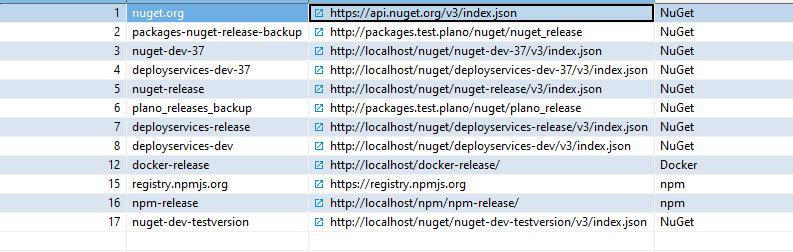
I had in the proxy configuration both allowed, ssl and non ssl. The Web.BaseUrl must be make empty. All self connector using http://localhost as base url.



Hello! It looks like you're interested in this conversation, but you don't have an account yet.
Getting fed up of having to scroll through the same posts each visit? When you register for an account, you'll always come back to exactly where you were before, and choose to be notified of new replies (either via email, or push notification). You'll also be able to save bookmarks and upvote posts to show your appreciation to other community members.
With your input, this post could be even better 💗
Register Login