Welcome to the Inedo Forums! Check out the Forums Guide for help getting started.
If you are experiencing any issues with the forum software, please visit the Contact Form on our website and let us know!
Catastrophic failure when switching User Directory
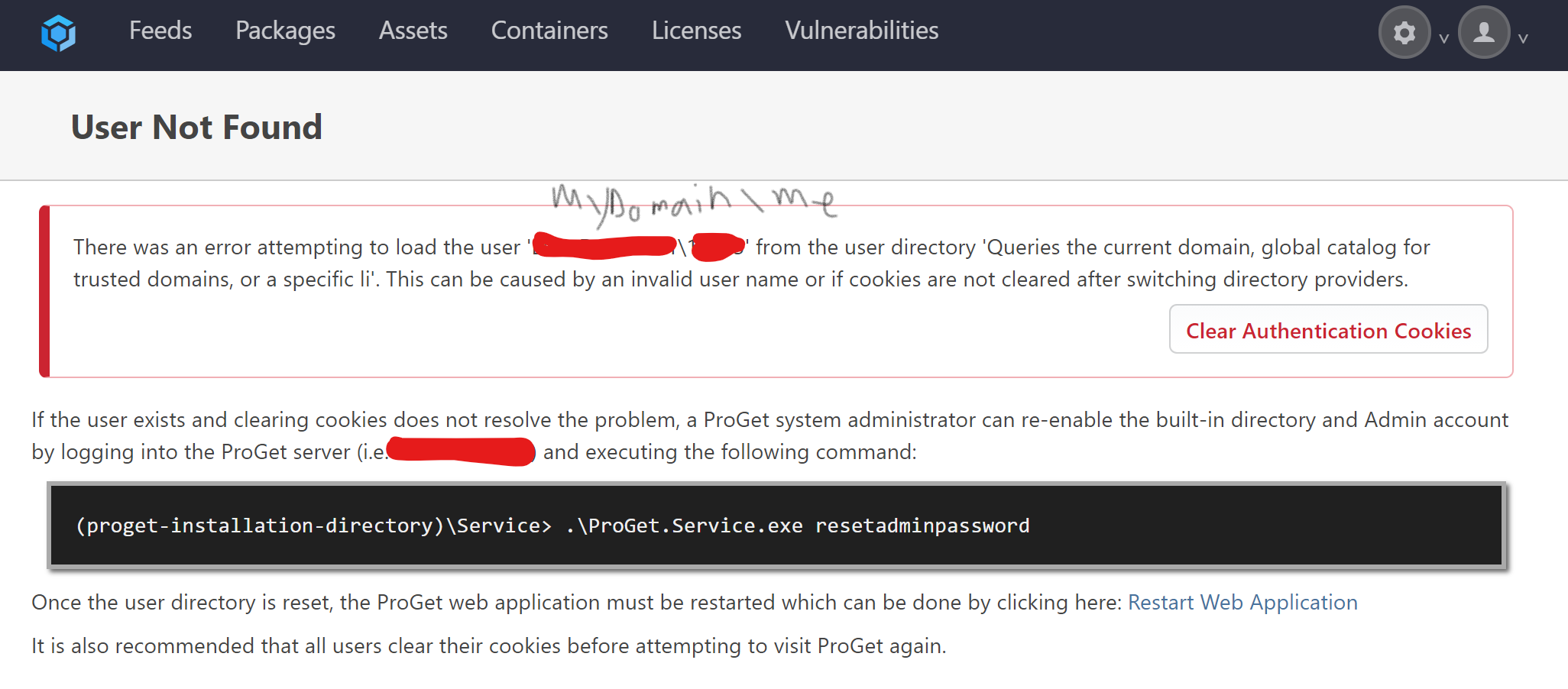
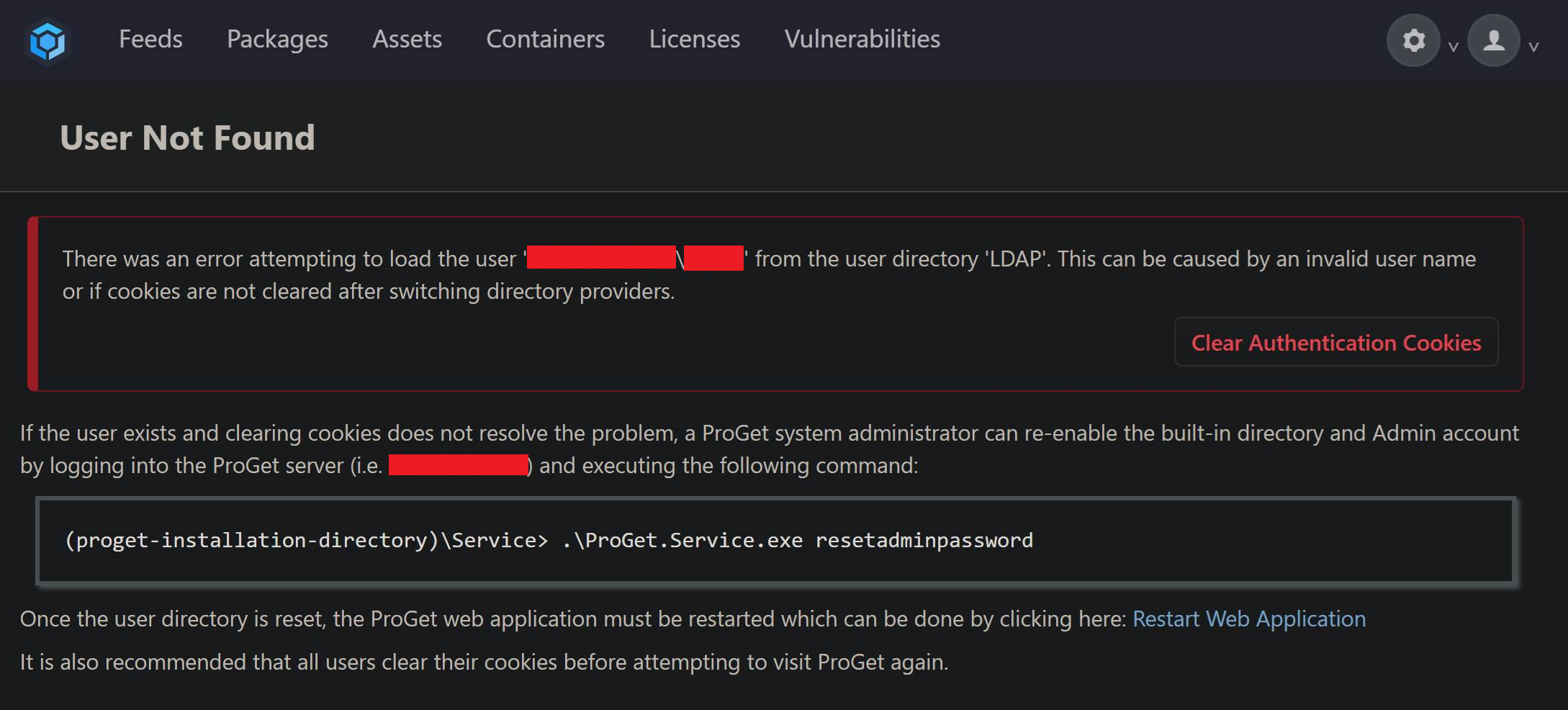
-
I changed my User Directory this morning in an attempt to work around this bug: https://forums.inedo.com/topic/3164/user-seen-as-a-group/11
I went from an "LDAP or Single Domain Active Directory (Legacy)" User Directory to an "Active Directory (LDAP)" User Directory. Before I switched, I setup the new User Directory to have the same permissions as the old one. I also used the test features in the "Active Directory (LDAP)" User Directory settings page to look up users and do searches and it was working fine.
After I switched, browsing to the ProGet homepage redirected to this:
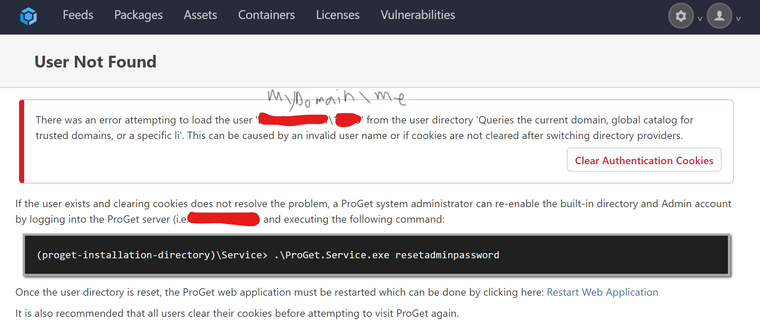
(We run two instances of the site, one for integrated security, and one for basic auth. The basic auth site kept working fine.)
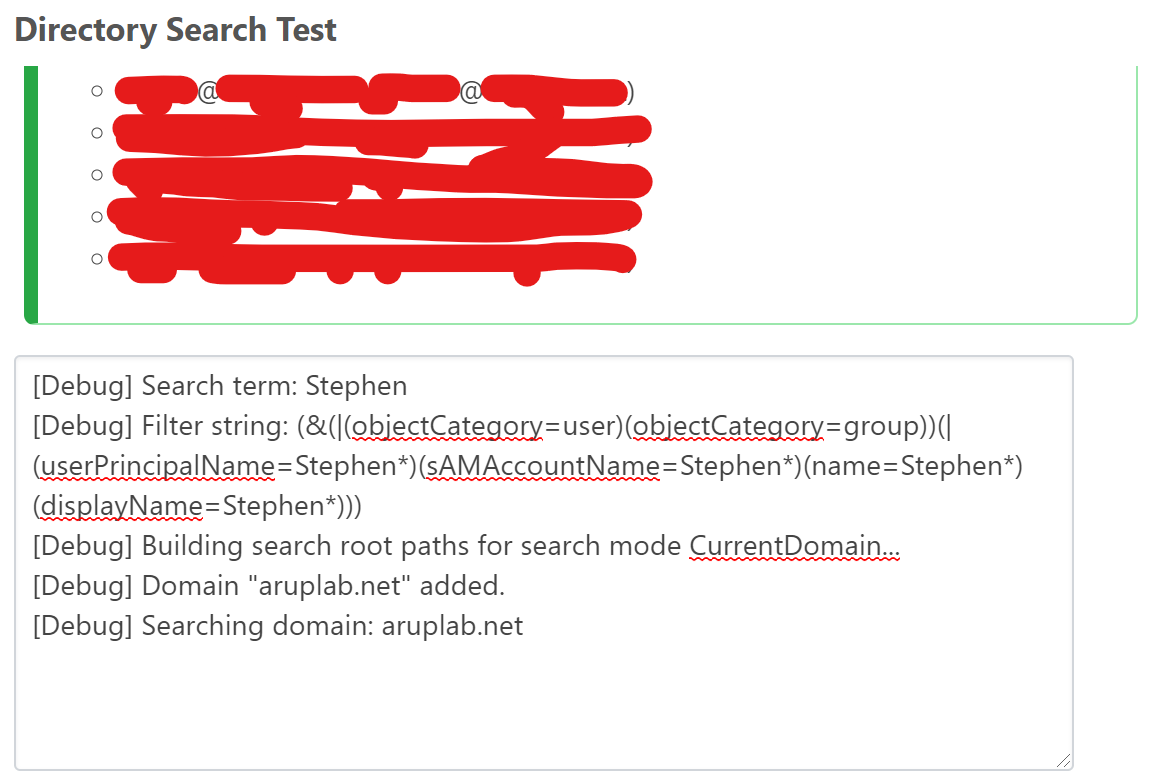
When I logged in on the basic auth site, running a user search test in the settings page showed this:
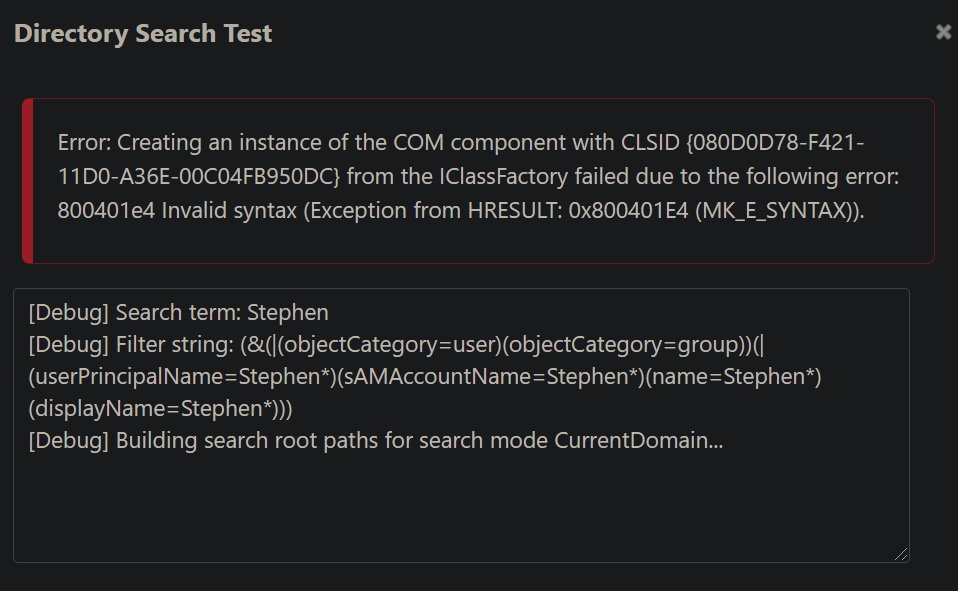
We logged into the proget server and restarted the services. We also attempted to use the "clear authentication cookies" option, and ran in Chrome's Incognito Mode. Nothing we could do would fix the error.
So I set the User Directory back to the original "LDAP or Single Domain Active Directory (Legacy)" User Directory. (I figured we could research it more when we did not have users being locked out of the system.)
But when we set it back, the error did not go away!
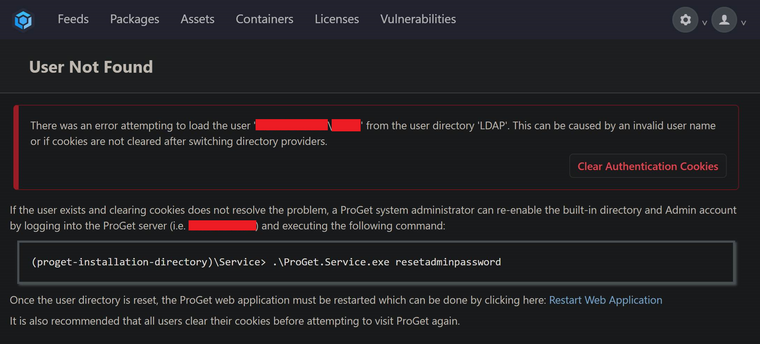
We tried all the same things that we did after the first User Directory swap (restarting services, clearing cookies etc). Nothing we did worked! We were stuck. And now our down time was stretching even longer.
Fortunately our policies have us do backups of the database and snapshots of the server. We did a restore from back up and it started working again.
We then had to send out the embarrassing email letting everyone know that any auto builds that ran for the last half hour have to be re-run.
This was embarrassing to me. Having it continue to fail when we put the setting back was really bad.
What went wrong? Why did it do this in the first place, and why did it not start working when we put it back?
A few more details:
- After we switched back to the ""LDAP or Single Domain Active Directory (Legacy)" user directory, tests on the "Active Directory (LDAP)" User Directory worked again. Meaning that the COM errors were no longer there. Here is an example of how that looks:
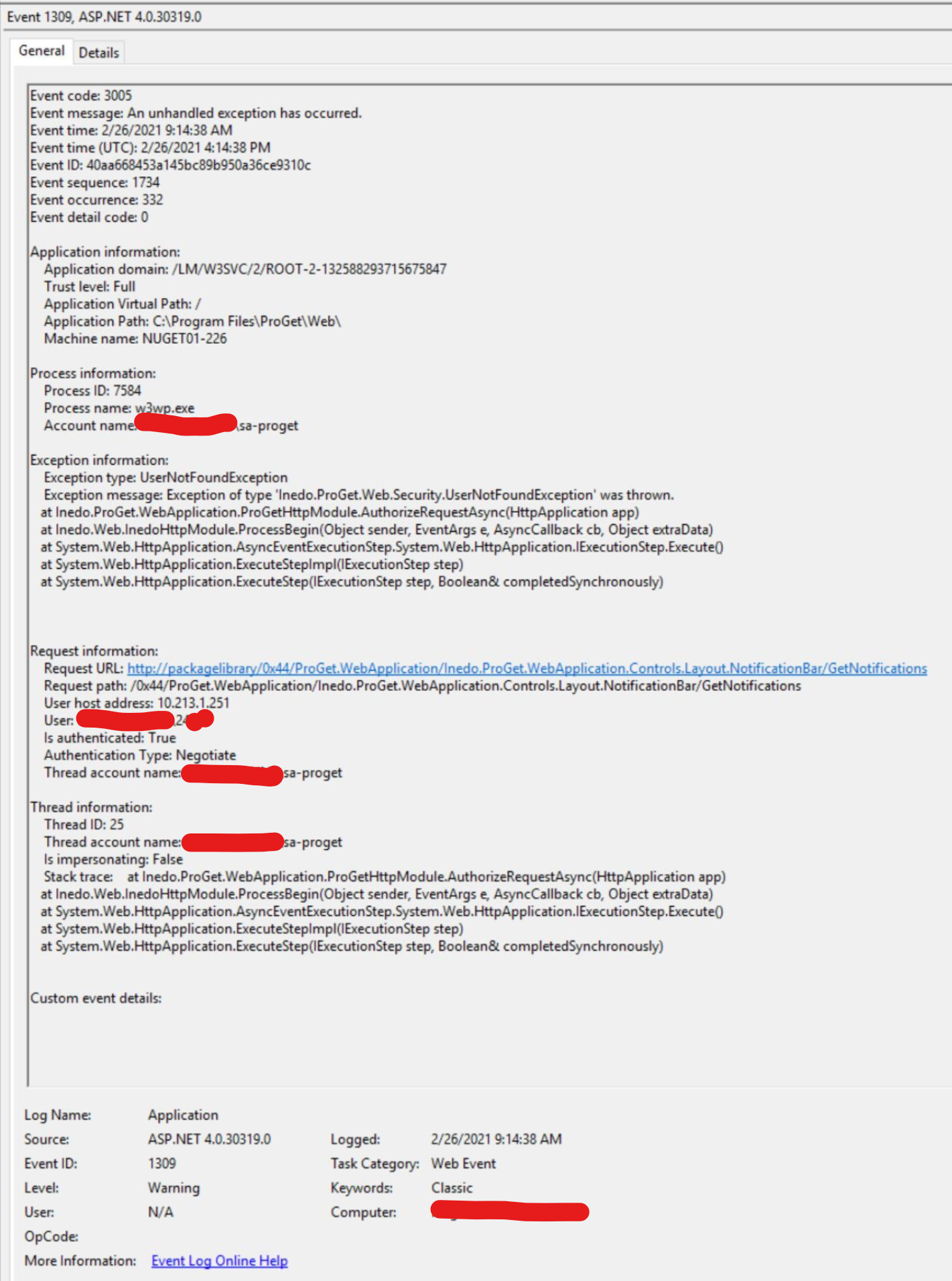
- Here is an image of one of the entries on the Event Log for the service:
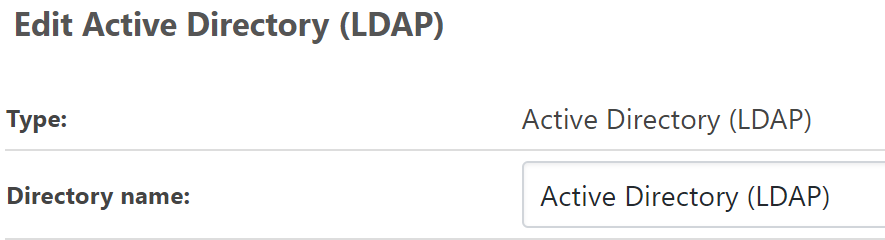
- When we first switched, the error message (first screen shot above) said that the name of the User Directory was 'Queries the current domain, global catalog for trusted domains, or a specific li'. That seemed odd since that was not the name of the "Active Directory (LDAP)" User Directory we had switched to. (I double checked that we had switched to the "Active Directory (LDAP)" User Directory.) The directory name was the same as the type of the user directory:
- When we switched back, error message (seen above) correctly had the name "LDAP" for the User Directory (though it was still broken)
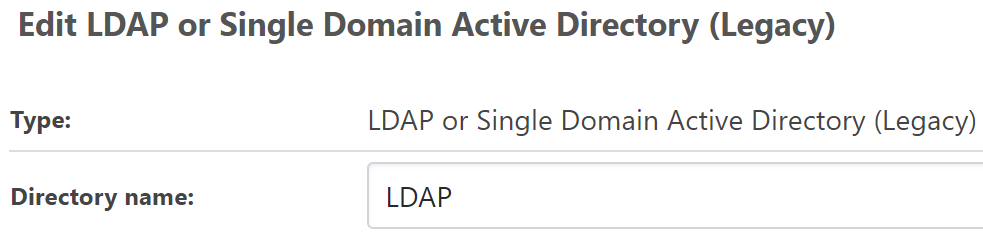
- We are running ProGet Version 5.3.21 (Build 24)
-
I'm sorry for the frustrations, this sometimes causes problems on some environments due to some really old bugs in Windows, and/or some really complicated Active Directory configuration.
There three things to unpack here.
COM ERROR. That error message "Creating an instance of the COM component with CLSID {080D0D78-F421-11D0-A36E-00C04FB950DC} from the IClassFactory failed due to the following error: 800401e4 Invalid syntax (Exception from HRESULT: 0x800401E4 (MK_E_SYNTAX))" is one such Windows bug (it's related to COM+ activation in Microsoft's AD libraries), and it's been around for almost twenty years now.
It just happens on some servers, for no good reason, and it goes away after a reboot. If you navigate to the Advanced Settings of your IIS App Pool and set the "Load User Profile" option to True, it will almost never happen again.
LOCKED OUT. As for getting locked out of ProGet, it's unclear to me; did you run the
resetadminpasswordcommand viaProGet.Service.exe? That will update the database, but the Web application must be restarted to read the new authentication options. The most sure way to restart the web application is to go into IIS and restart the application pool. If you ran theresetadminpasswordcommand, then I think the web app wasn't restarted. It's easy to miss one or both steps during a "system is down" panic...USER NOT FOUND. The message, "there was an error attempting to load the user MYDOMAIN\ME" almost alwasy means that you have Integrated Windows Authentication enabled, and ProGet was unable to map
MYDOMAINto a domain. You can just disable Windows Auth (via IIS), and then you can log-in with a Name/Password if you have this happen.MYDOMAINis a NETBIOS alias, and if ProGet doesn't have permission to query the forest for domains (to unmap the alias), then you'll need to specify this in the Advanced settings of the Active Directory (LDAP).The message is strange, but there's just a bug in the ProGet error message, I think, where it's using the Description of the directory instead of the name of the directory.
-
I am going to try to change the user directory to Active Directory again. (I will request an hour down time this time to ensure there is no lost work.)
Before I do it, I would like to get your advice on the things that went wrong.
COM ERROR: Your repsonse to this one seems good. If this happens again, we will reboot and then set the "Load User Profile" to true.
USER NOT FOUND: Your advice on this one is confusing. You suggested that we just login with user name and password. I had indicated in my first post that we had done that (when we browed to the instance of ProGet that users basic auth). But we still need the integrated security to work. (Or is that somehow not supported with the Active Directory user directory?) How can we fix the User Not Found issue once we log in using Username and Password? (Leaving it so that all users have to always log in with a username and password is not a solution we want to go with.)
LOCKED OUT: This is really the same as the User Not Found issue. We were not fully locked out. We could login with username and password when we went to the URL that is hosted using basic auth. But windows integrated security was not working. We need a way to re-enable that once we switch to the Active Directory user directory.
-
@Stephen-Schaff thanks for clarifying, I misunderstood!
Let me explaim how integrated auth works. Basically IIS/Windows Auth only provides ProGet with something like
INEDO\username. However,INEDOis not a domain name, it's a NETBIOS alias. To query a directory, you need the real domain name (in our case, it'sinedo.local).To find the domain name the global catalog for the domain server will be queried to determine any mappings, but this can sometimes fail due to permission errors. This is why you get a "User not found" error. The legacy provider relies on DNS resolution, which was incorrect.
As an alternative, you can provide a list of key/value pairs that map NETBIOS names to domain names may also be specified (one per line); e.g. KRAMUS=us.kramerica.local and if any value is specified, the automatic query is not performed, so all NETBIOS names must be specified.
There's a lot of details on the [Advanced LDAP Configuration] (https://docs.inedo.com/docs/various/ldap/advanced) to consider, but basically the reason it wasn't working was because the NETBIOS mappings could not be resolved correctly.
In any case, that's the field to work with, the NETBIOS Mapping.
-
OK. I made the addition to the NETBIOS mapping section.
I mistakenly believed that if the test functionality worked out, that it was setup correctly.
I would recommend a feature/fix so that if the NETBIOS mapping is needed, that it will fail in the Test section of the User Directory window. Because the User Directory Test functions worked fine without the NETBIOS mapping, I thought it was correctly configured. Finding out that it is not correctly configured only after the User Directory switch is done is a less than desirable user experience.
A strong disclaimer or a change would help the user experience there.
I am going to try the change again on Friday.... Fingers crossed!
-
Thanks @Stephen-Schaff
Great idea, I added a product change issue (PG-1906) that will block enabling windows auth within ProGet unless the user can be found. This should greatly reduce the problems.
-
<sigh>
We tried again today. I set the NETBIOS mapping and it still failed....
I am not sure what to do now.
We are stuck. I can't update user permissions because of a bug in the Legacy LDAP setup I use. And I can't switch to the newer Active Directory LDAP setting because of... I don't know why. And after I make a change, I can't change back (I have to restore the server and database from a back up to get it working again).
I tried using your Active Directory debug tool and it the settings work perfectly there. The same settings fail in ProGet.
As much as I really like ProGet (both price and features), I am going to have to spend some time today to go shopping for a product that can integrate with my Active Directory system. :(
I can probably convince my Operations Team to give it one more go if you have any suggestions.
-
@Stephen-Schaff I'm sorry that you're having configuration challenges; active directory is very complicated, especially on old servers, complex domains, etc.
Another thing to try is visiting
/debug/integrated-authin your instance, but that only uses the current directory provider (so you need to switch first), and it may not provide any new information.I tried using your Active Directory debug tool and it the settings work perfectly there. The same settings fail in ProGet.
The software/code is identical, so if this is happening then it means something is different in your production environment. The most likely case is that the user account running ProGet has different permissions or is otherwise unable to query the directory in the same way. You could also try setting LoadUserProfile=true, that seems to help with Microsoft's libraries for unknown reasons.
We are happy to add product enhancements to make this easier to debug, and identify what's wrong. At this point, it's a big guessing game as to what's different about your environment, because it works for everyone else.
As much as I really like ProGet (both price and features), I am going to have to spend some time today to go shopping for a product that can integrate with my Active Directory system. :(
I can probably convince my Operations Team to give it one more go if you have any suggestions.
We're doing our best to help you and try to solve this bizarre and complicated problem that only seems to impact you. I know you're frustrated, and we are too, because we don't like seeing our software not work in some environments. We could just as easily blame you or whoever configured your environment, or perhaps Microsoft, who wrote the buggy libraries we use.
But you're a smart guy, and you must know that this abrasive communication style causes only unnecessary stress to the people you interact with. You are certainly intelligent to know it's not appropriate or productive, either.
So, please be more considerate. Or if this is your preferred vendor management approach and communication style, then do "go shopping" and do find another vendor.
-
Another thing to try is visiting /debug/integrated-auth in your instance
I am not sure what this is, but I am willing to try out anything. Do you have any instructions on how to do this?
The software/code is identical, so if this is happening then it means something is different in your production environment.
I only have one environment for this. It is all production. We have one Active Directory setup at my company. I used the same one for ProGet and for the tool.
Though it may be important to note, the "Test Tool" has the same functionality as the test tool embedded into ProGet. That test tool works fine (both before and after the change of the User Directory). It is ProGet itself that cannot find the user. The Test Tool can always find the user (both the one integrated into ProGet and the one that is run from Visual Studio.)
this abrasive communication style causes only unnecessary stress to the people you interact with
I apologize that this came across as abrasive. Basically I am trying to communicate that I am suck. I first reported my problem over a month ago. My project is dependent on being able to setup permissions. And I cannot find a way to do that. And the debug tools all show that everything is working great. Up till when I make the switch. Then the user cannot be found.
I cannot test this out in a non-production environment because we have not purchased a second license for testing. And the free version does not include the very thing I need to test (AD Integration). So I have very short downtime windows to try to troubleshoot this.
Again, I am sorry my communication was abrasive. I was trying to say that I can't leave it like this. I have to have working permissions. I don't want that to be with another product. But permissions are required.
-
Thanks @Stephen-Schaff, we will definitely figure out how to get this working.
The
/debug/integrated-authis just a URL you can type in, likehttps://<yourinstance /debug/integrated-auth. It provides some details about the current configuration, like this:https://proget.inedo.com/debug/integrated-auth
However, it will only help us identify potential problems once you've changed the configuration.
--
Since downtime is a concern, let's start by getting a testing environment. Can you install ProGet on a similar server, and then just use the Trial license key? You can request one at my.inedo.com.
If this is a "permanent server" where you wanted a testing/training place for all the various functionality, we would ask for a license... but this usage is fine, most especially given all the headaches.
Once you have that, testing should be a lot easier.
If we can reproduce the problem on the test server, then that's good news - because we can try some basic config changes.
The first thing that comes to mind is set
LoadUserProfile=trueon IIS AppPool. That "works wonders" due to the bizarre behaviors of some of Microsoft's libraries. The second is trying a different username. We can just keep going, all the way down to running the webserver outside of IIS.We can also just keep iterating on code, finding places to add new debug information, etc.
At this point, even if you could test before switching, it wouldn't help... because it would still not work. Making it easier to switch without needing to reset password, is a problem for a different day... for now we need to figure out how to add diagnostic information.
If it's as simple as LoadUserProfile=true, then
 and lesson learned -- I guess we'll try to detect and warn, or atleast be trained on support to know how to respond.
And if we can't reproduce the problem on test, then we'll just keep coming up with ways to figure it out quickly while minimizing downtime. For example, if we absolutely had to, we could get a second ProGet instance on one server, just to try this out, and not impact the first.
Anyways from here --- let's see what we can do on the test server!
-
@Stephen-Schaff FYI; looks like this got added as a result of your feedback. Easy change, mostly to prevent the "locked out" symptom when switching.
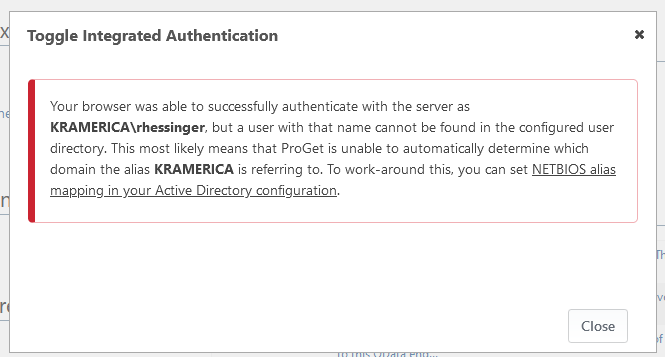
Let us know what you find out about test system, etc.
-
We tried to swap User Directories again. (Since we did it on Friday morning, 5.3.25 had not dropped yet. So we only upgraded to 5.3.24, not 5.3.25 that had the feature you showed above. I hope to try again on Friday to try that feature out.)
We first upgraded to 5.3.24. Then we set
LoadUserProfile=true. Then we swapped the User Directory. Then we rebooted the server.It once again did not find the user.
We went to the debug/integrated-auth URL and this is what it showed:
IntegratedAuthEnabled:   False
LOGON_USER:              MY-NETBIOS\1234
HttpContext.User.Identity.Name: MY-NETBIOS\1234
HttpContext.User.Identity.IsAuthenticated:      True
WebUserContext.UserInfo.Name:   Anonymous
---------
Current User Directory:
Queries the current domain, global catalog for trusted domains, or a specific li
---------
Domain:         MY-NETBIOS
Id:             1234
---------
LOGON_USER parsed as: 1234@mydomain.net
Username not found.
Additional messages:
 - Trying to a Users search for principal "1234@mydomain.net"
 - Search string is "(&(|(objectCategory=user)(objectCategory=msDS-GroupManagedServiceAccount))(sAMAccountName=1234))"...
 - Domain alias "mydomain.net" will be used.
 - Searching domain mydomain.net...
 - Trying to a Users search for principal "MY-NETBIOS\1234"...
 - Search string is "(&(|(objectCategory=user)(objectCategory=msDS-GroupManagedServiceAccount))(sAMAccountName=MY-NETBIOS\5C1234))"...
 - No domain specified, searching through aliases.
 - Searching domain mydomain.net...
 - Principal not found.
NOTE: I have replaced the text for my NetBios with
MY-NETBIOSand my domain withmydomain.netand the user name with1234to de-identify this data.I plugged the first query into a powershell command and it worked perfectly:
C:\src> Get-ADUser -Credential My-ProGetADAccount -LDAPFilter '(&(|(objectCategory=user)(objectCategory=msDS-GroupManagedServiceAccount))(sAMAccountName=1234))' | Format-Table Name,SamAccountName -A

Name           SamAccountName
----           --------------
Doe, John      1234
(Again, I replaced anything identifying when pasting here.)
The first query it tried should have worked. I am confused why it did not. I am hopeful you have some advice on what else we could try.
-
@Stephen-Schaff ah that's too bad, quite frustrating! Any luck setting up test server, so it doesn't' inconvenience production?
I don't why it didn't work, but it's not what I would have expected.
We had been assuming this was failing in the TryParseLoginUserName method, which is where that NETBIOS mapping occurs. It seems to be working fine, and is surprising to see.
Instead, it seems to be failing in
TryGetUserAsync, which calls the TryGetPrincipal method. TheTryGetUsermethod is called in a bunch of places (and when it returns null for an authenticated user, you'll get thatcan't find usererror), but it's also on the "Configure User Directory Page", when you hit the "test get user" button.You showed that you tested the connectivity using "test search", but there's good reason one query (get) would work, but not the other (search).
That doesn't make a lot of sense to me. I'm thinking, another test from that page is in order.
Here's the (messy) code for
/debug/integrated-auth.WriteLine($"Id:\t\t{domain.Id}"); { var messages = new List<string>(); WriteLine("---------"); var ad = WebUserContext.CurrentUserDirectory; ad.MessageLogged += (s, e) => messages.Add(e.Message); var parsedLogonUser = ad.TryParseLogonUser(context.Request.ServerVariables["LOGON_USER"]); if (parsedLogonUser == null) WriteLine("Could not parse LOGON_USER."); else WriteLine("LOGON_USER parsed as: " + parsedLogonUser.Name); var user = await ad.TryGetUserAsync(context.Request.ServerVariables["LOGON_USER"]); if (user == null) WriteLine("Username not found."); else WriteLine($"Username:\t\t{user.Name}"); WriteLine("Additional messages:"); foreach (var m in messages) WriteLine(" - " + m); }Here's the (messy) code for the "Test" button next to "Test get user" on that page:
        var btnTestGetUser = new PostBackButtonLink("Test", () =>
        {
            var log = new StringBuilder();
            try
            {
                instance = instance ?? (UserDirectory)Activator.CreateInstance(this.Type);
                editor.WriteToInstance(instance);

                instance.MessageLogged += (s, e) => log.AppendLine($"[{e.Level}] {e.Message}");

                var principal = instance.TryGetUser(txtTestUser.Value);
                if (principal == null)
                {
                    divSearchResults.Controls.Add(InfoBox.Warning(new P("User ", new Element("code", txtTestUser.Value), " not found.")));
                    return;
                }
                else
                {
                    divSearchResults.Controls.Add(InfoBox.Success(
                        new P("User ", new Element("code", txtTestUser.Value), " found: "),
                        new Ul(
                            new Li("Name: ", principal.Name ?? ""),
                            new Li("EmailAddress: ", principal.EmailAddress ?? ""),
                            new Li("DisplayName: ", principal.DisplayName ?? "")
                        )
                    ));

                    if (!string.IsNullOrEmpty(txtTestUserGroup.Value))
                    {
                        if (principal.IsMemberOfGroup(txtTestUserGroup.Value))
                            divSearchResults.Controls.Add(InfoBox.Success(new P("Member of ", new Element("code", txtTestUserGroup.Value))));
                        else
                            divSearchResults.Controls.Add(InfoBox.Warning(new P("Is not member of ", new Element("code", txtTestUserGroup.Value))));
                    }
                }
            }
            catch (Exception ex)
            {
                divSearchResults.Controls.Add(InfoBox.Error(new P($"Error: {ex.Message}")));
            }
            if (log.Length > 0)
                divSearchResults.Controls.Add(new Element("textarea", log.ToString()) { Style = "width:500px; height:50px;" });
            divSearchResults.Visible = true;
        });
Lots of code, but I wanted to share both of these, so we're looking at exactly the same thing, if you need it.
** Can you try testing "get user" again (not "search user") using that page? You will most certainly see the exact same set of error messages. **
If this is the case, then the problem is most definitely related to credentials/permissions, and really doesn't seem to be related to NETBIOS alias, after all.
Next steps.
- Confirm that you're getting same error from the "Get user" test but that "Search user" works
- Remove the NETBIOS alias mapping, make sure results are identical (get doesn't work, search does)
- Enter wrong credentials, like a bad username or bad password; ensure that "Search user" fails
- Correct the credentials, and makes sure that "search user" works again
- Try your own, personal credentials to see if it makes a difference
- Disable LDAPS (if it was enabled) and try again
- Create a ProGet test server, see if you can replicate behavior
- Open a ticket with Microsoft with replication results (the tool works, the servers don't, etc)
I hate that last step... but there's no reason on earth why this same, basic query that's run by the same C# code using the same credentials would work in one environment (desktop app on one server) but not another (web app)
-
Wahoooo!
We were able to successfully swap user directories this morning!
They key was changing the
Managed Pipeline Modesetting for ProGet's App Pool in IIS. While set toIntegrated(what we had been using) it would not work. Once I set it toClassic, I was able to finagle it to work. I had to fiddle with the Integrated Login setting in ProGet and the Anonymous Authentication setting in IIS, but it worked out!As a side note, the
debug/integrated-authpage still saysUsername not foundandPrincipal not found, (it is the same as what I pasted in above when it was not working). Just thought I would let you know in case you are interested.I am very excited to get moving forward on my project and stick with ProGet! Thank you for your hard work helping me get this working!
Stephen
-
@Stephen-Schaff

Very glad to hear! It makes absolutely no sense makes that
Managed Pipeline Modewould have any impact on how these libraries behave... but there you have it. These libraries are ancient, and even Microsoft has no idea how they work anymore.Apparently Microsoft is working on shipping brand new libraries (no COM interop magic) in .NET6, which means by .NET8 they just might be usable, and then perhaps in another decade they won't require mysterious changes



Hello! It looks like you're interested in this conversation, but you don't have an account yet.
Getting fed up of having to scroll through the same posts each visit? When you register for an account, you'll always come back to exactly where you were before, and choose to be notified of new replies (either via email, or push notification). You'll also be able to save bookmarks and upvote posts to show your appreciation to other community members.
With your input, this post could be even better 💗
Register Login