Welcome to the Inedo Forums! Check out the Forums Guide for help getting started.
If you are experiencing any issues with the forum software, please visit the Contact Form on our website and let us know!
[OTTER3] Creation/Modification of PSVerify did not work as expected
-
Hi
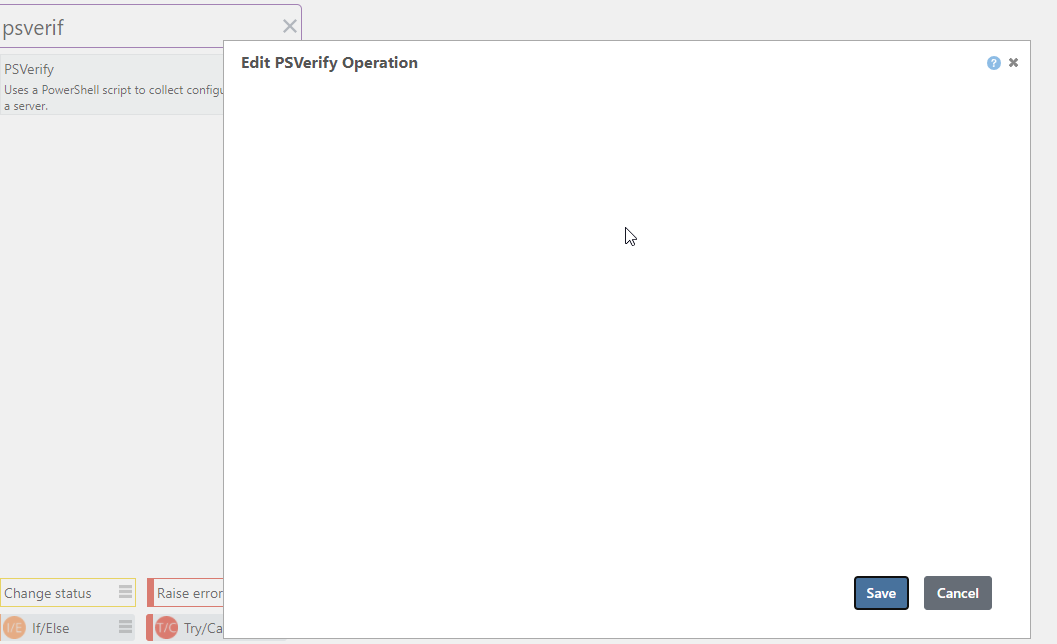
Juste to report that the creation of PSVerify is not possible in GUI Mode
Best regards
-
Hello,
This is a bug, in that
PSVerifyshouldn't show up on the statement list. Instead, your scripts should, in a manner like this, with a Script Execution mode: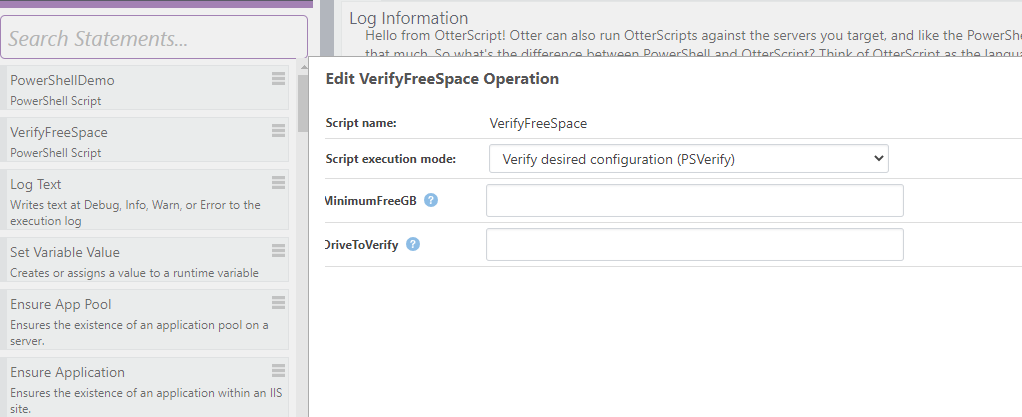
Then, they'll look in Otter like this:
PSVerify VerifyFreeSpace
(
    MinimumFreeGB: 24,
    DriveToVerify: C
);
Here's how this script works behind the scenes...
<#
.DESCRIPTION
Verifies that an hdars server has the required and expected configuration

.AHDESIREDVALUE
True

.AHCURRENTVALUE
$AmpleFreeSpace

.PARAMETER DriveToVerify
The drive letter (such as "C") for what to verify

.PARAMETER MinimumFreeGB
The minimum free space required on the drive, in gigabytes


#>
param ([int]$MinimumFreeGB = 20, [string]$DriveToVerify = "C")

$ActualFreeGB = [int]((Get-PSDrive $DriveToVerify).Free / (1024 * 1024 * 1024))
$AmpleFreeSpace = $ActualFreeGB -gt $MinimumFreeGB
And for reference, the additional help parameter descriptions...
.AHDESIREDVALUE
This is what you wish the configuration value to be. When not specified, the value of $true is assumed..AHCURRENTVALUE
This is the actual value of the configuration. When not specified, script's output is used..AHCONFIGKEY
This is the "configuration key" used by the script, which is a string that uniquely identifies configuration on a server. It's like a file on disk (a file is uniquely identified by its name), or the name of an IIS Application pool (an application pool is unqiuely identified by its name). Optional. When not specified, the name of the script is used..AHVALUEDRIFTED
This is an indicator as to whether the value is considered drifted. When not specified, it's a string comparison of the desired and current value..AHEXECMODE
This is either "Collect" or "Configure", and is only used on PSEnsure operations; it will be ignored (or set to Collect, depending on what's easier to code) on PSVerify. Using a PSEnsure without a .AHEXECMODE will cause an error.The Additional Help items can be specified as a value or a variable; variables will simply start with a $.

Hello! It looks like you're interested in this conversation, but you don't have an account yet.
Getting fed up of having to scroll through the same posts each visit? When you register for an account, you'll always come back to exactly where you were before, and choose to be notified of new replies (either via email, or push notification). You'll also be able to save bookmarks and upvote posts to show your appreciation to other community members.
With your input, this post could be even better 💗
Register Login