Welcome to the Inedo Forums! Check out the Forums Guide for help getting started.
If you are experiencing any issues with the forum software, please visit the Contact Form on our website and let us know!
Error Scanning SSH agent <host> Value cannot be null
-
Hi
Brand new BuildMaster installation and trying to setup a Linux Server. I have setup a Linux host and trying to add it to BuildMaster and saw this error under "ServerCheckerRunner".
Error scanning SSH agent dev-cap: Value cannot be null. Parameter name: userName
This is weird to see this, because I did enter the username on the credentials screen along with the private and public keys.
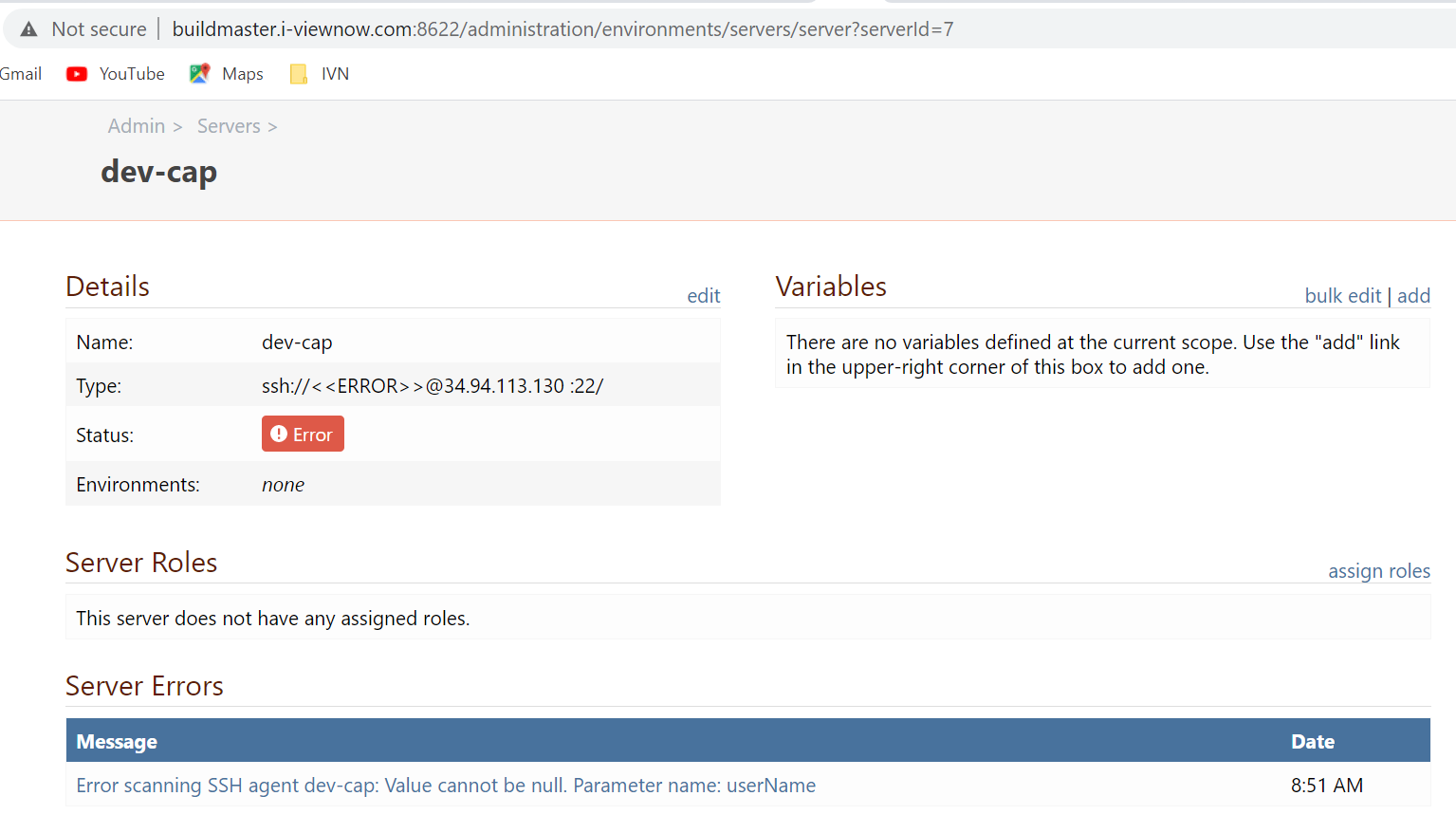
On the server's page, the following is what I see:
dev-cap
ssh://<<ERROR>>@34.94.xxx.xxx:22/Apparently it is not able to figure out what user to use with the credentials, but the secure credentials page has that user already provided.
global::dev-key Private Key Private key, user: xxxx, public key fingerprint: 9b:22:22:22:22:22:22:22:22:22:22:22:22:22:22:fa Allowed global (Integration)
How do I go about fixing this error?
-Srinivas
-
Hi @sbolisetty_3792,
Would you be able to share a screenshot of your Private Key credentials modal and your server configuration modal? Also, do you have an environment configured on either your server or your private key?
Thanks,
Rich -
Hi Rich
What do you mean by environment configured on the server?
Here are a couple of screenshots:
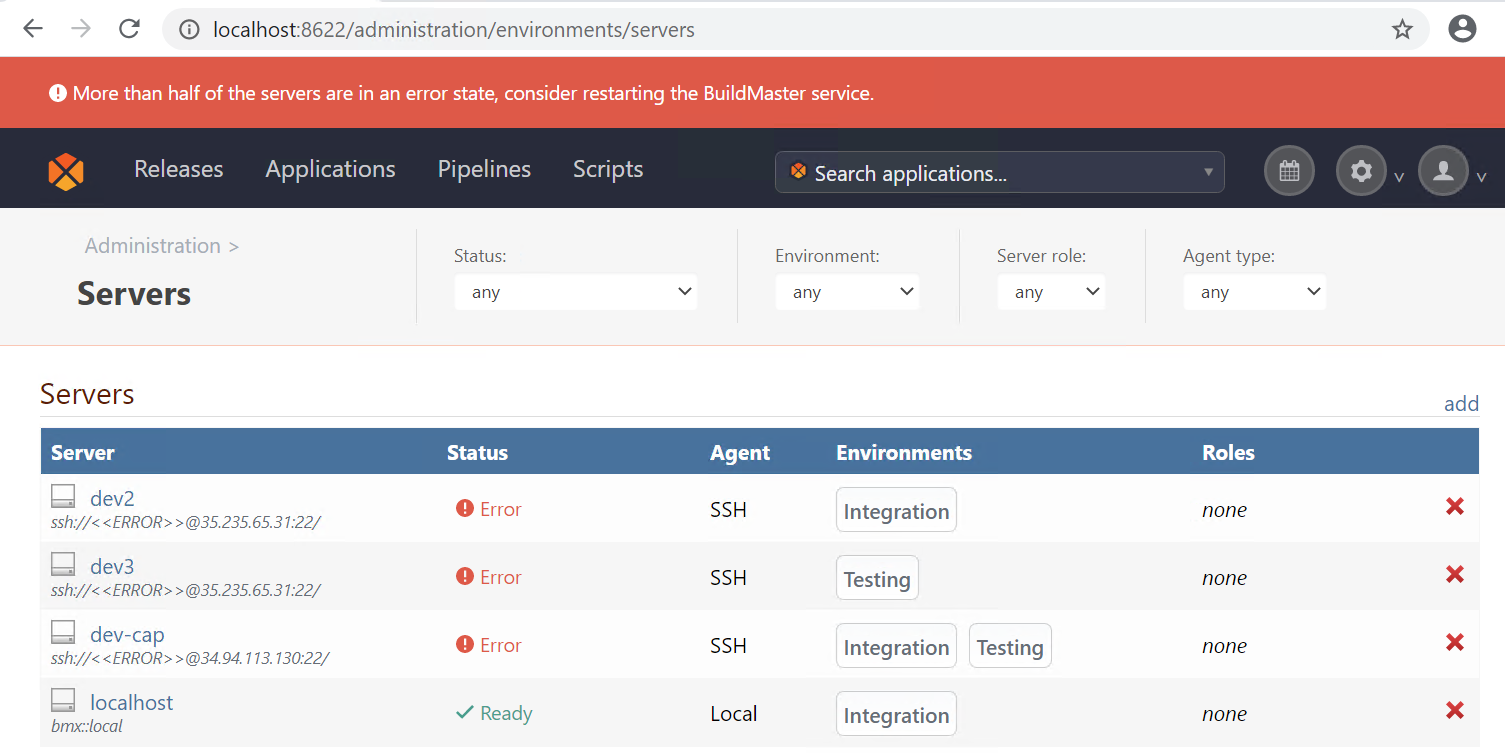
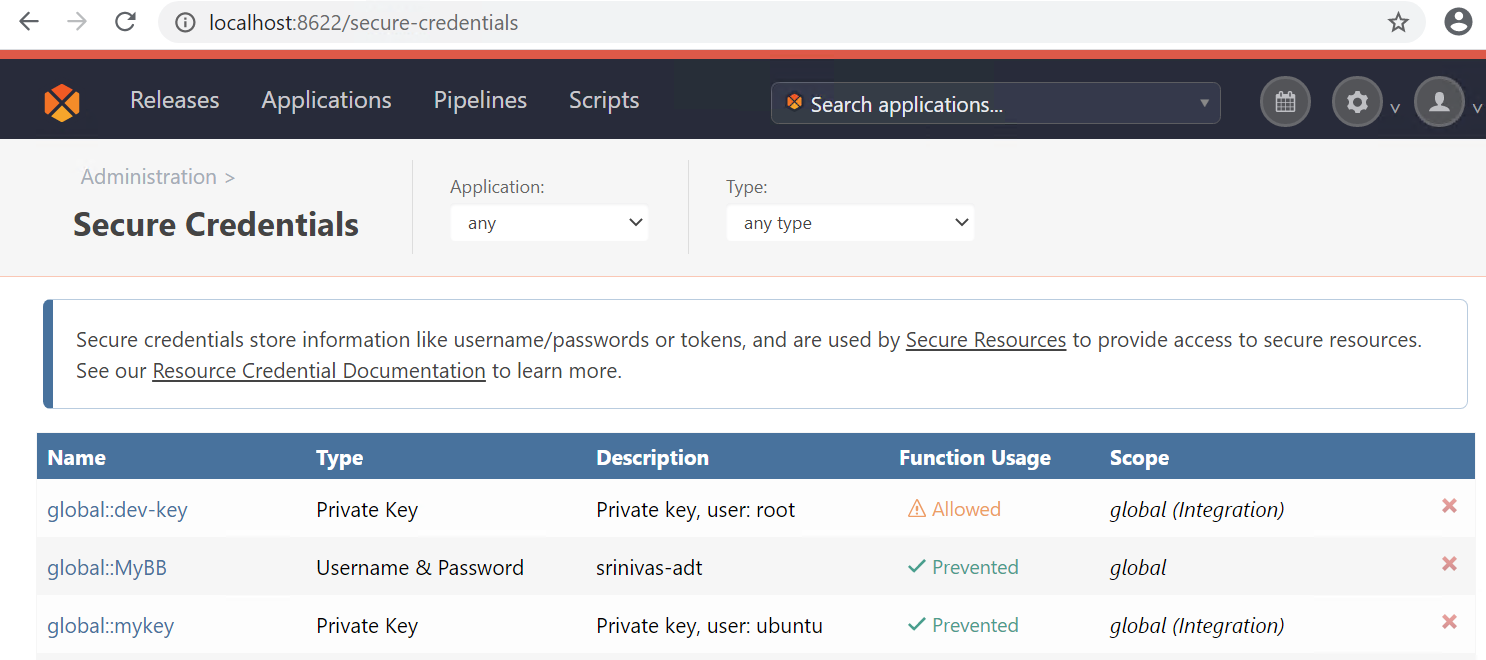
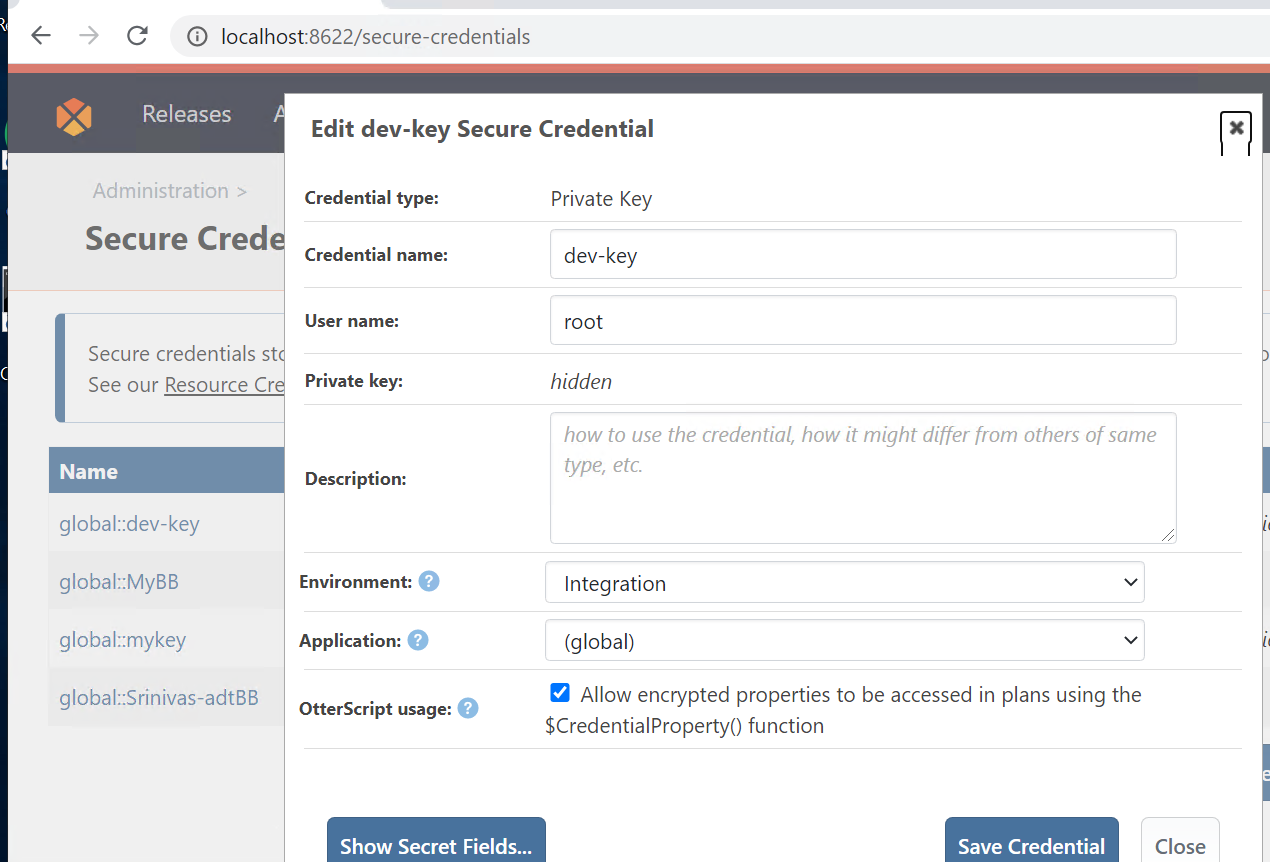
Tried with different users "root", "ubuntu" etc., and none of them seem to work. The Server Check simply gets "blank" for the user name... The keys are working, as I could use them another Linux server to the target servers without a hitch.
-Srinivas
-
Hi @sbolisetty_3792,
Thanks for sending this over. I see what is happening but I need a little bit of time to diagnose it furthur. It looks like the issue is when you sepcify an environment on the Secure credential. If you remove the environment on the secure credential (but leave it on the server), it will work fine. I'm going to dig in furthur to determine what is going on. I'll let you know when I have more information.
Thanks,
Rich -
Removing the environment doesn't seem to help. See the screenshot... deleted all the servers and created one afresh without setting up any environment... still the servercheck fails because the username is "blank"...
-
Okay, I think you are referring to not setting the environment on Security Credential screen:
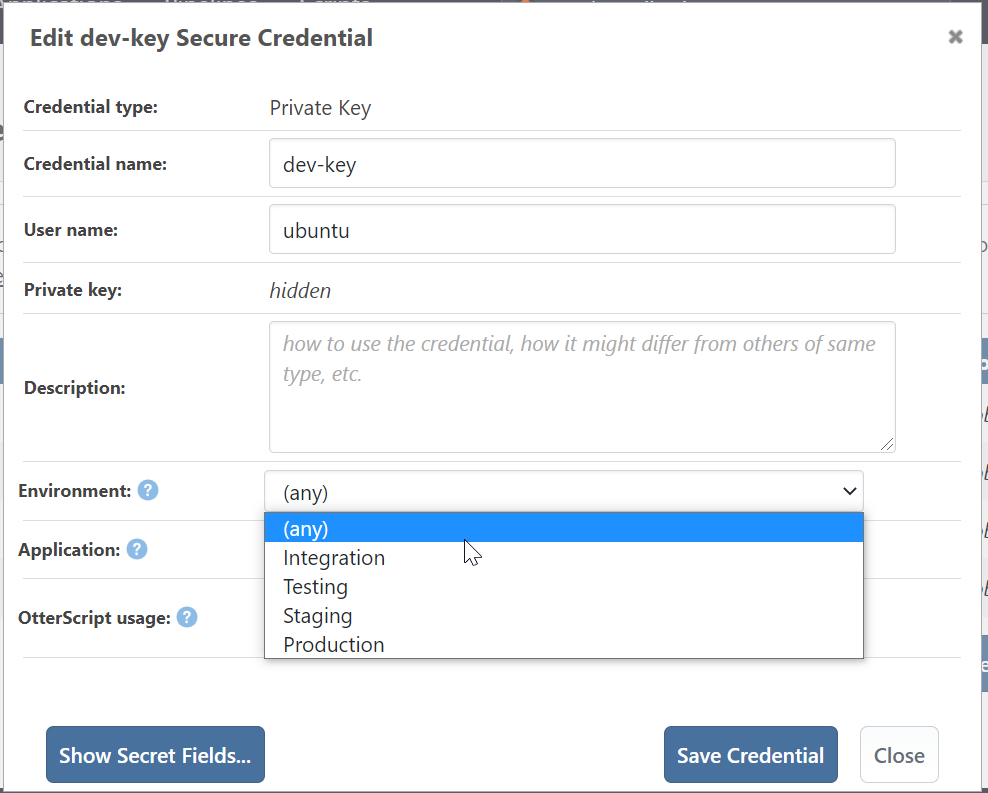
With this I have a different error... let me see...
-
Okay, now I get an error from SSH-Agent that no such-host...
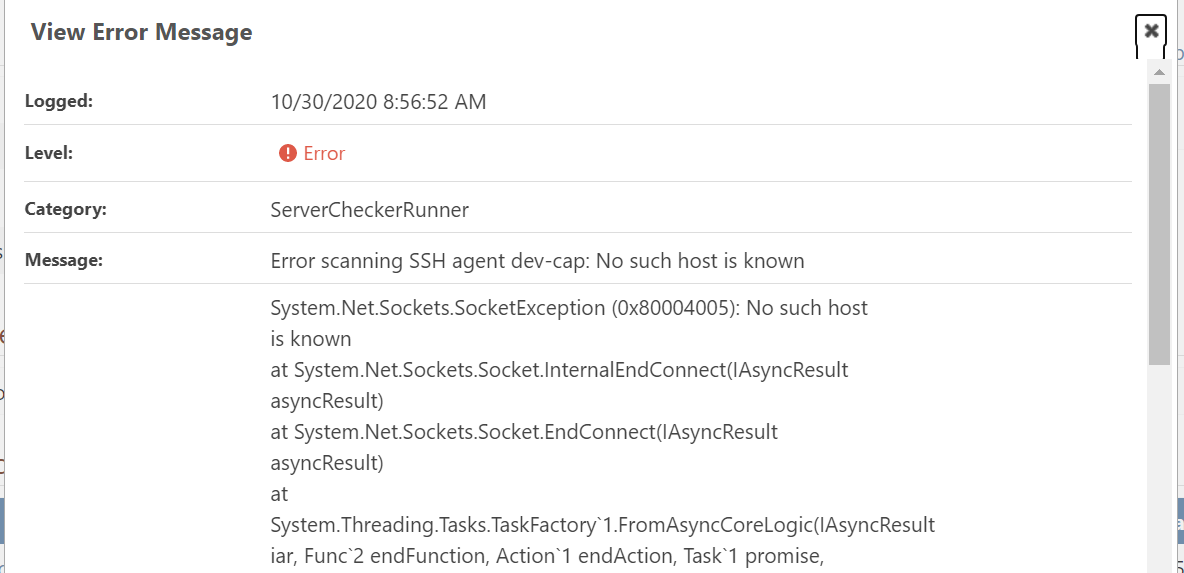
I checked and made sure ssh-agent service is UP and running on my Windows Server... but this may be outside of BuildMaster...so let me see if I can chase this down...
-
Hi Rich
I cleaned up all my servers and keys and started afresh, making sure the the key credential is not set for a specific environment (leaving it to the default "none") and that did the trick in getting my Linux server connected just fine.
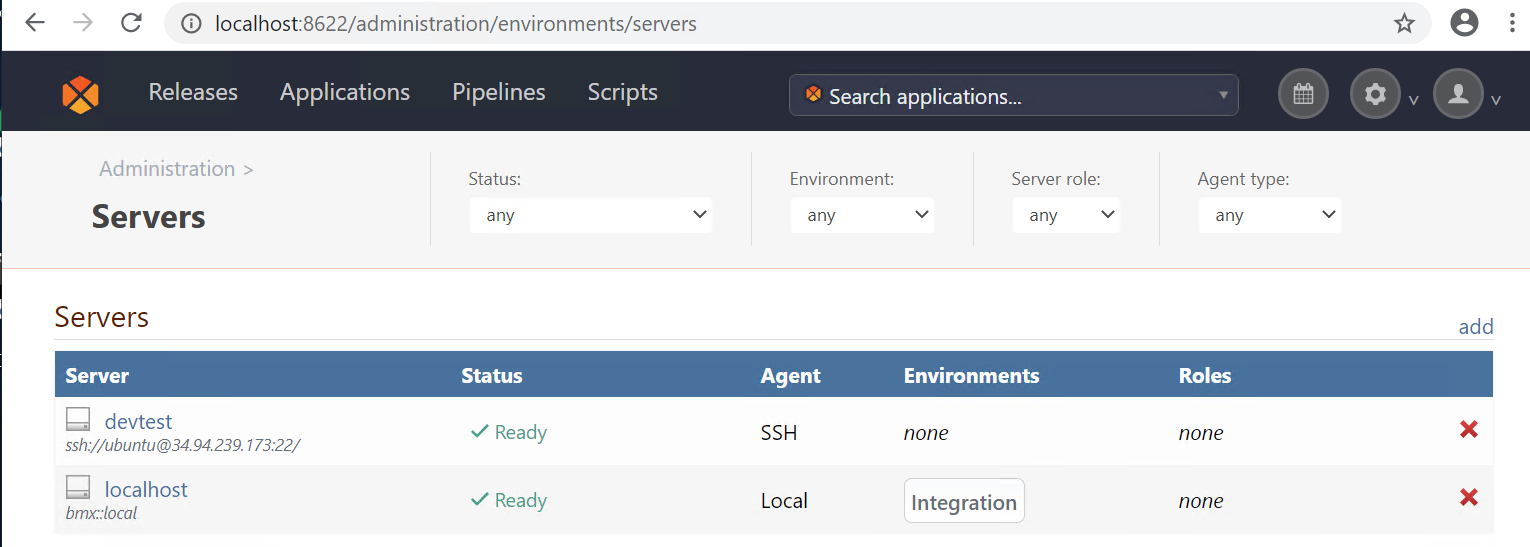 .
.Would be good to figure out the error in BM when someone sets up the key for a specific environment (which is most likely the case in live environment). Thanks for pointing out the issue and suggesting the alternate path.
-Srinivas
-
Hi @sbolisetty_3792,
I apologize for the delay in this response, but somehow my response never posted. I have assigned this to one of my colleagues to handle identifying the issue and planning the fix. @atripp will take this over from here and she will get back to you when an official fix has been scheduled. Thanks for all the help in troubleshooting this with me!
Thanks,
Rich -
Hi @sbolisetty_3792 , just to let you know, this will be fixed in the next maintence release of BuildMaster (BM-3654). Basically, if a Server has a Single environment, then that environment will be used for credential resolution.
HOWEVER, note that this won't work for your
dev-capserver because it's in two environments. So in that case, you couldn't use an environment-specific credential.


Hello! It looks like you're interested in this conversation, but you don't have an account yet.
Getting fed up of having to scroll through the same posts each visit? When you register for an account, you'll always come back to exactly where you were before, and choose to be notified of new replies (either via email, or push notification). You'll also be able to save bookmarks and upvote posts to show your appreciation to other community members.
With your input, this post could be even better 💗
Register Login