Welcome to the Inedo Forums! Check out the Forums Guide for help getting started.
If you are experiencing any issues with the forum software, please visit the Contact Form on our website and let us know!
Proget 5.3.12 (dotnet core) problem activating license
-
We migrated to dotnet core platform and we got lowercase file errors and then problems with authorization (401) when downloading packages from VS. I tried a clean installation but it wouldn't activate auto or manually. In log I could read something about CORS, but unfortunately I didn't save those, I installed clean mono 5.3.12, activated it and uploaded packages and everything is working now.
I'm using docker linux containers. -
Hi,
The lowercase file errors should be fixed in ProGet 5.3.13. So far we have not been able to reproduce authentication or activation issues, but we'll be adding additional logging in 5.3.13 to diagnose these issues.
Thank you!
-
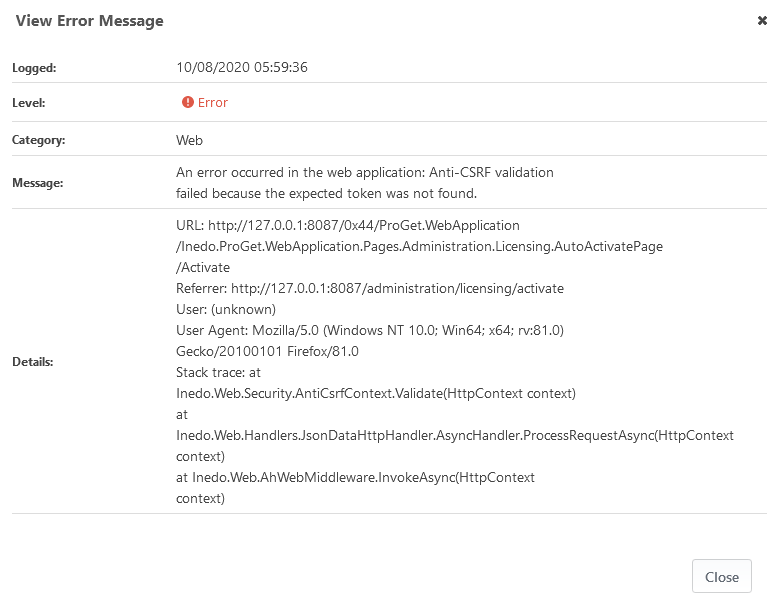
I could start the container and capture log for this:
Logged:
10/08/2020 05:59:36
Level:
Error
Category:
Web
Message:
An error occurred in the web application: Anti-CSRF validation failed because the expected token was not found.
Details:
URL: http://127.0.0.1:8087/0x44/ProGet.WebApplication/Inedo.ProGet.WebApplication.Pages.Administration.Licensing.AutoActivatePage/Activate
Referrer: http://127.0.0.1:8087/administration/licensing/activate
User: (unknown)
User Agent: Mozilla/5.0 (Windows NT 10.0; Win64; x64; rv:81.0) Gecko/20100101 Firefox/81.0
Stack trace: at Inedo.Web.Security.AntiCsrfContext.Validate(HttpContext context)
at Inedo.Web.Handlers.JsonDataHttpHandler.AsyncHandler.ProcessRequestAsync(HttpContext context)
at Inedo.Web.AhWebMiddleware.InvokeAsync(HttpContext context)
-
Thanks-
I've seen that anti-CSRF error appear if you try to perform certain tasks while not logged in- we're still investigating the cause.
-
Just following up- all of these issues should be resolved in ProGet 5.3.13, which will be released later today.
-
This post is deleted!

Hello! It looks like you're interested in this conversation, but you don't have an account yet.
Getting fed up of having to scroll through the same posts each visit? When you register for an account, you'll always come back to exactly where you were before, and choose to be notified of new replies (either via email, or push notification). You'll also be able to save bookmarks and upvote posts to show your appreciation to other community members.
With your input, this post could be even better 💗
Register Login