Welcome to the Inedo Forums! Check out the Forums Guide for help getting started.
If you are experiencing any issues with the forum software, please visit the Contact Form on our website and let us know!
Symbol Server for portable pdb
-
Hi,
is it possible to use ProGet Symbol Server in combination with SourceLink PDBs?
We are creating nuget (nupkg) and source (snupkg) packages.
How do I have to configure the feeds to provide nupkg and work as Symbol Server
providing symbol information via SourceLink?How can I push a snupkg to the feed?
Many thanks in advance.
Best regards
Christian -
Hi @christian_panten_6482,
Since you are using SourceLink, you should be able to use the Symbol Server built into ProGet as long as you have ProGet running on Windows. For information on setting up a symbol server and pushing packages to it, please review our NuGet Symbol and Source Server documentation.
Hope this helps!
Thanks,
Rich -
Hi @rhessinger,
I run proget on windows and configured a separate feed for the symbol nuget
packages. I enabled Symbol Server functionality for this feed.http://proget:8624/nuget/sýmbol-feed/v3/index.json
My nuget config looks like this:
<?xml version="1.0" encoding="utf-8"?>
<configuration>
  <activePackageSource>
    <add key="nuget.org" value="https://www.nuget.org/api/v2/" />
  </activePackageSource>
  <packageRestore>
    <add key="enabled" value="True" />
    <add key="automatic" value="True" />
  </packageRestore>
  <packageSources>
    <add key="nuget.org" value="https://api.nuget.org/v3/index.json" />
    <add key="symbols-feed" value="http://proget:8624/nuget/symbols-feed/v3/index.json" />
    <add key="packages-feed" value="http://proget:8624/nuget/packages-feed/v3/index.json" />
  </packageSources>
  <bindingRedirects>
    <add key="skip" value="False" />
  </bindingRedirects>
  <apikeys>
    <add key="http://proget:8624/nuget/symbols-feed/v3/index.json" value="AQAAANxxxxxxxxxxxxxxxxxxxxx==" />
    <add key="http://proget:8624/nuget/packages-feed/v3/index.json" value="AQAAANxxxxxxxxxxxxxxxxxxxxx==" />
  </apikeys>
<packageSourceCredentials>
 <symbols-feed>
  <add key="Username" value="Example" />
  <add key="ClearTextPassword" value="Pwd" />
 </symbols-feed>
 <packages-feed>
  <add key="Username" value="Example" />
  <add key="ClearTextPassword" value="Pwd" />
 </packages-feed>
</packageSourceCredentials>
  <packageManagement>
    <add key="format" value="0" />
    <add key="disabled" value="False" />
  </packageManagement>
  <disabledPackageSources>
  </disabledPackageSources>
</configuration>
Now I build my package using:
dotnet pack -c ReleaseThis results in:
MyPackage.1.2.0.nupkg
MyPackage.1.2.0.snupkg
Using nuget I can push the package to proget:
nuget push -source packages-feed MyPackage.1.2.0.nupkgThis works well.
But how can I push the snupkg to proget feed symbols-feed?
Best regards
Christian -
Hi @christian_panten_6482,
You would just push the snupkg the same way, but only push the snupkg. For example:
nuget push -source sources-feed MyPackage.1.2.0.snupkgI also wanted to point out this from our documentation as well:
To summarize, push only the symbol package to your ProGet feed if you intend to use the symbol server. To prevent symbols from being downloaded with the NuGet package, see the Strip symbol files from packages downloaded from this feed option on the Manage Feed page under Symbol Server settings.
Thanks,
Rich -
Hi @rhessinger,
I don't know why, but using this push does not work for me.
I don't see any response and the package is not uploaded.Did you try it?
Best regards
Christian -
Hi,
if I take a look on the result of link I can see this section
which I am missing in the corresponding link to our ProGet feed.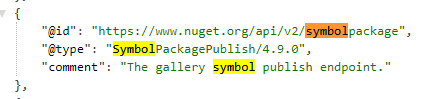
Could this the reason why nuget push -source symbols-feed MyPackage.1.2.0.snupkg
is failing?Best regards
Christian -
Can you please send over the error you are seeing when running
nuget push? As long as your -Source is the NuGet API URL, then you shouldn't need to do anything special.Thanks,
Rich -
here is a screen shot of my push.
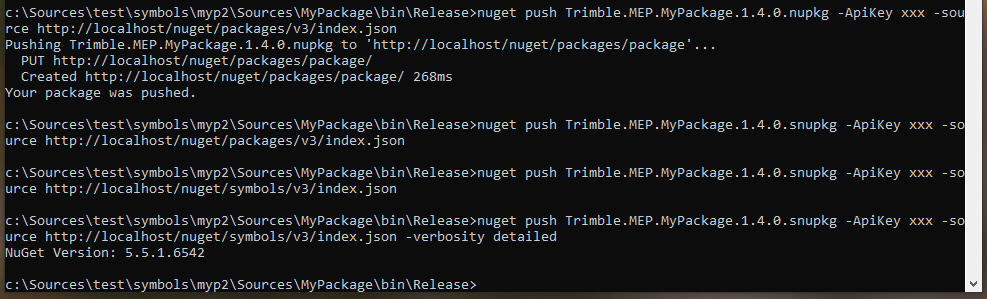
as you can see:
- pushing nupkg to packages feed works fine
- pushing snupkg to packages feed failed
- pushing snupkg to symbols feed failed too
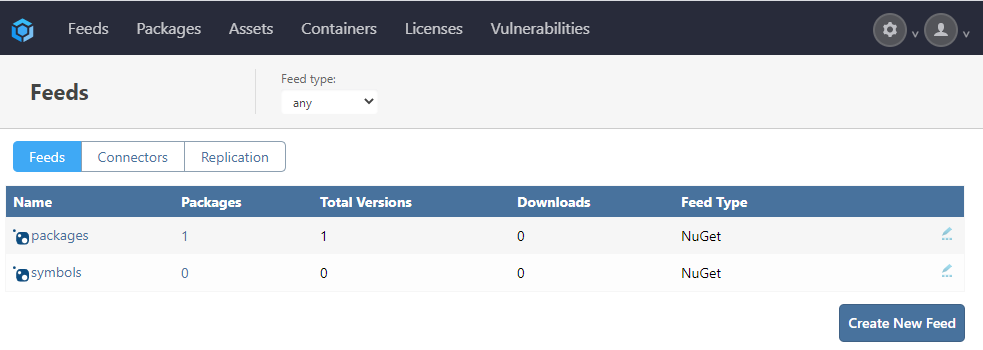
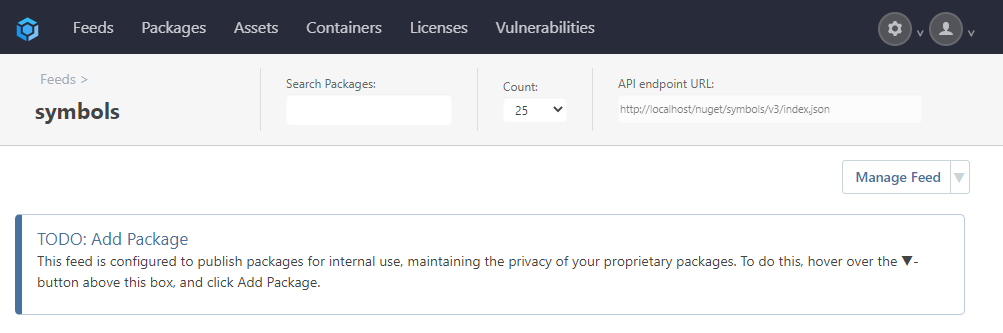
Best regards
Christian -
-
-
First off, if you want to have separate library and symbols packages (which we don't recommend), then you'll need to make a separate symbols feed. ProGet supports a "combined package" and will strip out symbols/source unless explicitly requested, so you don't have to bother.
But if you want to separate, please note that
nugetis a "little" funny. If the file extension ends in.snupkgthen it ignores thesourceargument, and attempts to push the file to Microsoft's server (symbols.nuget.org).This is because symbol packages and regular packages must be pushed to a different feed. If you want to specify a custom symbols feed, then please use the
--symbol-sourcewhen using a.snupkgfile.@christian_panten I have a favor.... can you suggest (or do a pull request) on how we can update our documentation to make this more clear? Thanks

-
Hi @atripp,
your proposal to use --symbol-source does not work with .snupkg. As you can see there is an
exception pushing only the snupkg file.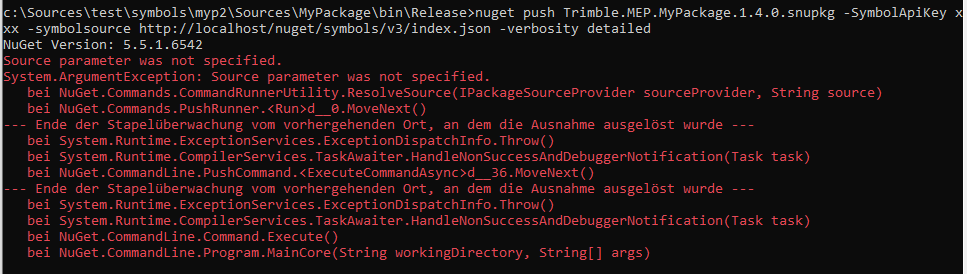
Also pushing both files at the same time is pushing only the nupkg.

I don't have any idea how to continue. Do you have further steps to try?
Were you able to run the same tests on your machines?
Best regards
Christian -
@christian_panten as I mentioned, we recommend making a single symbol package to avoid this kind of headache (it changes between versions of nuget CLI
 ), and I don't use
 nuget.exeto push packages in this manner so I can't say itIf you were to just upload or
PUTthe package to ProGet, then it would work fine. So we are just trying to figure outnuget.exe's quirks, and why he refuses to push to a custom symbol source...The screenshot you showed seems to be fine. I also read the nuget.exe push documentation.
I don't think you're supposed to specify the
snupkgfile. I believe he will search for a.snupkgand then push it? It's hard for a guess.I also remember this was broken for a while in
nuget.exe(not using of SymbolApi at all), but it works indotnet push. -
We are not using proget as default nuget package source.
Our company decided to use artifactory as nuget repository.
So, we don't want to create nuget packages including the pdb files.I would like to find out if the symbol server of proget is able to
provide us the portable pdb files.Currently, including the pdbs in the original nuget package seams to
work. But it's not an option for us.There is no command: dotnet push
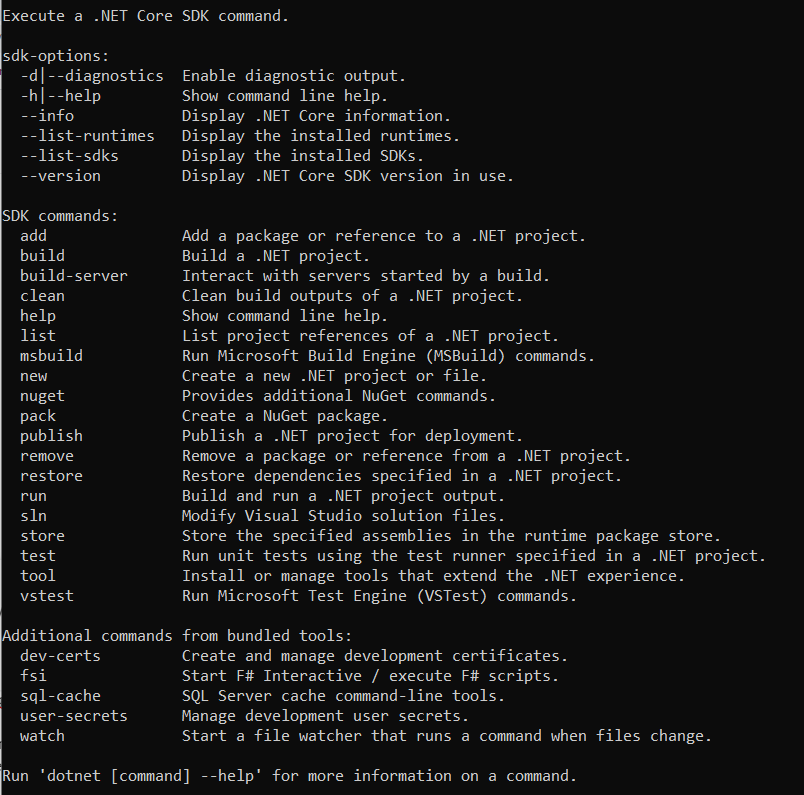
And dotnet nuget push does also not work. Same issue as nuget.exe.
How can we proceed?
Best regards
Christian -
I think
dot net publish, but remember these are really meant to work with nuget.org. This might be an issue to take up with the NuGet team; it's very possible their tool doesn't support this use case and is buggy.It's just an HTTP PUT, so you could do it in a line of PowerShell as well using the Invoke-RestMethod CmdLet:
Invoke-RestMethod -Uri $uri -Method Post -InFile $uploadPathHere is some more information from NuGet's docs: https://docs.microsoft.com/en-us/nuget/api/package-publish-resource#push-a-package
-
I will try to use the API directly to test if it works.
dotnet publish is not the command to publish a nuget package. It is use
to restore nuget dependencies, to build a project and to copy all required
files to a separate folder.Next to your provided link there is a documentation how to push snupkg files.
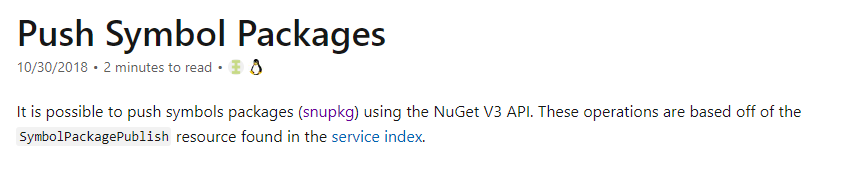
And as you can see here, it depends on SymbolPackagePublish resource found in the service index.
But this resource is missing in the service index delivered by our proget installation. Maybe this could be
a hint for you which can help solving my issue.I will let you know if the direct usage of the API solves also my issue.
Many thanks for you support.
Best regards
Christian -
UPDATE:
I was able to use curl to upload the snupkg symbols package via:
curl -v -i -X PUT -H 'X-NuGet-ApiKey: xxx' -F 'file=@./Trimble.MEP.MyPackage.1.4.0.snupkg;' http://localhost/nuget/symbols/packageBest regards
Christian -
Since there is no further update and no solution for my problem using nuget cli or dotnet cli I am closing this thread.
-
This post is deleted!


Hello! It looks like you're interested in this conversation, but you don't have an account yet.
Getting fed up of having to scroll through the same posts each visit? When you register for an account, you'll always come back to exactly where you were before, and choose to be notified of new replies (either via email, or push notification). You'll also be able to save bookmarks and upvote posts to show your appreciation to other community members.
With your input, this post could be even better 💗
Register Login