Welcome to the Inedo Forums! Check out the Forums Guide for help getting started.
If you are experiencing any issues with the forum software, please visit the Contact Form on our website and let us know!
How to upgrade BuildMaster from 5.8.3 to latest version 6.2
-
Is there any tool to make a full backup? or some commands which I can use in order to make a backup and restore on the new server?
Regarding the reported issue for backup error, If I'm writing the fields correctly and it is all good it can be an issue because the application page is not working on my side.
Because of that, I'm looking for some other type of backup.
Also is there any way to use backup made from 5.8.3 BM version to be transferred on BM 6.2 version?
I have a backup from 5.8.3 with all features working inside.
My point is whether we can use this backup and restore it on 6.2? -
Hi @aleksandarsh_4585 ,
I'm currently looking into if you can back up from a version older than 6.1.
I did want to verify that you have the latest extensions installed in your 6.1 instance. I would also recommend restarting IIS (or the independent web server if you are using that) and the BuildMaster service. Would you be able to take screenshot of your extensions page? The error you sent out is typically an error caused by a missing extension. In these cases, it will also cause your build pipeline page to error on load. That could explain why you can't load your application when you click on it.
You might be able to see what extension is failing by going to
/pipelines/edit-json?pipelineId=464. Could you also try that?Thanks,
Rich -
Hi @rhessinger,
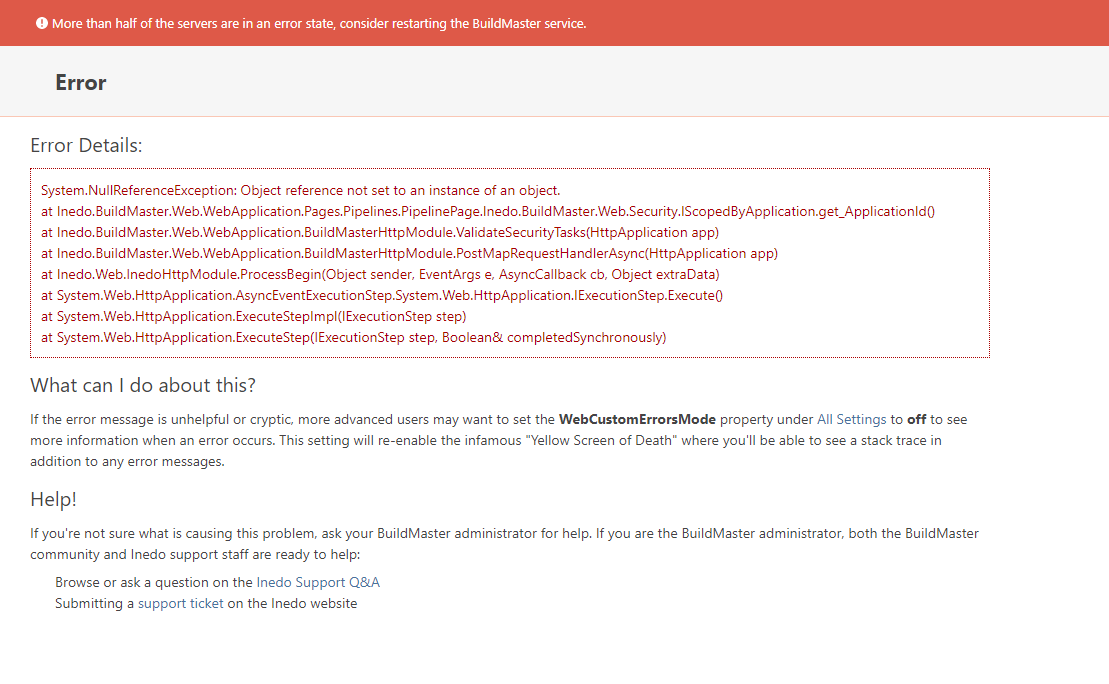
I have taken a screenshot from the extensions, please check and let me know if you need more details.
-
That error message looks like it's the
PipelinePage, not the Extensions page...I think you've got a severe configuration problem on the server still. Between multiple databases, and "impossible" errors, I think you should try this...
Start with a totally new server.
Install BuildMaster 6.1, fresh installation
ensure it works (run the tutorial application)
Restore your database to that server.From there, go to Admin > Extensions, and install what extensions you need.
-
Hi @atripp, let's try your recommendation but please give me direct steps.
- How to make a backup on BM5.8?
- How to restore the backup on BM 6.1?
- After I install BM 6.1 fresh installation can I only take SQL backup from BM 5.8 and import to SQL BM 6.1 and everything will work properly?
- I need to guide me what first to do so I can make all the process properly.
-
Hello;
Given the problems with the existing server, here is my recommend:
- Install BuildMaster 6.1 on a new server.
- Verify it works
- Stop WebApp and Service
- Restore 5.8 Database on BuildMaster 6.1 server
- Manually upgrade newly-restored 5.8 database using the 6.1 version of manual package (use the
dbupdatercommand from the manual install)
Manual install guide for the database: https://docs.inedo.com/docs/buildmaster/installation-and-maintenance/installation-guide/manual
Backup and Restore instructions are here: https://docs.inedo.com/docs/buildmaster/installation-and-maintenance/backing-up
-
Hi @atripp,
I have gone through your steps, 1,2,3,4,5 - on this I got stuck.
I have updated the DB but now when I try to start the BuildMaster Service it is stopping with the following message: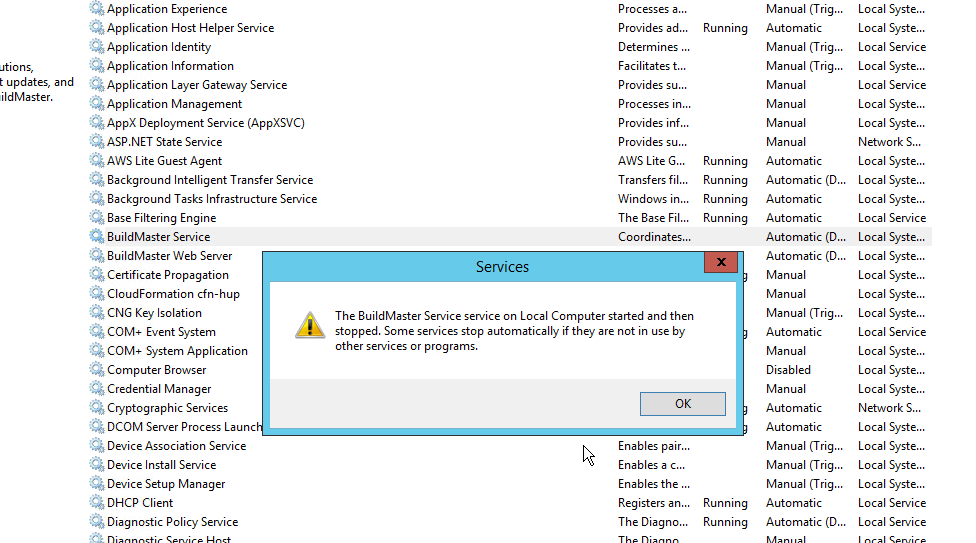 .
.From EventWiever logs I got the following error:
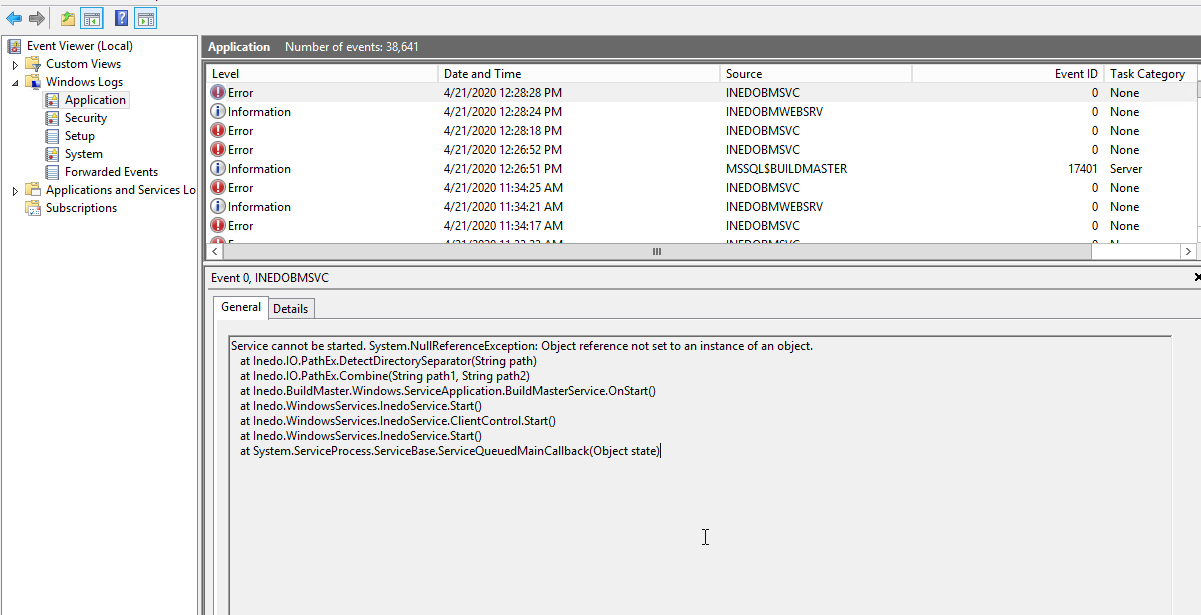
I have tried with restarting the Server but still got the same issue.
What I can understand there is some issue with the db upgrade.
Also just to let you know the hub for upgrading 6.1.27 and installing that version is not working at all.
Only uninstall is working from this hub.I have made a new image of my BM fro production and created new server. I have successfully started the BM 5.8 copy, everything was working properly but when I upgrade again the version to 6.1.27 using the hub again I got the same issues that I have already reported to you.
So I have uninstalled the BM, removed the db and tried to install using the hub. The hub did not install the 6.1.27 BM so I have deleted everything and downloaded the installer.
After the installer finished I got up and running 6.1.27 version.
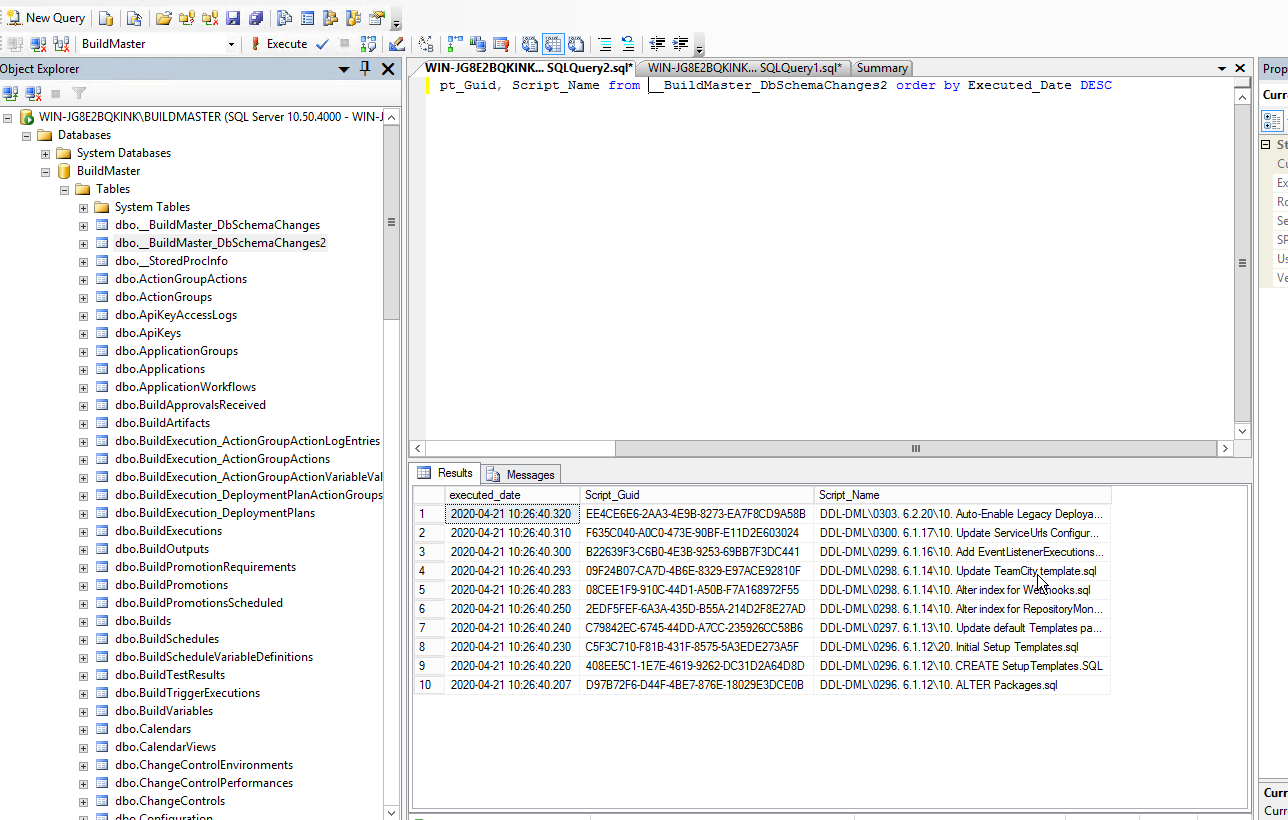
I have stopped the services, restored the db from 5.8 version and extracted the dbupdater.
After dbupdater finished I have tried to start the service and I was unable.
It can be some issue with dbupdater? Is there another way?
I can't see any other way how to do this update.
Please check with your dev team. If you need I can send you my db or give you access from my server.
Let's fix this issue. -

-
-
OK; at this point, I think it's going to best to schedule some one-one-one review time with our engineering team.
I will start the process on this end, but can you please open a ticket at here - https://my.inedo.com/tickets/new
You can write "6.2 UPGRADE" in the "How can we help", and include any other emails you'd like us to be in touch with in the form as well. Then we will work and get stuff scheduled!
-
Hi @aleksandarsh_4585 ,
I wanted to put the final solution in this thread for what solved the error. It looks like the issue was around which extensions were installed. After upgrading to 6.1, you needed to enable the legacy features in Administration > Advanced Settings and install the Legacy extensions in Administration > Extensions. We also had to uninstall and extensions that had errors loading including Amazon, Jira, and Jenkins and only leave the legacy versions installed.
Thanks,
Rich


Hello! It looks like you're interested in this conversation, but you don't have an account yet.
Getting fed up of having to scroll through the same posts each visit? When you register for an account, you'll always come back to exactly where you were before, and choose to be notified of new replies (either via email, or push notification). You'll also be able to save bookmarks and upvote posts to show your appreciation to other community members.
With your input, this post could be even better 💗
Register Login